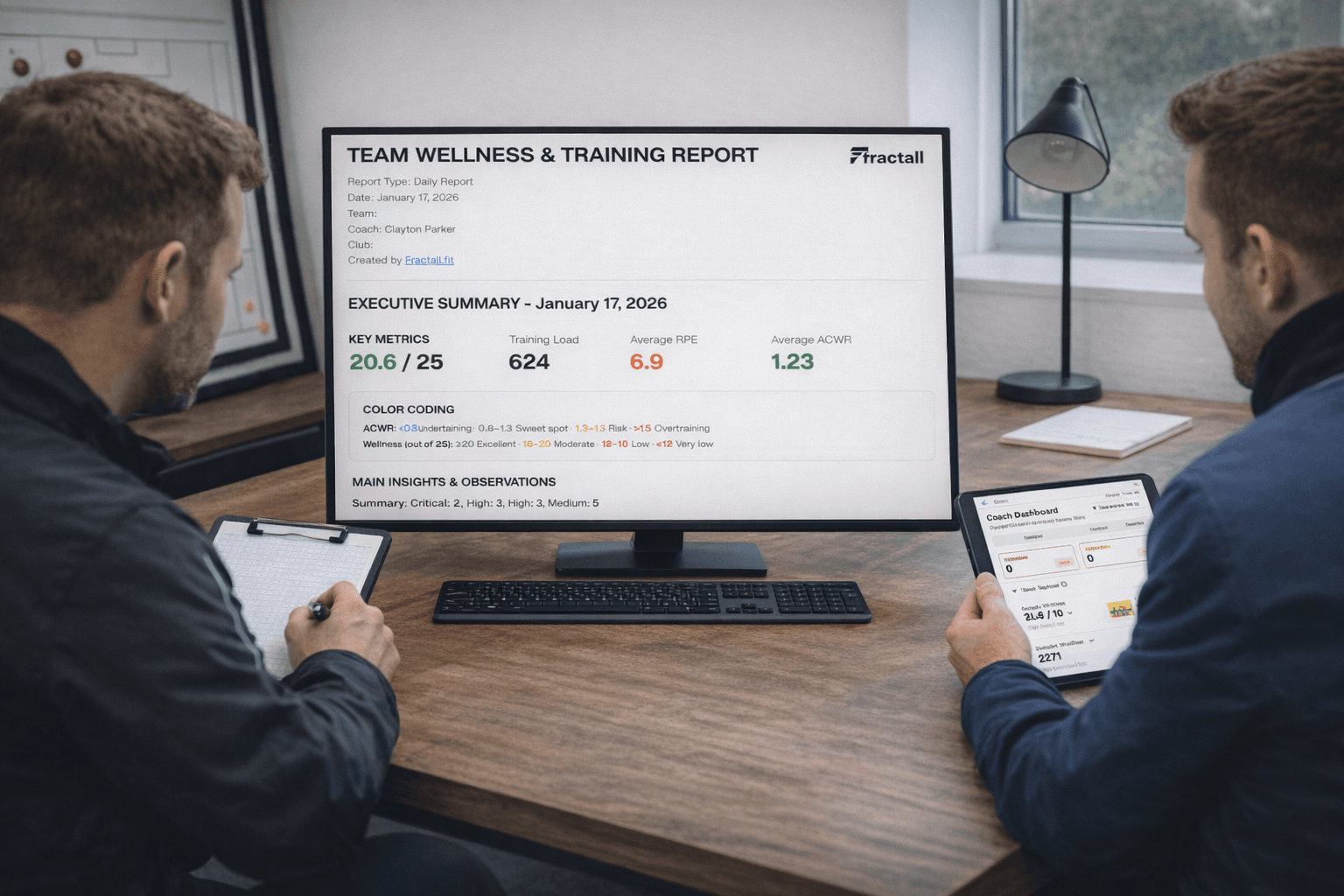
AI Reports for Coaches: What to Automate (and What Not to Automate)
Right now, every second product in sport seems to promise “AI insights” or “AI coaching reports.”
If you’re a coach in a small or medium club, it probably feels like this:
- You already struggle to keep up with RPE, wellness, GPS, and match data.
- Now vendors want to add another layer of complexity called “AI”.
- You’re not sure whether AI reports will actually help, or just produce longer PDFs you don’t have time to read.
The good news:
You don’t need a data scientist to use AI in sports performance.
You do need a clear idea of what to automate and what must stay human.
This article is a coach-first guide to AI reports for coaches:
- What “AI in sports performance” really means in practice
- The best use cases for automated coaching reports
- The things you should not automate (and why)
- A simple framework to decide when AI is useful in your club
- How a platform like Fractall can help you get the benefits without losing control
What “AI in Sports Performance” Really Means (Coach Version)
Forget the jargon for a moment.
In day-to-day coaching, AI usually means:
Software that can take your data (training load, wellness, match stats, notes) and automatically generate summaries, flags, and explanations in natural language.
In other words:
- Instead of you writing a weekly report from scratch,
- The system drafts one for you, based on the numbers you already collect.
Important:
- AI does not “watch the game” for you.
- It does not know your game model unless you teach it.
- It can’t replace tactical insight, experience, or relationships with players.
It’s a text and pattern engine, not a head coach.
Coach Takeaway:
Think of AI as an assistant that reads your data and writes summaries, not as a digital head coach.
The Best Things to Automate with AI Reports
Let’s start with where AI genuinely helps.
1. Routine Load & Wellness Summaries
You already track:
- Daily RPE and session duration
- Weekly training load and ACWR
- Wellness (sleep, fatigue, soreness, stress, mood)
- Sometimes pain locations and basic GPS metrics
AI is excellent at turning this into:
- A one-page weekly summary per team
- Short player-specific notes (e.g., “3rd consecutive week with high ACWR and low sleep”)
- Simple trend descriptions (“overall wellness stable; small drop in mood after congested week”)
This saves you:
- 30–60 minutes of manual writing per week
- The mental load of “where do I start?”
You still read and edit the report, but AI handles the first draft.
2. Highlighting Simple Patterns and Flags
AI can scan your data and automatically highlight things like:
- Players whose acute load is much higher than chronic load (high ACWR)
- Players with repeated red wellness flags
- Sudden drops in minutes or changes in role (starter → bench)
- Trends like “training monotony increased while wellness decreased”
On its own, that is not a decision.
But it is an efficient early-warning system.
Instead of hunting through dashboards, you get:
“These 4 players need a closer look this week, here’s why.”
3. Drafting Coaching Reports for Staff Meetings
Before a weekly staff or performance meeting, AI can:
- Generate a structured agenda based on the data:
- Squad overview
- At-risk players
- Return-to-play updates
- Positional trends
- Produce bullet-point talking notes you can refine
This is especially useful if you manage multiple teams or have limited staff time.
4. Communication Drafts for Players and Staff
AI can help you draft:
- Short messages to players (e.g., “here’s why we’re adjusting your load next week”)
- Simple email summaries to head coaches or directors
- Education content (what ACWR means, why wellness matters, etc.)
You still adjust the tone, language, and final content.
AI just stops you from starting from a blank page.
5. Linking Multiple Data Streams into One Narrative
On their own, dashboards for:
- Load
- Wellness
- Pain
- Match stats
…often live in separate silos.
AI is good at weaving them into one story, for example:
“Over the last three weeks, Player X’s training load and ACWR have increased, while sleep quality and mood have slightly decreased. At the same time, his high-speed running in matches has dropped. Consider checking for hidden fatigue or stress and reviewing his weekly schedule.”
This is exactly the kind of sports intelligence coaches need but rarely have time to write.
Coach Takeaway:
Automate anything that is repetitive, data-heavy, and descriptive. Use AI to generate the first version of what happened and where to look.
What You Should NOT Automate (Keep This Human)
Now the important part: where not to let AI lead.
1. Final Coaching Decisions
AI can say:
“Player Y’s ACWR is 1.6 and wellness is trending down.”
It cannot say:
“Don’t start Player Y this weekend.”
Why?
- It doesn’t know the competition context (cup final vs friendly)
- It doesn’t feel how the player moves in training
- It doesn’t understand your game model, opponent, or tactical plan
Use AI as input, not verdict.
2. Sensitive Conversations with Players
AI can help you draft:
- Education messages
- General feedback summaries
But it should not replace:
- Difficult conversations about role, attitude, or behaviour
- Nuanced discussions around mental health or personal life
- Negotiations about contracts, playing time, or selection
Those require empathy, trust, and non-verbal communication.
3. Medical and Return-to-Play Decisions
AI can highlight:
- Long periods with high load and low wellness
- Players with recurring pain in the same area
- Patterns like “repeated spikes after return from injury”
It must not:
- Clear a player to return to play
- Prescribe rehab or medical treatments
- Override physio or doctor assessments
Medical decisions remain the responsibility of qualified practitioners.
4. Session Design from Zero
AI can:
- Suggest ideas for drills based on themes
- Help you write session descriptions and coaching points
But it should not:
- Design full training weeks without your oversight
- Replace your understanding of game model, physical periodization, and player needs
You are the one who understands:
- Your team’s playing style
- Your athletes’ physical level
- The real constraints of pitches, schedule, and staff
5. Evaluating Staff and Making Structural Decisions
AI reports may show:
- Who is improving
- Where injuries cluster
- How training patterns changed with different coaches
However, using AI to:
- Judge staff performance
- Make hiring/firing decisions
- Rank coaches based purely on numbers
…is dangerous and usually unfair.
Coach Takeaway:
If a decision involves values, relationships, or complex context, it must remain human-led. AI can inform, but never decide.
A Simple Framework: What to Automate, What to Keep Human
When you’re unsure, use this quick test.
Automate tasks that are:
- Clerical – routine, repetitive writing or summarising
- Computation-heavy – involve lots of numbers and cross-checking
- Consistent – logic is similar week to week (e.g., weekly load report)
Keep human anything that is:
- Coaching – selection, tactics, training design
- Care – wellbeing, mental health, sensitive feedback
- Creative / Strategic – long-term planning, culture, leadership
If a task is Clerical + Computation-heavy + Consistent, AI is a great fit.
If it’s Coaching + Care + Creative, it belongs to you and your staff.
How This Looks in Practice with a Sports Intelligence Platform
Here’s a realistic scenario using a sports intelligence platform like Fractall.
Data You Already Collect
- RPE + duration (internal load)
- Wellness and pain (daily)
- Basic match data (minutes, position)
What the Platform Automates
- Training load, ACWR, monotony, and strain
- Simple wellness and pain trends
- Automated coaching reports, for example:
- Weekly team summary
- “Top 5 players to monitor” list
- Return-to-play progression notes
What You Still Do
- Decide who trains fully, who modifies, who rests
- Adjust microcycle design based on the insights
- Speak with players about what the numbers mean
- Align with staff on selection and game plan
AI does the heavy lifting of reading and writing.
You still own the thinking and deciding.
How Fractall Uses AI Reports for Coaches (Without Replacing Them)
Fractall is built for small and medium clubs that want sports intelligence without a large staff.
On the AI side, Fractall focuses on:
- Automated coaching reports built from:
- Training load (RPE-based)
- ACWR, monotony, strain
- Wellness and pain data
- Weekly summaries for teams and players
- Highlight lists (e.g., “players with high ACWR + poor wellness”)
- Coach-ready text you can read, edit, and share with staff
Fractall does not:
- Make medical decisions
- Tell you who to start or bench
- Replace tactical or technical analysis
Instead, it gives you clear, structured information so your decisions are faster and better informed.
👉 Want AI reports that save time without replacing your judgment? Try Fractall free.
You can also follow Fractall for more examples of AI in sports performance:
👉 Fractall on LinkedIn
Coach Recap: AI in Sports Performance, Without the Hype
- AI reports for coaches are best used to automate summaries, flags, and routine communication, not to make final decisions.
- Use AI for anything repetitive, data-heavy, and descriptive (weekly load reports, wellness trends, player overviews).
- Keep selection, session design, sensitive conversations, and medical decisions strictly human.
- Apply the simple filter:
- Clerical / Computation-heavy / Consistent → automate
- Coaching / Care / Creative → keep human
- A sports intelligence platform like Fractall can turn your existing data into useful, coach-ready AI summaries, so you spend more time coaching and less time writing reports.
Coach Takeaway:
AI in sports performance is not about replacing coaches. It’s about removing the admin and amplifying your ability to see patterns and act early.
👉 If you want to experiment with AI reports in a safe, coach-first way, start here: Try Fractall free.