1 Month Free Access (cancel anytime)

Load, wellness, body pain and injury records for every athlete, under one filter bar. Flags surface the athletes outside the thresholds you set.
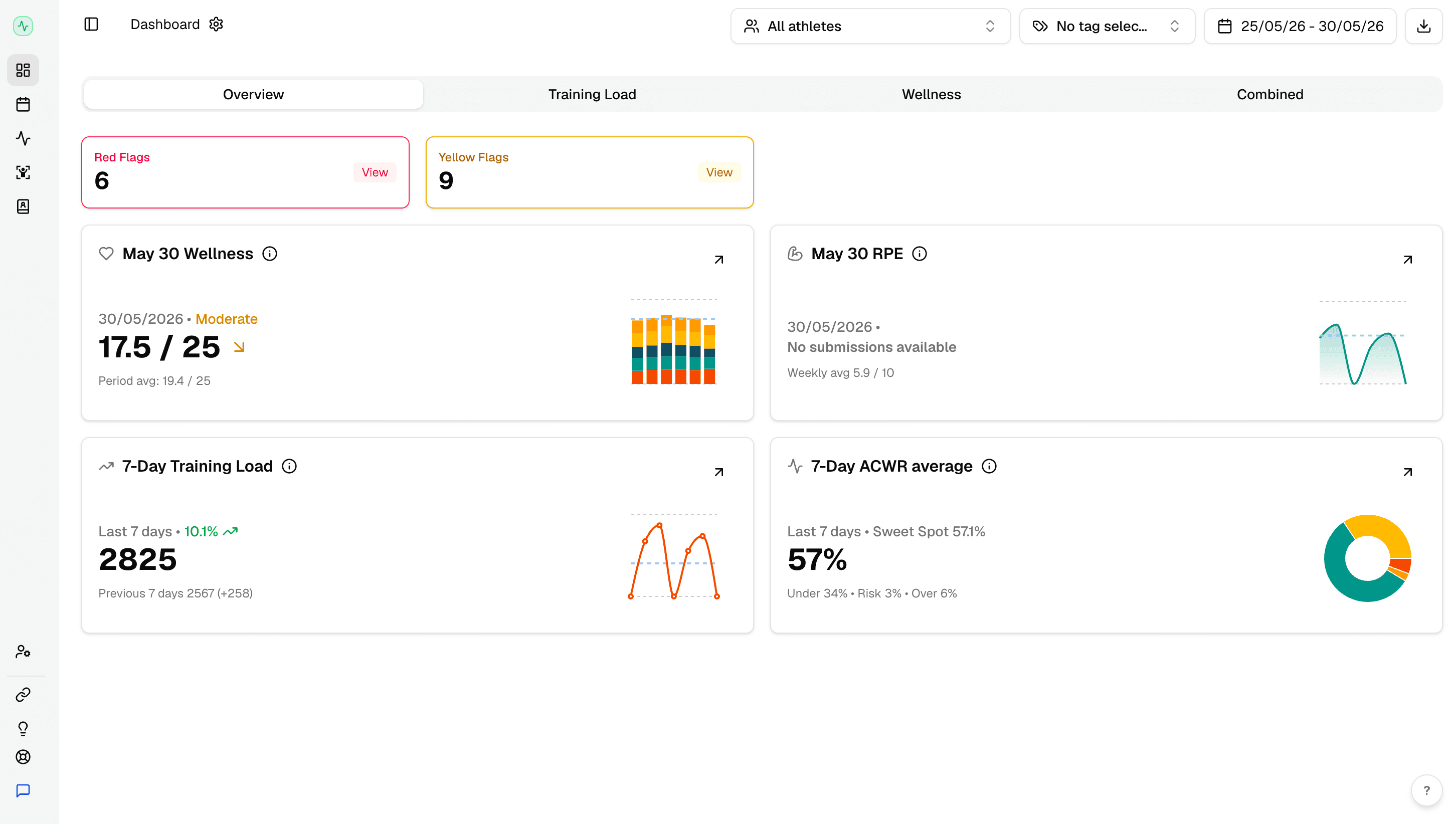
The overview opens on flagged athletes, team wellness, average sRPE and weekly load. Everything on it respects the filter bar at the top. Scope to one position group and every card changes.
Automated red & yellow flags
Fractall checks each athlete against the ACWR thresholds and wellness baselines you configure. Athletes outside the safe zone are surfaced as red for high risk or yellow for caution.
Team wellness KPI
Aggregated wellness score across the selected athletes and date range, with a sparkline for the trend direction.
Average sRPE
Team level average for the selected period, colour coded by effort zone from light through max.
Weekly load & ACWR status
Total training load for the week, next to the team ACWR and its position against the 0.8 to 1.3 range.
Filters: athletes, date range, training tags
Every view shares one filter bar. Scope to a specific athlete, a custom date window, or a training tag such as match, conditioning or strength.
Explore dedicated pages for the core features powering the dashboard.
sRPE & Training Load Monitoring
How Fractall tracks internal load, calculates ACWR and flags overloaded athletes, with no GPS required.
Learn more ->Athlete Wellness Tracking
How Fractall collects daily wellness check-ins and reads them as squad readiness.
Learn more ->ACWR Dashboard
How Fractall calculates the Acute:Chronic Workload Ratio and uses it to flag injury risk before it becomes an injury.
Learn more ->GPS & External Load
How Fractall turns your GPS provider's CSV export into microcycle charts and session KPIs beside your internal load.
Learn more ->All Athlete Data in One Place
How wellness, RPE, GPS exports, physical tests and injury records end up in one platform.
Learn more ->Start your 1-month free trial. Your dashboard is live in under 10 minutes.
