

Athlete Monitoring Excel Template (Free + When to Stop)
A free athlete monitoring Excel template with the sRPE, ACWR, and monotony formulas built in, plus the clear signs it is time to stop using a spreadsheet.
Updated first published
Start here
What a good athlete monitoring spreadsheet actually tracks
Most coaches at small and medium clubs start training load monitoring in an Excel or Google Sheets spreadsheet. That is the right place to start. The trick is tracking the few columns that turn raw numbers into a decision.
Quick answer
5
Columns that matter
Duration, sRPE, session load, rolling load for ACWR, weekly wellness.
0 to 10
RPE scale
The CR10 scale is the standard for sRPE internal load.
| Column | What it holds | Why it earns its place |
|---|---|---|
| Date and session type | Training, match, or off day. | Lets you read load against the football week, not in a vacuum. |
| Duration (min) | Minutes the athlete actually worked. | Half of the session-load calculation. |
| sRPE (0 to 10) | Athlete's rating of perceived exertion. | The other half of session load, and free to collect. |
| Session load (AU) | RPE multiplied by minutes. | The single number you sum, average, and trend. |
| Rolling 7d and 28d load | Acute and chronic totals per athlete. | Feeds ACWR, monotony, and strain. |
| Weekly wellness | Sleep, soreness, mood, fatigue. | Stops you reading a load spike with no context. |
The maths
The four formulas your spreadsheet needs
These are the calculations that make a training load spreadsheet worth keeping. Build them once and the sheet does the arithmetic for you.
Session load (sRPE)
Session load = RPE multiplied by session duration in minutes. The result is in arbitrary units (AU).
Example: A 75-minute session at RPE 6 equals 450 AU.
ACWR
Acute:chronic workload ratio = the rolling 7-day load divided by the rolling 28-day average load, read on the same weekly scale.
Example: 2,100 AU acute over a 1,900 AU chronic base gives an ACWR near 1.1.
Monotony
Weekly monotony = the mean daily load for the week divided by the standard deviation of daily load. High monotony means every day looks the same.
Example: A week with no easy days and no hard days pushes monotony up, even at moderate total load.
Strain
Weekly strain = total weekly load multiplied by monotony. It flags weeks that are both heavy and flat.
Example: High volume with high monotony produces the strain weeks worth watching.
Free download
Get the free athlete monitoring template
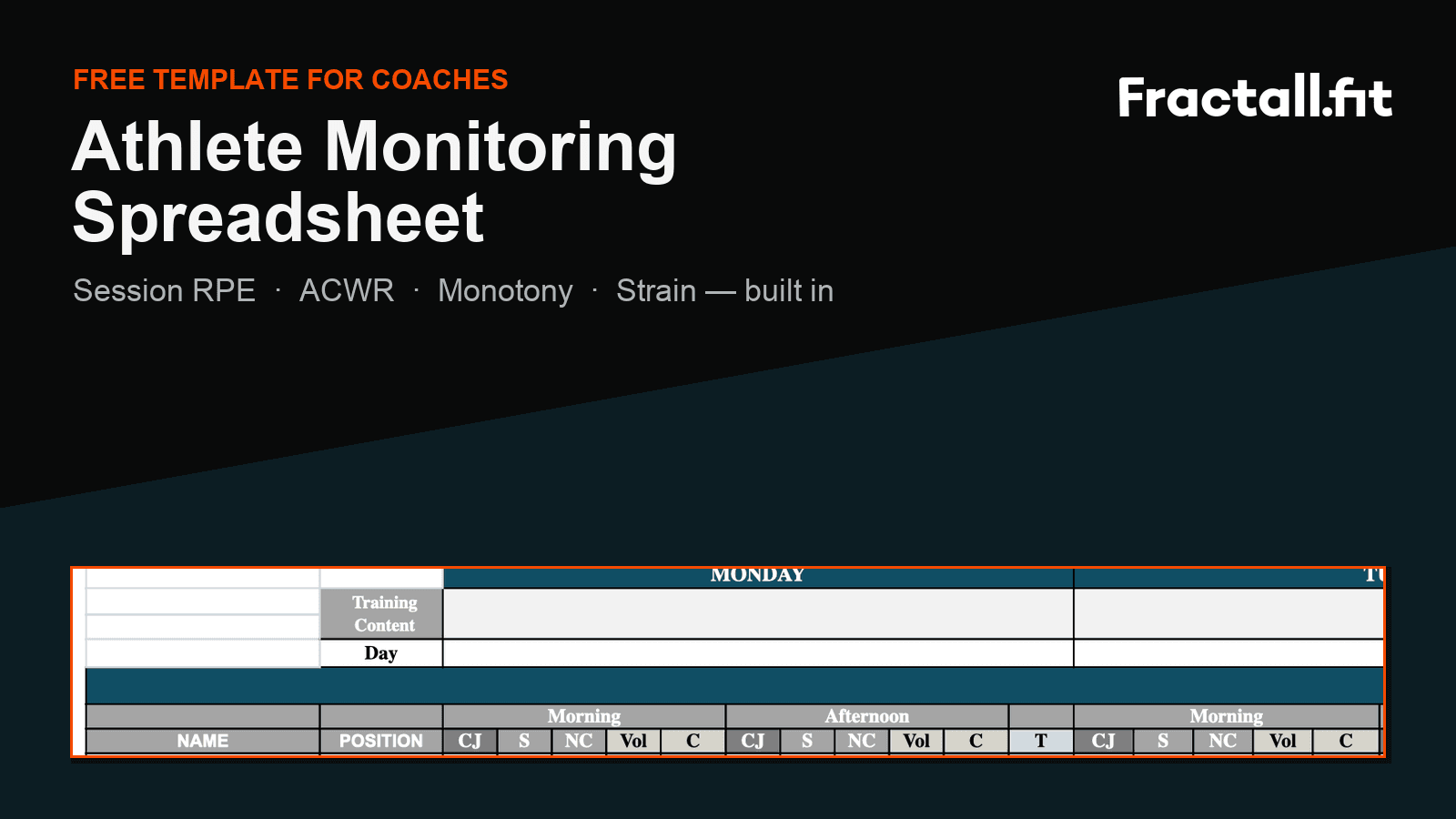
We built a starter spreadsheet with the columns and formulas above already wired up: session load, rolling 7-day and 28-day totals, ACWR, monotony, and strain per athlete.
What is in the template
- One row per athlete per session, with duration and sRPE inputs.
- Session load that calculates itself from sRPE and minutes.
- Rolling 7-day acute and 28-day chronic load per athlete.
- Auto ACWR, monotony, and strain columns.
- A weekly wellness tab to read load with context.
- A short instructions tab so any staff member can keep it going.
How to use it in week one
Get the free template by email
Tell us where to send it and we will email you the athlete monitoring spreadsheet with the formulas built in.
The ceiling
When to stop using the spreadsheet
A spreadsheet is a great start and a poor finish. These are the moments where it quietly starts costing you more time and more risk than it saves.
Signs the spreadsheet has hit its limit
- You chase athletes for sRPE and type it in by hand every day.
- Compliance is a guess because you cannot see who skipped a check.
- A dragged formula breaks the ACWR column and nobody notices for a week.
- Two staff edit the same file and overwrite each other.
- You manage more than one team and the tabs multiply.
- Nothing alerts you to a spike; you only find it if you go looking.
The honest test
| Job to be done | Spreadsheet | Fractall |
|---|---|---|
| Collecting sRPE and wellness | Manual entry, or you type in what athletes send you. | Athletes self-log on their phone in seconds. |
| Tracking compliance | Invisible unless you build it yourself. | See who logged and who skipped at a glance. |
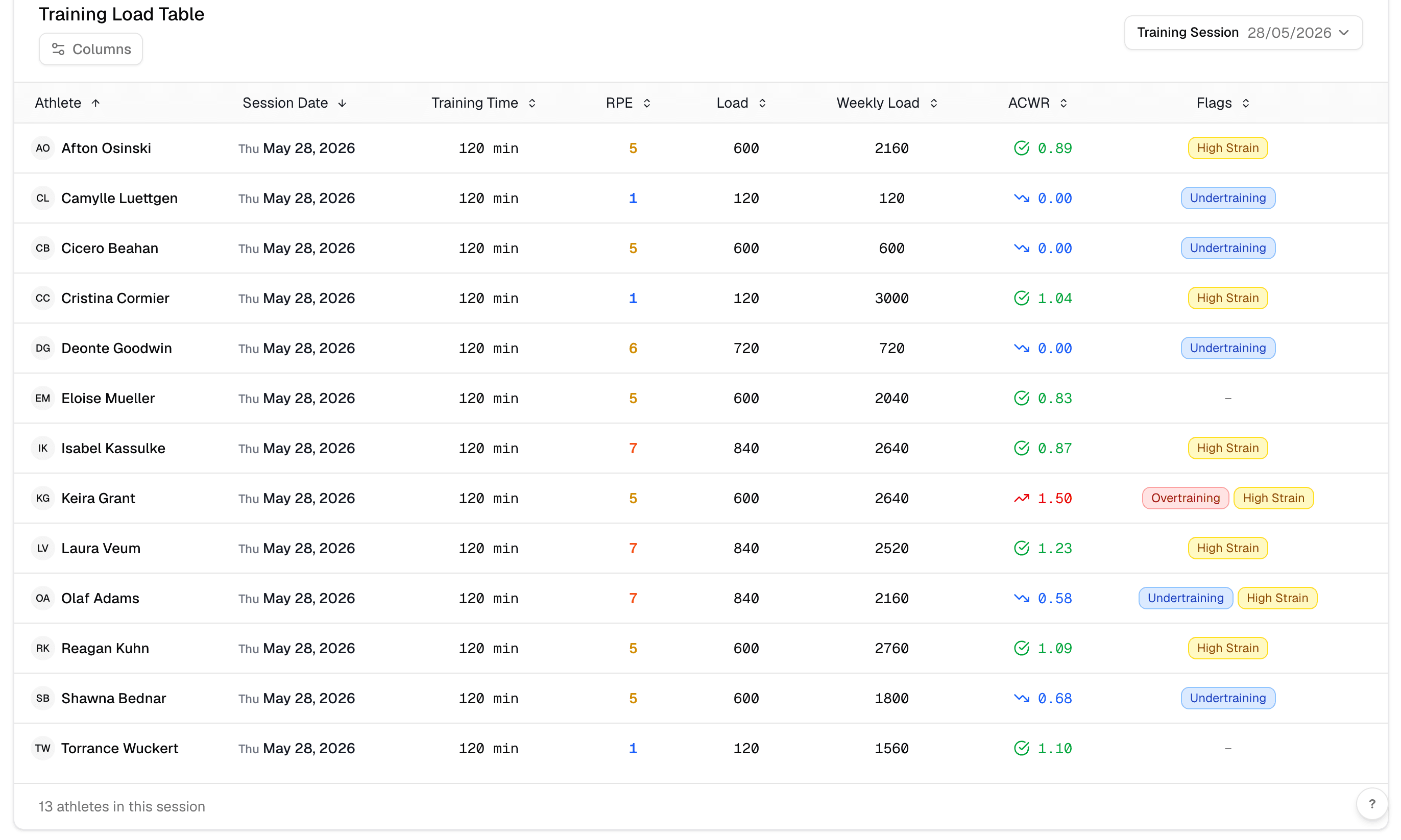
| Calculating ACWR, monotony, strain | Formulas you maintain and that break when dragged. | Calculated automatically and kept consistent. |
| Spotting a spike | Only if you scroll to the right row. | Surfaced on the dashboard for review. |
| Running multiple teams | More tabs, more files, more drift. | Teams kept separate in one place. |
Next step
How to move off the spreadsheet without losing your method
Switching tools should not mean throwing away the way you already work. The goal is to keep your method and drop the manual labour around it.
A clean migration in a week
Add your squad and teams once, then have athletes log sRPE and wellness from their phones.
Let the platform calculate session load, ACWR, monotony, and strain instead of your formulas.
Review the same weekly signals you trust now, with compliance and spikes already surfaced.
- 1
Keep your scale
Fractall uses the same 0 to 10 sRPE method, so your historical thinking still applies.
- 2
Stop the data entry
Athletes log directly, which removes the daily typing that made the spreadsheet a chore.
- 3
Start small
No hardware, setup in minutes, and a 1-month free trial on one team before you commit.
See how Fractall replaces the spreadsheet
Fractall collects sRPE and wellness from athletes, then calculates load, ACWR, monotony, and strain automatically. No hardware, setup in minutes.
FAQs
Athlete monitoring spreadsheet questions coaches ask
Practical answers for coaches deciding whether to build, download, or move on from a spreadsheet.
Is the athlete monitoring template free?
Yes. The starter spreadsheet is free. Tell us where to send it and we will email it to you.
Example: It includes session load, rolling 7-day and 28-day load, ACWR, monotony, and strain.
Do I need GPS or hardware for this?
No. The whole template runs on sRPE and duration, which any club can collect with no equipment.
Example: GPS can become a second layer later if you want external load too.
Can I track ACWR in Excel?
Yes, with rolling 7-day and 28-day load columns dividing acute by chronic. The catch is keeping the formulas intact as the sheet grows.
Example: Dragged or copied formulas are the most common reason an ACWR column quietly breaks.
When is software worth it over a spreadsheet?
When manual entry, compliance gaps, broken formulas, or multiple teams cost you more time than the data saves. That is usually past 20 to 30 athletes or more than one team.
Example: If you spend more time feeding the sheet than acting on it, it is time.
Try the spreadsheet's replacement free
Run one team on Fractall for a month. Collect sRPE and wellness, see ACWR and strain calculated for you, and decide with your own data.
Related guides
Two Games a Week: What Wellness Data Shows Before Match 2
Fractall data on football teams playing two games a week: on match morning, fatigue sits less than half as far above normal. How to read wellness between games.
ChatGPT and Claude for Strength and Conditioning Coaches
What an S&C coach can ask ChatGPT or Claude about squad load, wellness and injuries, and the privacy settings to change before any athlete data goes in.
CMJ Test: Protocol, Norms and Why Devices Disagree
The same countermovement jump reads nearly 7 cm apart on a force plate, a phone app and a sensor. Triple the U16 to U18 gap. The protocol and the norms.