1 Month Free Access (cancel anytime)

Athletes rate five things each morning in the Fractall app, prompted by a notification your staff configures. You get team readiness, per athlete trends, a body pain heatmap, cycle context for female athletes and injury records, all under the same filters as your load data.
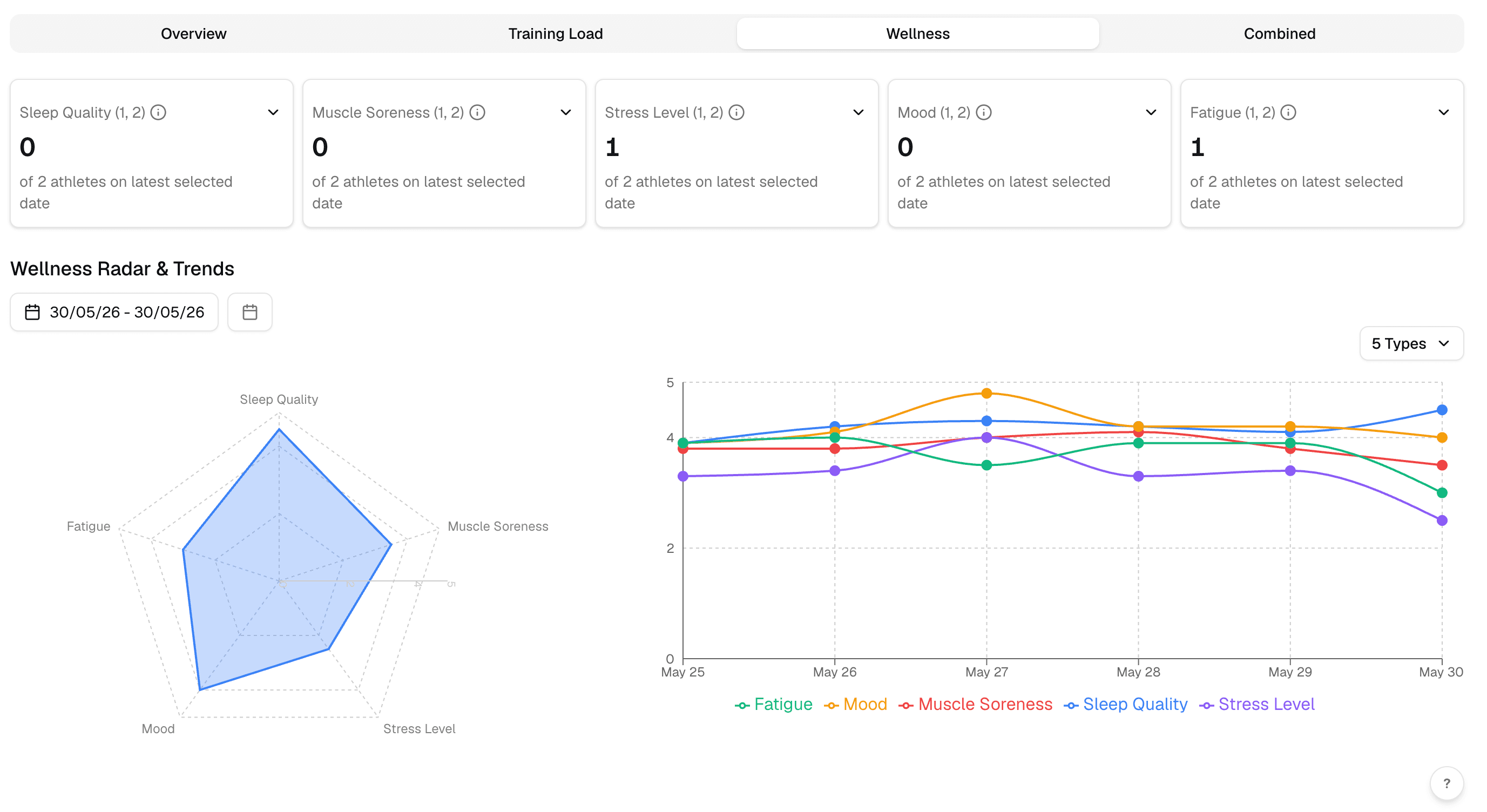
Each of the five metrics gets a card counting how many athletes scored in the range you've asked for, which defaults to 1 and 2. Click the card and you get those athletes by name with their score and submission date. The radar plots the team average across all five at once, and a weak axis shows up as a dent you can see from across the room.
Click through to names
Every count opens to the athletes behind it.
Selectable score range
Ask for any combination of scores from 1 to 5, not only the worst two.
Radar chart
Team average across all five metrics, with a comparison day laid over it.
Trend chart
Each metric across your selected date range, plus an overall average line.
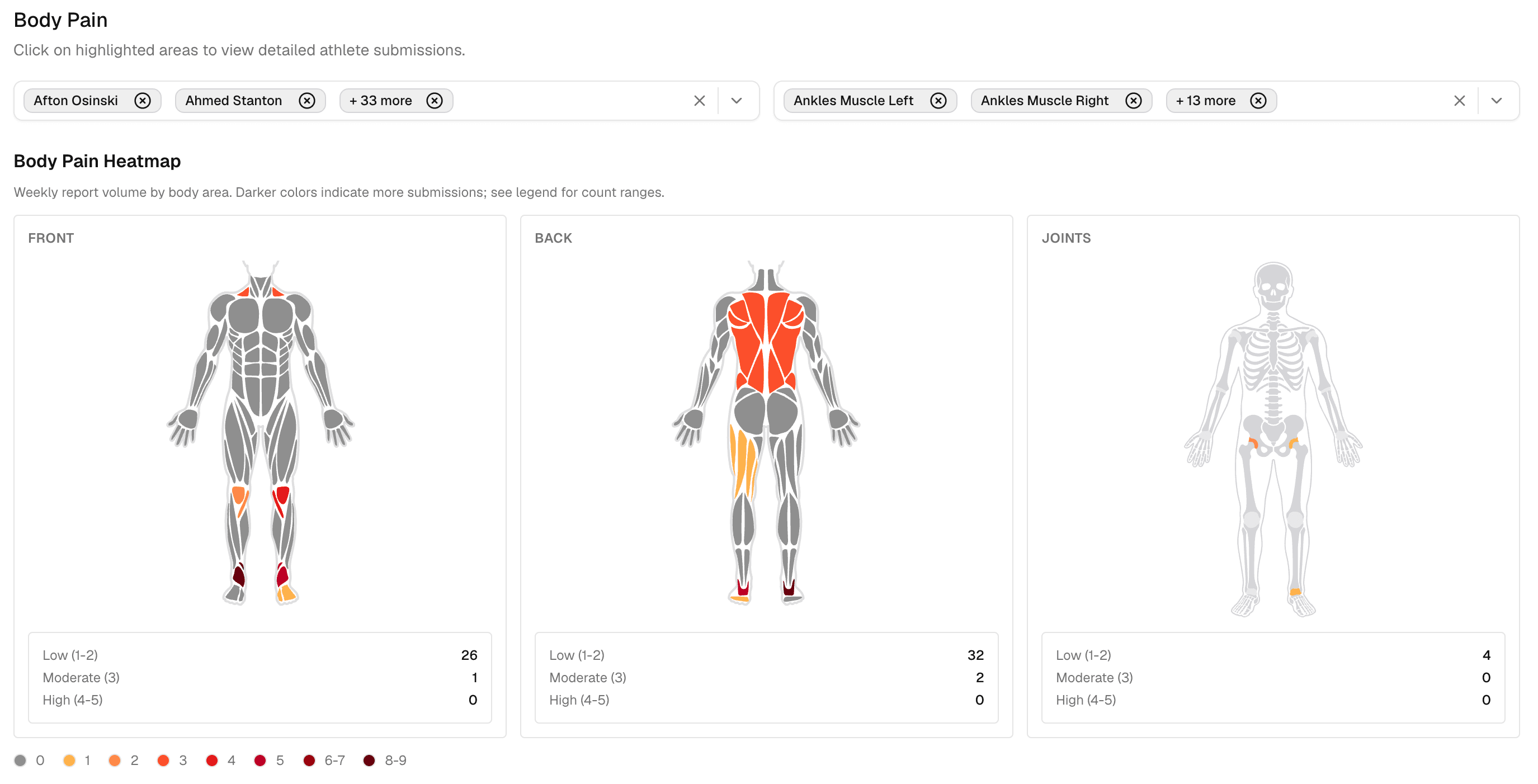
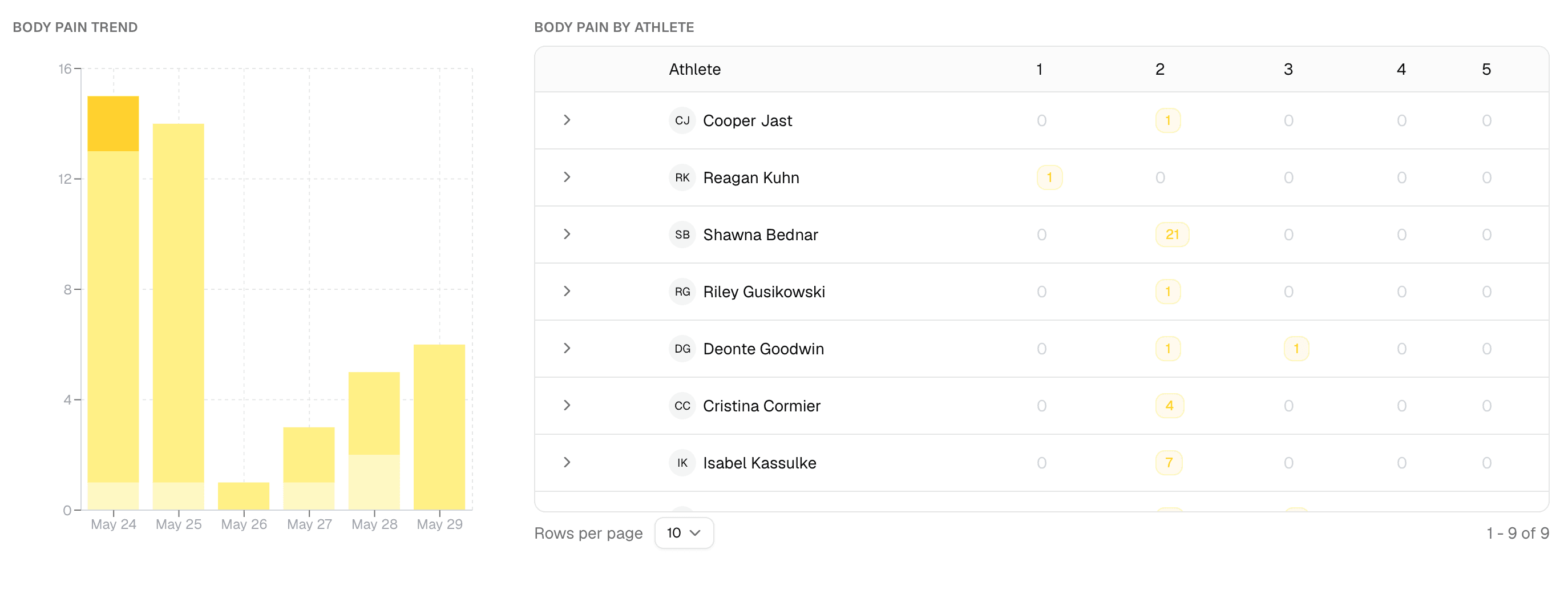
The check-in includes a body diagram, front and back, muscle and joint layers. Athletes tap the region, set a pain level from 1 to 5, and add a type and a description. Across a squad those reports build three heatmaps where the areas getting repeat mentions go darker, which is usually the first sign of something before it becomes an injury record.
Region picker
Front, back, muscle and joint layers, with left, right or central.
Pain level and type
Each report carries an intensity from 1 to 5 and a tissue type.
Squad heatmaps
Front, back and joints, shaded by how many reports an area has collected.
Drill down
Click a region to filter to it, or read the per athlete table and filter by athlete and body part.
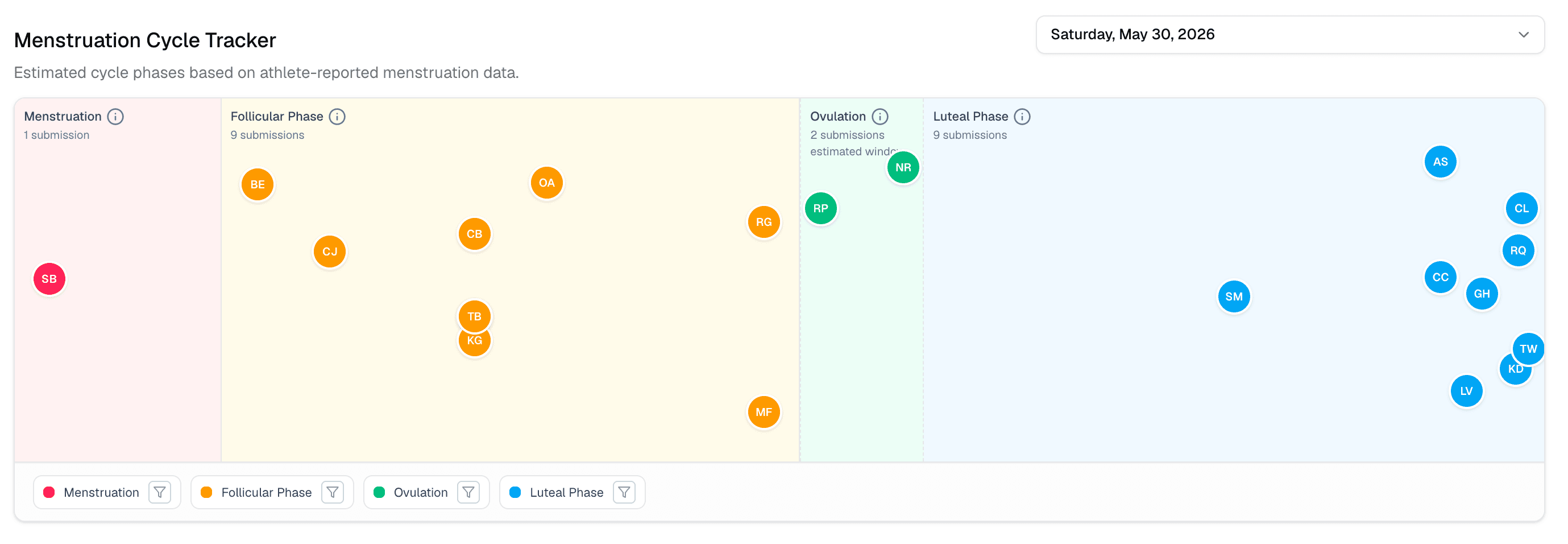
Athletes marked female in your roster get one extra tap in the daily check-in to log whether they're on their period. The tracker only appears for them, and it stays off everywhere else. Fractall builds those logged days into a timeline and estimates the phase around them, so a drop in wellness scores gets read with that context rather than in isolation.
Female athletes only
The tracker shows for athletes recorded as female and stays hidden for the rest of the squad.
One tap to log
Part of the daily check-in, not a separate app or a separate form.
Phase timeline
Menstruation, follicular, ovulation and luteal, estimated from the days logged.
On the athlete profile
Cycle context sits next to the wellness and load numbers it helps explain.
Worth knowing
Phases are estimated from logged days, not entered by the athlete.
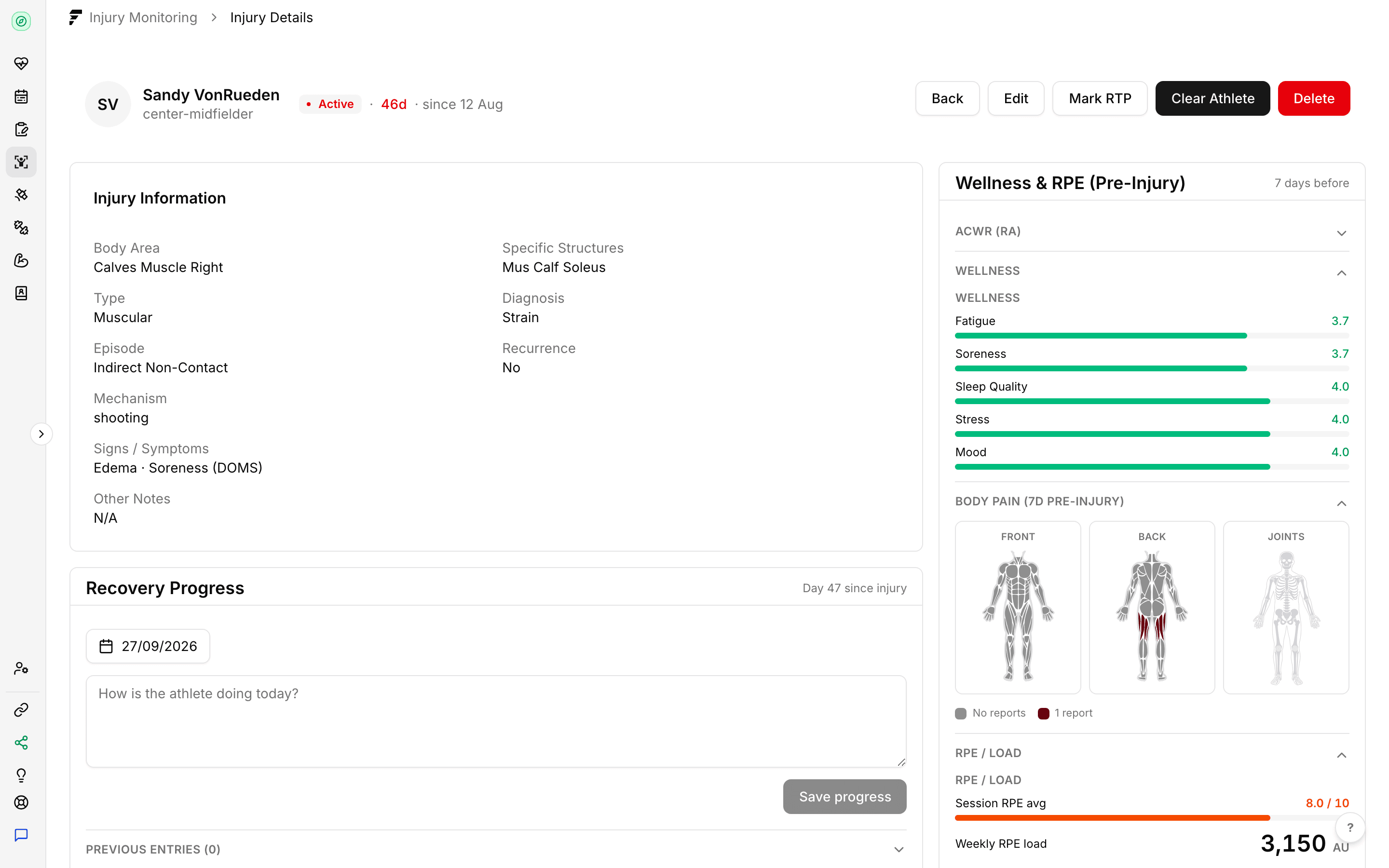
Staff log an injury with the body area, tissue type, diagnosis, mechanism, and whether it's a recurrence. Status moves through active, return to play and cleared, each with its own dates. Fractall attaches a snapshot of the weeks before it happened, so when you review the record in March you still have the ACWR, the sRPE and the wellness scores that were sitting there in January.
Structured record
Body area, tissue type, diagnosis, episode type, signs, symptoms and affected structures.
Return to play status
Active, return to play or cleared, with the date each status changed.
Pre-injury context
ACWR at the point of injury, recent sRPE, wellness scores and cycle phase from the period before it.
Start a free trial and have your athletes submitting inside a week. There's no hardware to buy and no setup fee.
For the overview, pricing and FAQ, see wellness tracking for coaches
