1 Month Free Access (cancel anytime)

Import the file your GPS provider exports. Catapult, STATSports, Oliver Sports and WIMU CSVs get recognised on upload, and so does Vert's SportsCode XML. For anything else you map the columns yourself in the import screen, and Fractall saves that layout so the next file goes straight through. Over 70 metrics, attached to the right athlete and the right session.
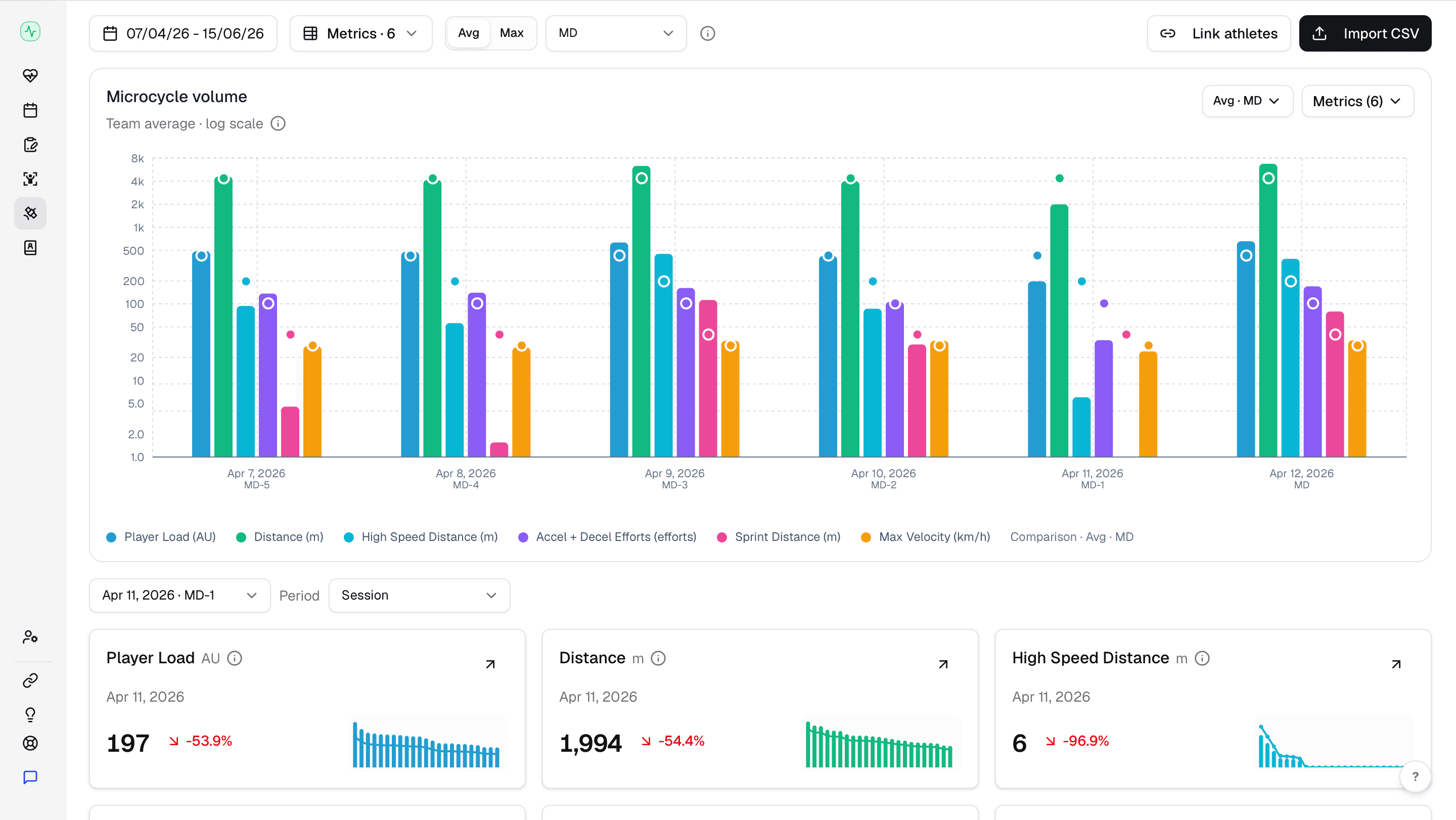
Catapult, STATSports, Oliver Sports, WIMU and Vert each have a parser that knows their export layout, so those files need nothing from you. Every other provider runs through the same import screen. You choose which column holds distance, which holds player load, which ones to ignore, and you set the delimiter and decimal format if the file uses commas. Fractall fingerprints the header row and saves the mapping as an import profile for that team.
Five providers read on upload
Catapult, STATSports, Oliver Sports and WIMU as CSV, Vert as SportsCode XML, with no mapping step.
Every other provider
Pick the Fractall field for each column in the import screen. Anything you don't need gets marked as ignored.
Saved import profiles
Your column mapping, delimiter and decimal format save against the file's header signature, per team.
Athletes linked once
Match the athlete names in the export to your roster, and metrics attach to the right players on every import after that.
Filed against the session
Metrics land on the session they belong to, next to the sRPE submitted for it.
Catapult, STATSports, Oliver Sports and WIMU CSVs get read on upload with no mapping step, and so does Vert's SportsCode XML with its volleyball jump data. Anything else runs through the import screen once. You point each column at a Fractall field, set the delimiter and decimal format if the file needs it, and that layout saves against the file's header signature. The next export from the same system goes straight through.
Read on upload
Catapult, STATSports, Oliver Sports, WIMU and Vert each have a parser that knows their file layout.
Vert for volleyball
Jump count, jump height, landing stress and jump power per athlete, from the XML that SportsCode exports.
Mapped once
Every other provider takes a single pass through the import screen.
Not a closed list
Any provider that exports a CSV maps the same way, whether it's here or not.
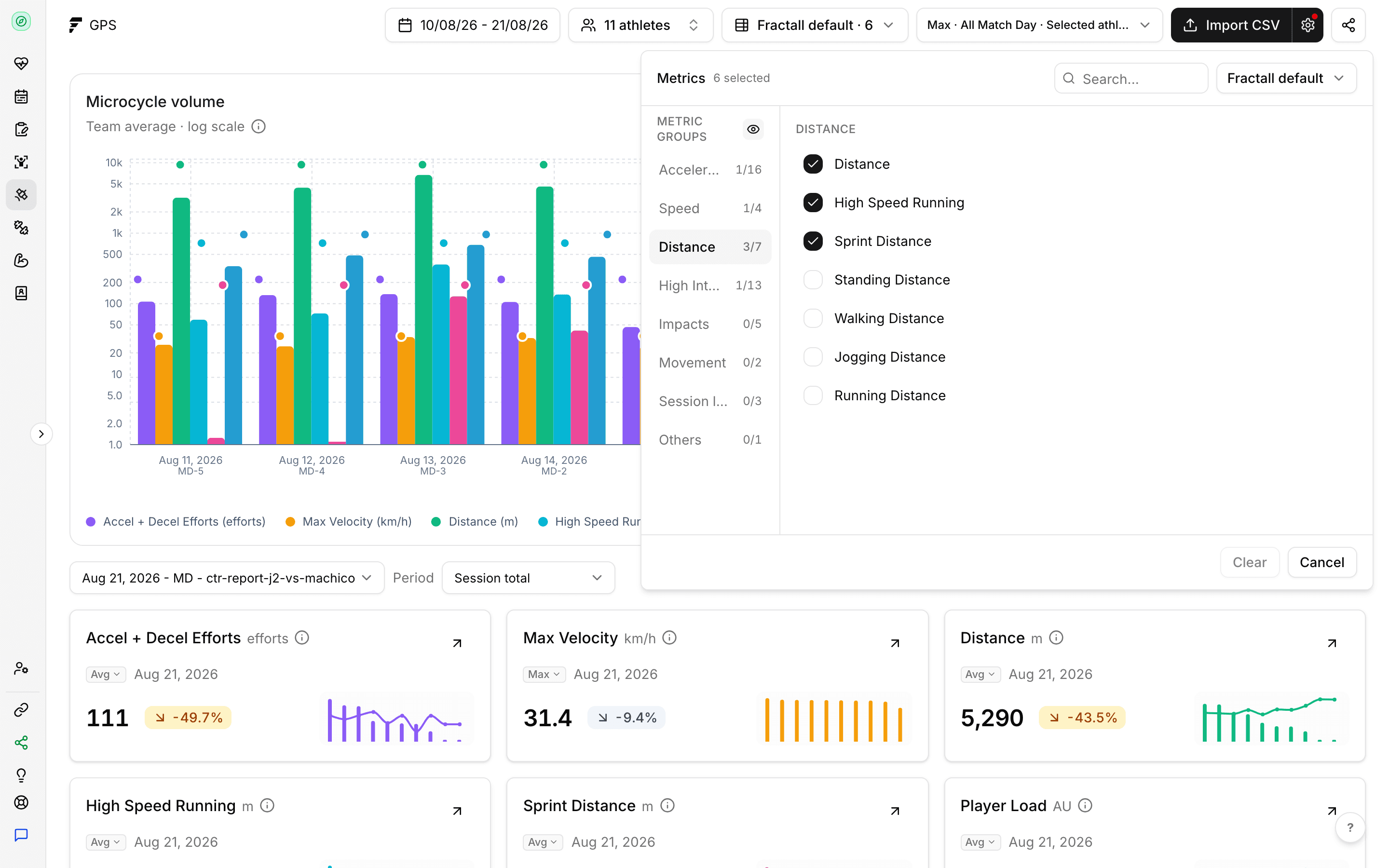
The catalogue runs well past what most staff track. Player load, distance, high speed distance, accelerations, sprint distance and max velocity come configured out of the box. Velocity bands and metabolic measures sit in the catalogue if you want them. Save a named metric set and those become the cards you see.
Configured out of the box
Six cards covering the metrics most clubs read first.
Your own metric sets
Save a named set per team and the dashboard rebuilds around it.
Velocity bands
In the catalogue when you want the detail behind the totals.
Metabolic measures
Also in the catalogue, off unless you turn them on.
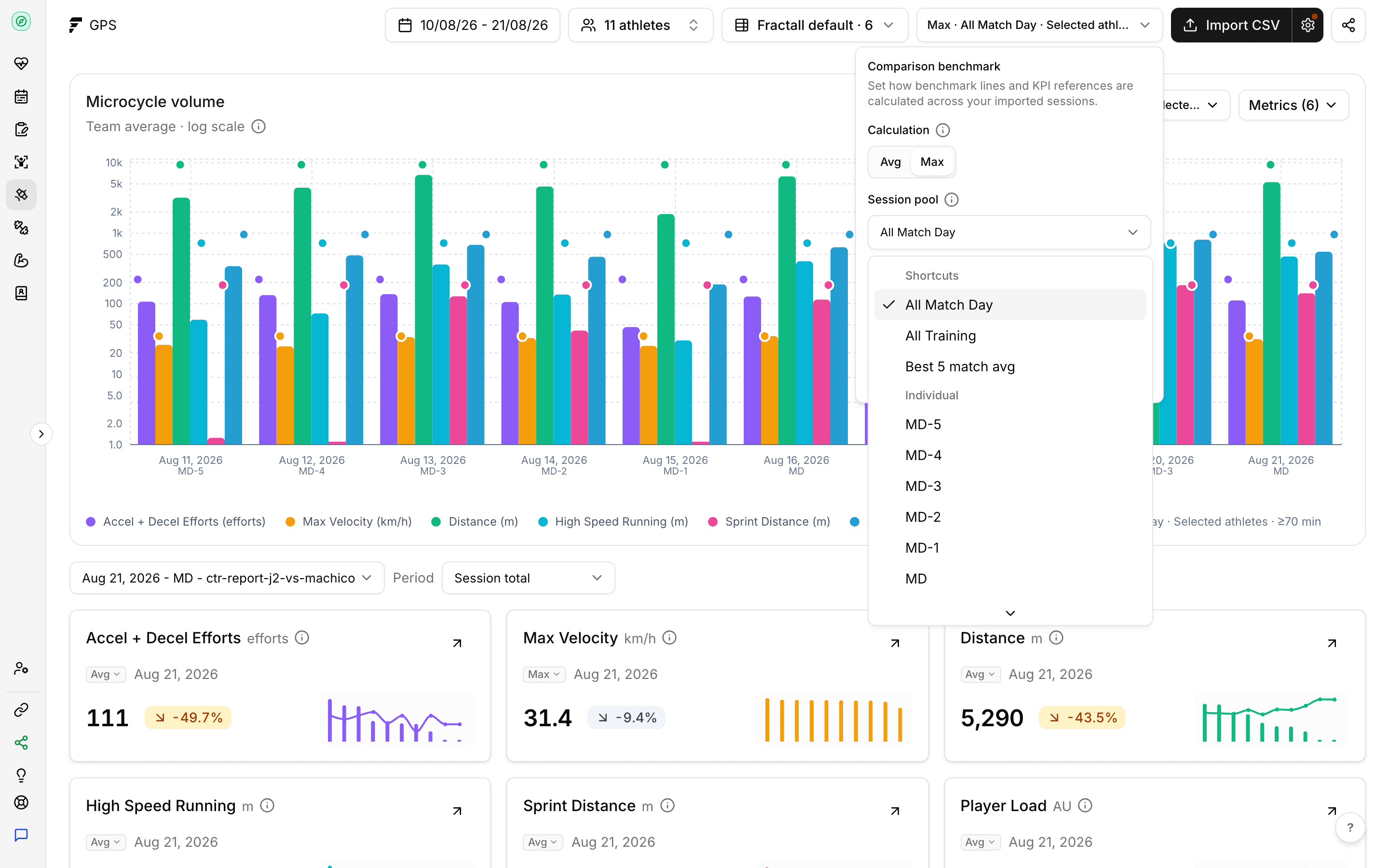
Fractall labels every session by where it sits relative to the fixture, and the benchmark comparisons run inside those labels. A Tuesday in a one game week and a Tuesday between two fixtures aren't the same session. Comparing them as if they were is how a normal week starts looking like a spike.
Match day classification
Sessions get labelled by how many days out from the fixture they sit.
Benchmarks that respect it
A session only gets compared against others in the same category.
Team or individual pools
Set the comparison pool per team, and override it for a single athlete.
GPS tells you what an athlete did. sRPE tells you what it cost them. Two players cover 6km in the same session and one of them reports a 9, and that gap is the reason for collecting both. It only surfaces when the two live under one athlete profile and one set of filters.
Same filters throughout
Athletes, date range and training tags carry across the whole dashboard.
One platform
GPS, sRPE, wellness, injuries and test results against the same profile.
In the reports
GPS has its own report export alongside the daily and weekly ones.
Start a free trial and have your athletes submitting inside a week. There's no hardware to buy and no setup fee.
Or try Free GPS import
