1 Month Free Access (cancel anytime)

Sessions you schedule in Fractall become the anchor for everything that follows. Athletes see the session in their app and submit sRPE against it, so load lands on the right day without anyone retyping a thing.
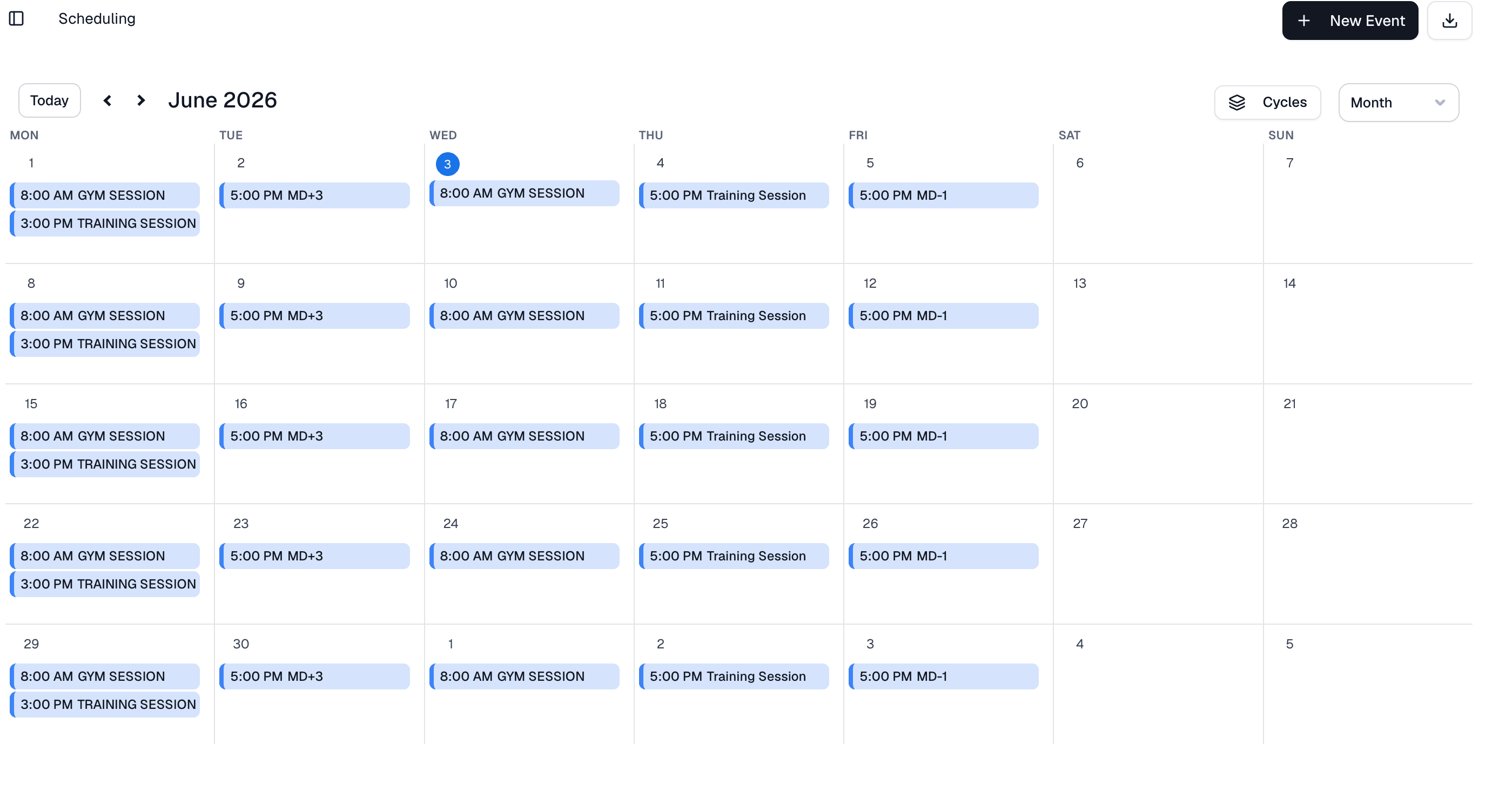
Every day on the season calendar takes activities: a training session, a match day or a clinical activity. Pick who's in it, split it into segments and add goals and notes. Anyone who arrives late, leaves early or does a modified session gets their own minutes.
Three activity kinds
Training session, match day and clinical, each with its own segments.
Segments
Training splits into field and gym work, a match day into prep, match and post-match, and clinical into physiotherapy and RTP.
Minutes per participant
Click an athlete to change their minutes when they arrive late, leave early or do a modified session.
Target RPE
An optional 1 to 10 target on training sessions and match days. Clinical activities don't take one.
In the athlete app
Every activity an athlete takes part in shows up in their Activities list, ready to rate.
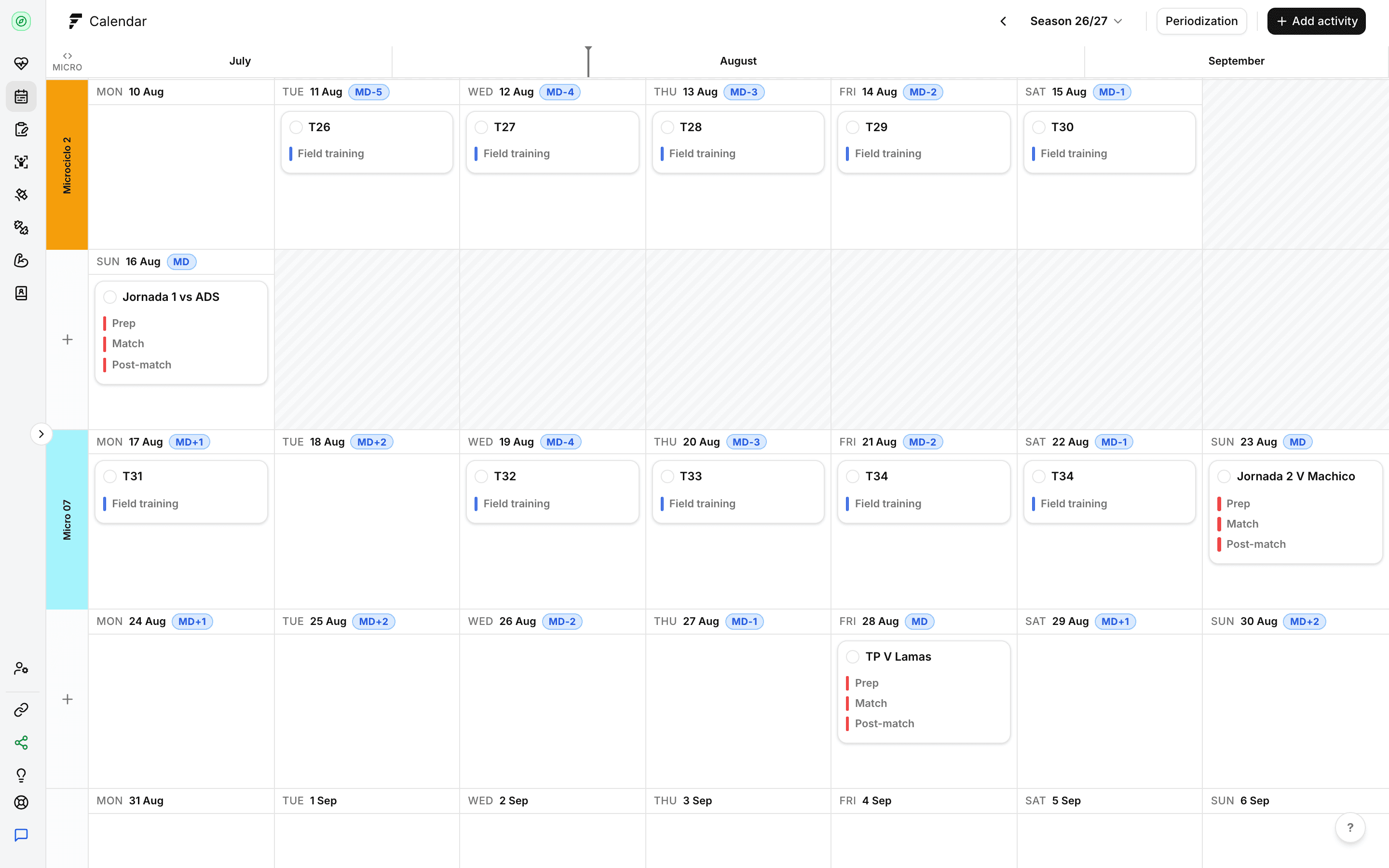
A season has a name, a start and an end, and runs as one grid of week rows. Add weeks to the end when you need them and mark breaks from the right-click menu. Each day carries an MD label from MD-5 to MD+2, worked out from your match days, and you can override any of them. Drag an activity to move it, Alt+drag to copy it, or box-select several and handle them together.
Seasons and breaks
Create a season with a name, start date and end date, then add breaks from the right-click menu.
MD labels
MD-5 to MD+2, inferred from match days. Override any day, or switch it back to the inferred label.
Drag, copy and paste
Move with a drag, copy with Alt+drag, or duplicate on the same day from the right-click menu.
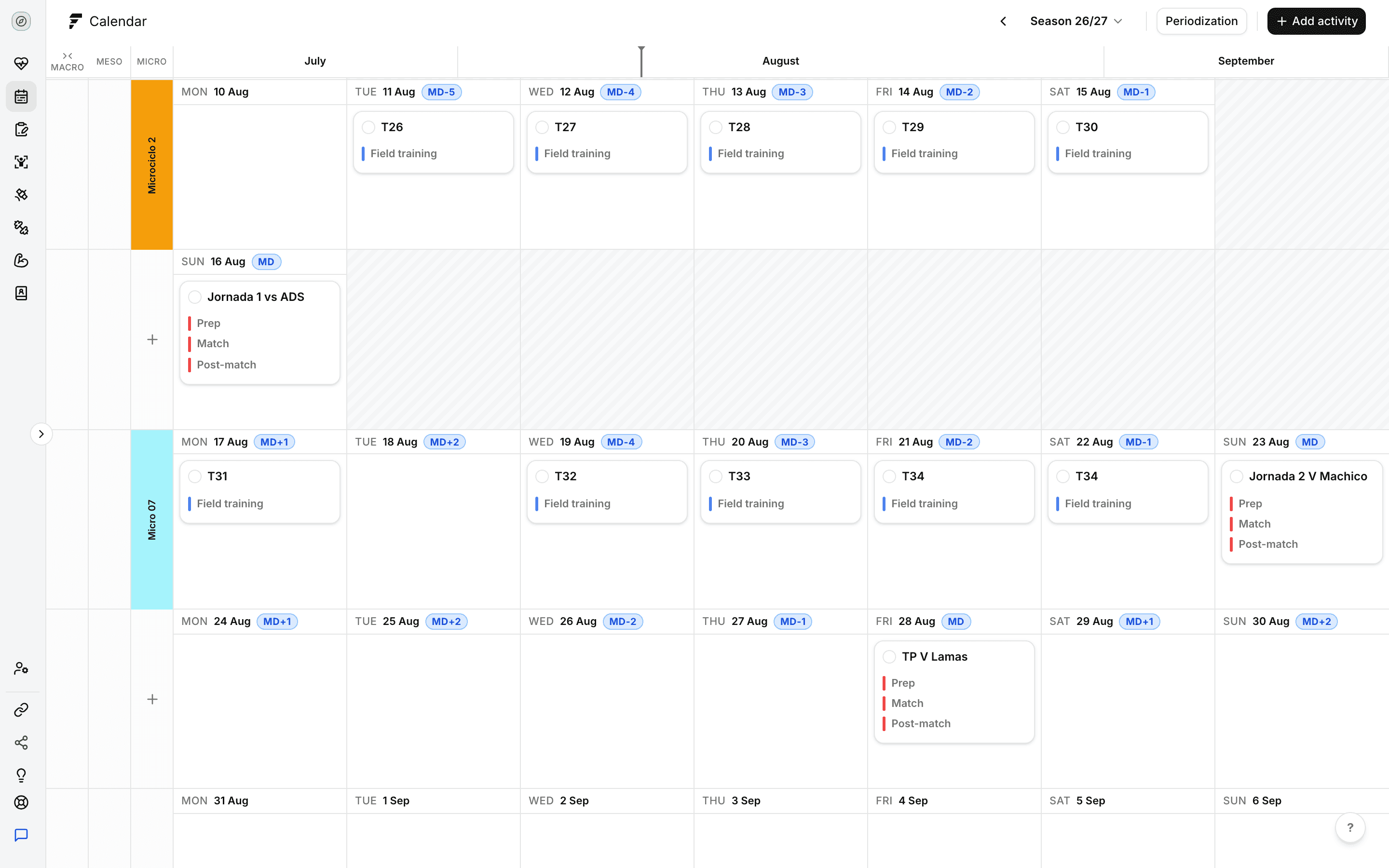
Plan micro, meso and macro cycles on the season calendar. Each cycle has a name, a colour, a description and dates, and sits in its own lane on the grid. The meso and macro lanes appear when you switch on "Show macro & meso cycles". Leave it off and the grid shows microcycles only.
Three cycle levels
Micro, meso and macro, each in its own lane.
Name, colour and dates
Give each cycle a description so your staff know what the block is for.
Show or hide
One switch shows or hides the meso and macro lanes.
Start a free trial and have your athletes submitting inside a week. There's no hardware to buy and no setup fee.
