1 Month Free Access (cancel anytime)

A live count of who's responded, per athlete status with timestamps, and a response rate you can track over time. Missing data skews ACWR, so the gaps are worth closing.
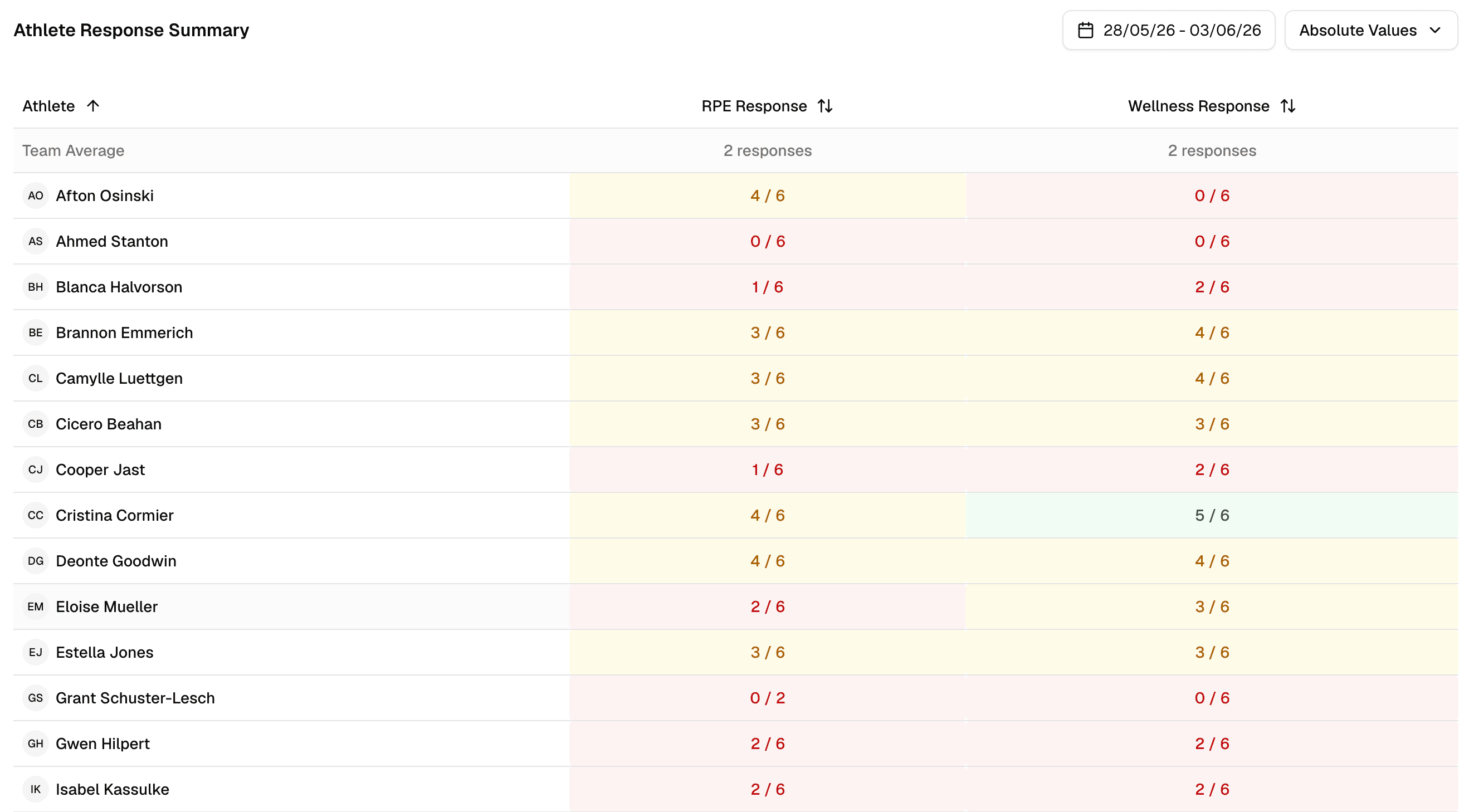
A card shows how many of today's eligible athletes have submitted. Open it and you get two lists with the submission time against each name. You know who to talk to before training, not after the numbers look wrong.
Live count
Responders against eligible athletes for the day.
Two lists
Responded and no response, each with a timestamp.
Wellness too
The same flow runs for the daily wellness check-in.
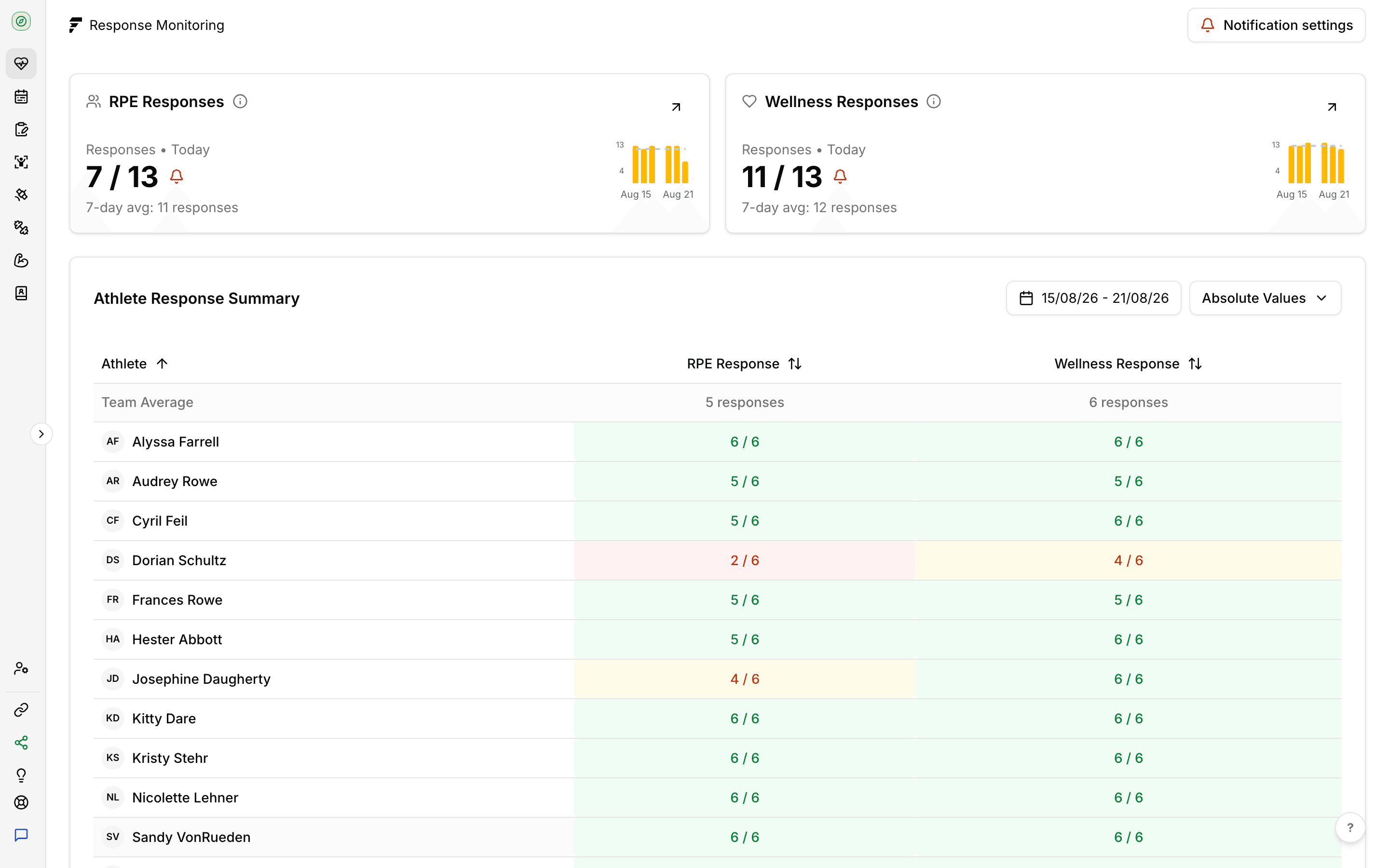
The wellness and RPE cards each carry a bell button. On the wellness card it sends the check-in push to every athlete who hasn't submitted today. On the RPE card it does the same for the selected session, once that session has ended. The buttons also sit above the "No Response" list inside each card, and they hide when nobody is missing. Reminders go out as a push notification, so athletes need the app on their phone to get one.
Wellness reminders
One push to everyone who hasn't done today's check-in.
RPE reminders
One push to everyone who hasn't rated the selected session, available after it ends.
No double sends
Tap twice and the same athlete still gets one reminder for that day or session.
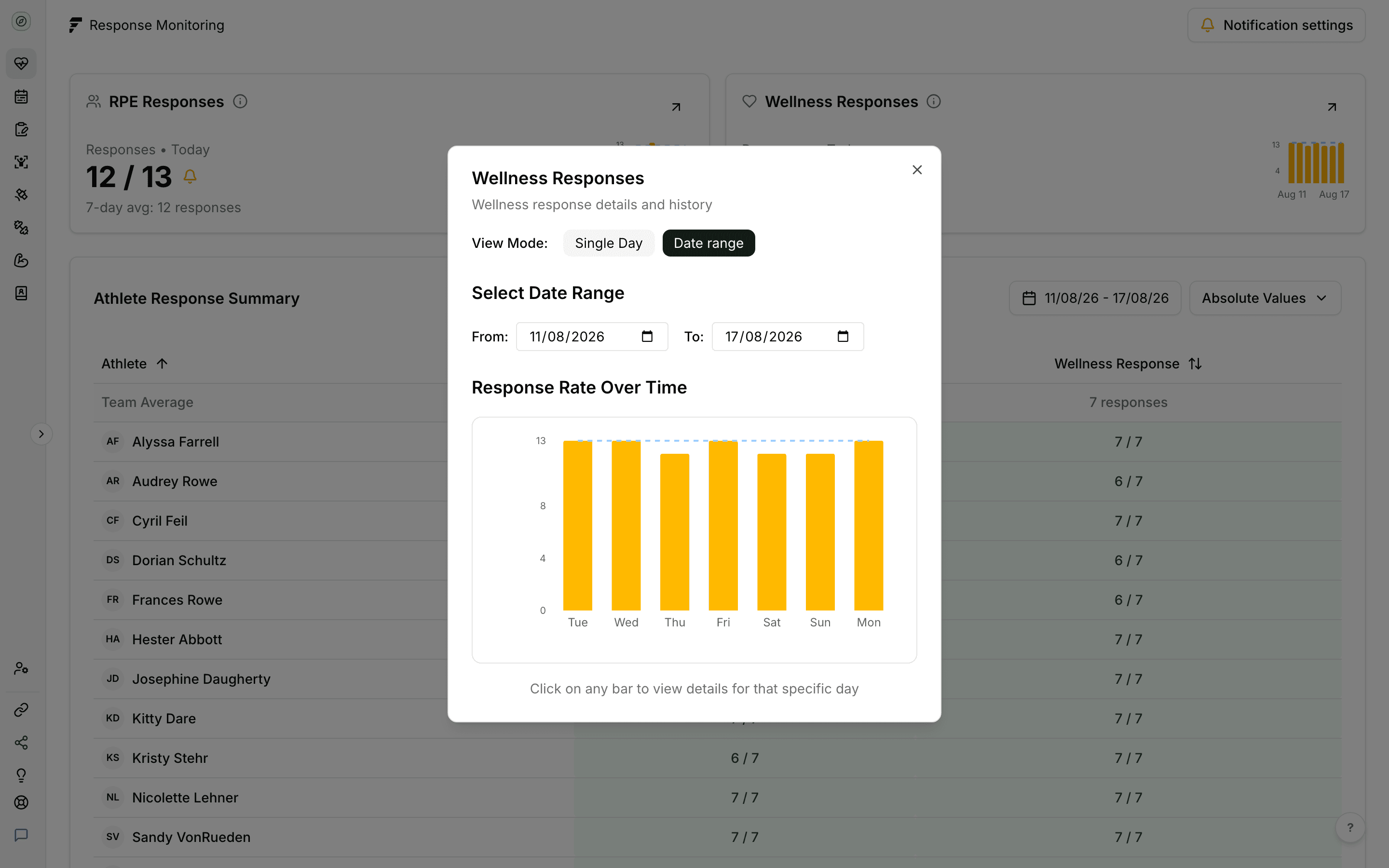
A chart tracks the daily response rate across the last seven days, with the seven-day average drawn over it. Click any day to drop into it. A squad that reports well in pre-season and stops in February shows up here first.
Daily rate
Submissions against eligible athletes, day by day.
Seven-day average
The mean submission count for the week, drawn as a reference line.
Click into a day
Drop from the chart straight into that day's lists.
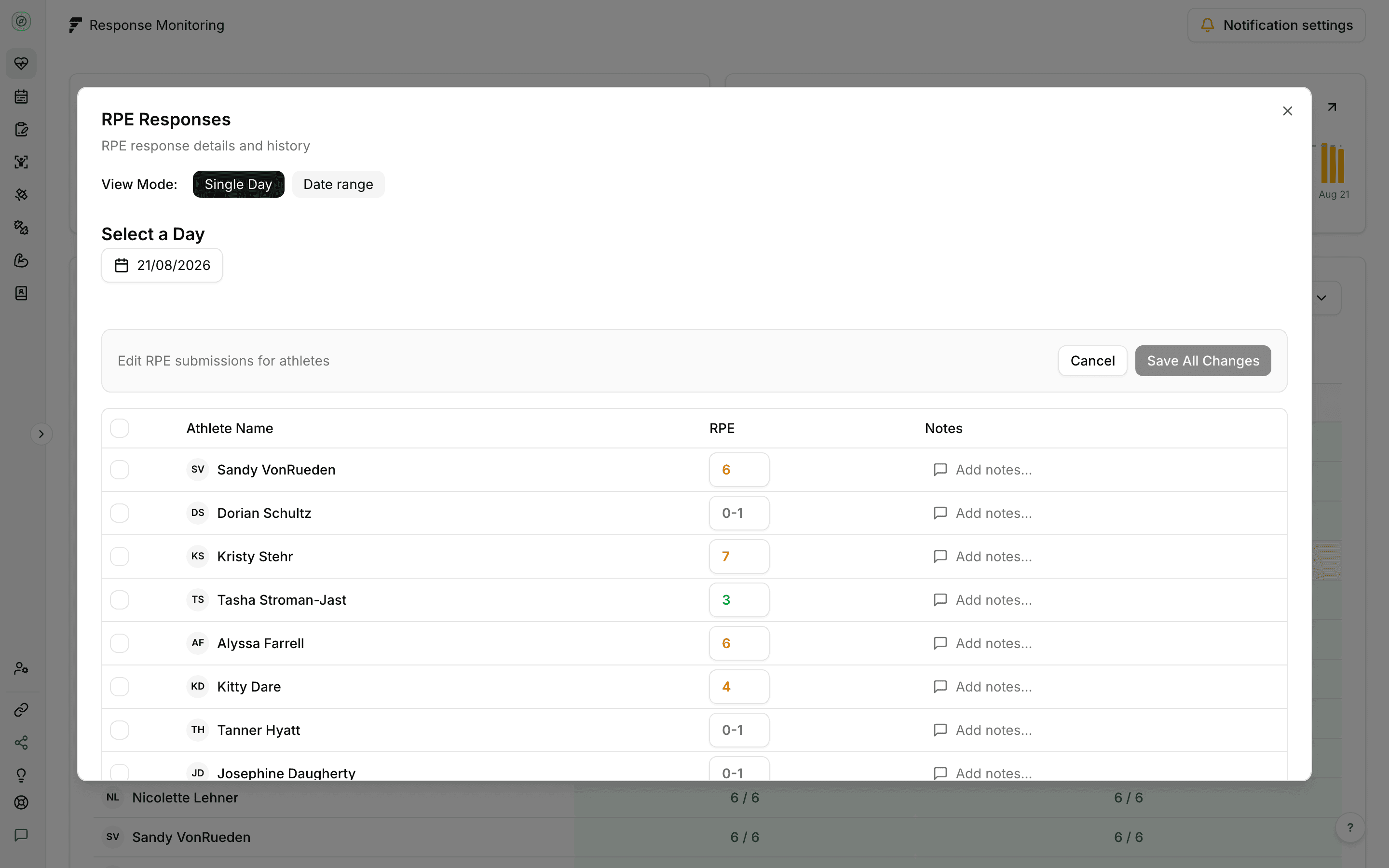
Sometimes an athlete tells you their sRPE in the corridor. A bulk table lets you enter or correct submissions for athletes who didn't file one, so the load record stays complete.
Bulk entry table
Fill in missing sRPE across the squad in one pass.
Corrections
Overwrite a submitted value when it was clearly a mis-tap.
Pre-populated
The table loads what the athlete already submitted.
Start a free trial and have your athletes submitting inside a week. There's no hardware to buy and no setup fee.
