1 Month Free Access (cancel anytime)

Four report types built from the data your squad already submits. Pick which sections appear, then send a link that opens without a login and expires 30 days after you create it.
Daily report preview
Download the daily reportWeekly report preview
Download the weekly reportThe daily report covers the day's sessions, submissions, ACWR distribution and a per athlete table. The range report covers any 2 to 28 days you pick, with load, ACWR, monotony and strain trends next to wellness and body pain. The athlete report is one player's load and wellness history, and the GPS report covers session metrics from your imported files. Turn off the sections your head coach doesn't read.
Daily report
Sessions, submissions, ACWR distribution and per athlete detail.
Range report
Any 2 to 28 days. Load, ACWR, monotony and strain trends, with observations on exact 7-day ranges.
Athlete report
One player's load and wellness history, formatted to print.
GPS report
Session metrics from the files you've imported.
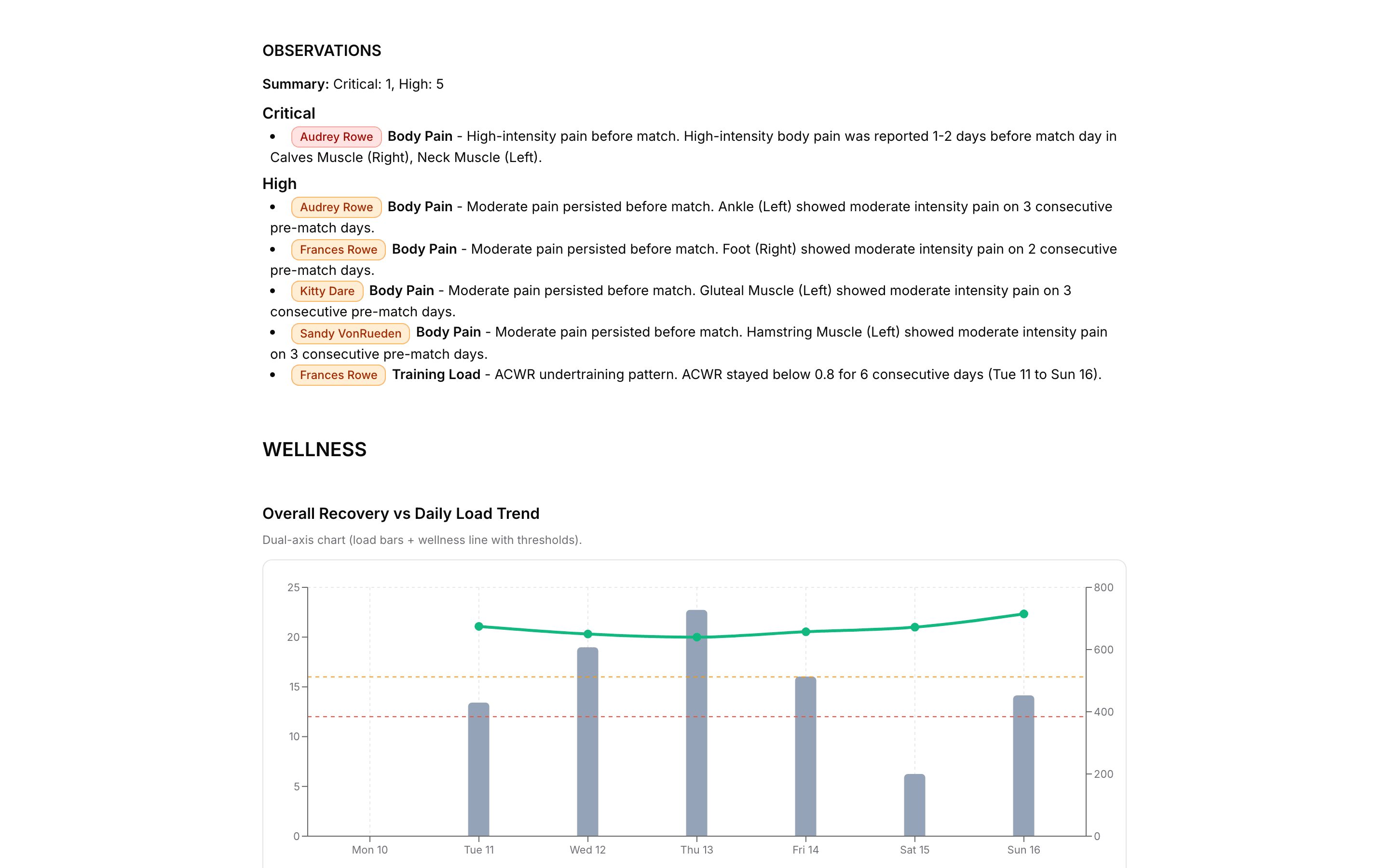
Pick a range of exactly seven days and the range report adds an Observations section. It lists the athletes whose week matched one of a fixed set of rules, grouped as Critical or High, with the dates and values behind each line. The rules cover wellness, ACWR and body pain, and the ACWR ones use the thresholds you've set. Other range lengths leave the section out, and the daily report doesn't carry one.
Wellness
Scores under 12 for three days running, 12 to 16 for four, or a steady slide from 16 down to 12 over six days.
Training load
ACWR above your risk maximum for four days or more, or below your undertraining threshold for five.
Body pain
High or moderate pain in the days before a match, low-level pain all week, or pain that climbs in intensity day after day.
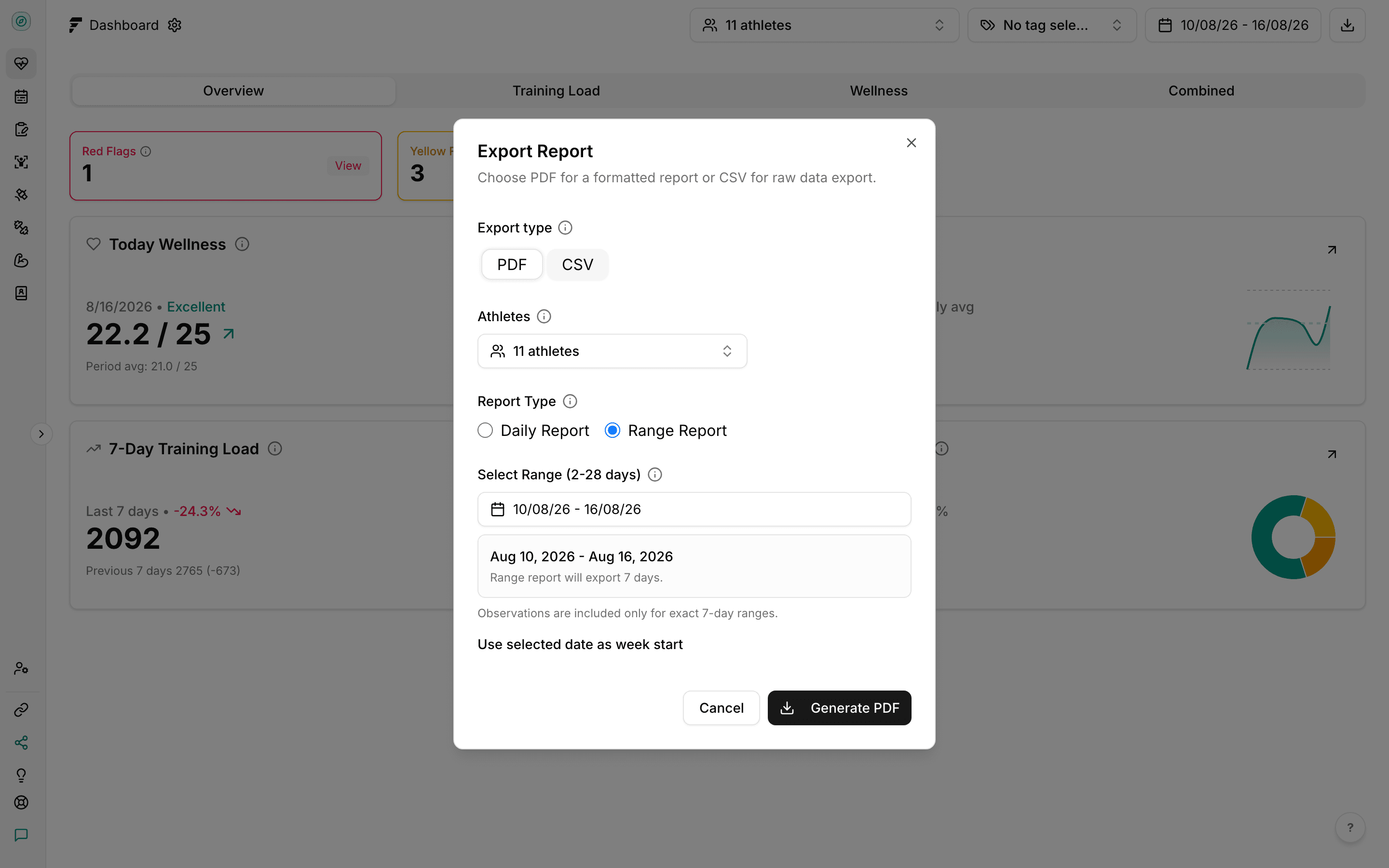
Generate PDF creates a share link and opens it in a new tab. Whoever you send it to reads the report in the browser and can save it as a PDF from there. The link shows the data as it stood when you created it, so later submissions don't change it. Every link expires 30 days after it's created. There's no screen to change that date or to switch a link off early, so send it only to people who should see it.
Expires after 30 days
The recipient sees the expiry date on the page. Until then, anyone with the link can open it.
A frozen snapshot
The numbers stay as they were when you created the link.
No login needed
The recipient opens it and reads it.
Start a free trial and have your athletes submitting inside a week. There's no hardware to buy and no setup fee.
