1 Month Free Access (cancel anytime)

Plan sessions inside Fractall, assign them to the squad or to individuals, and see who submitted after each one. Missing submissions leave gaps in ACWR, and the response panel shows where they are.
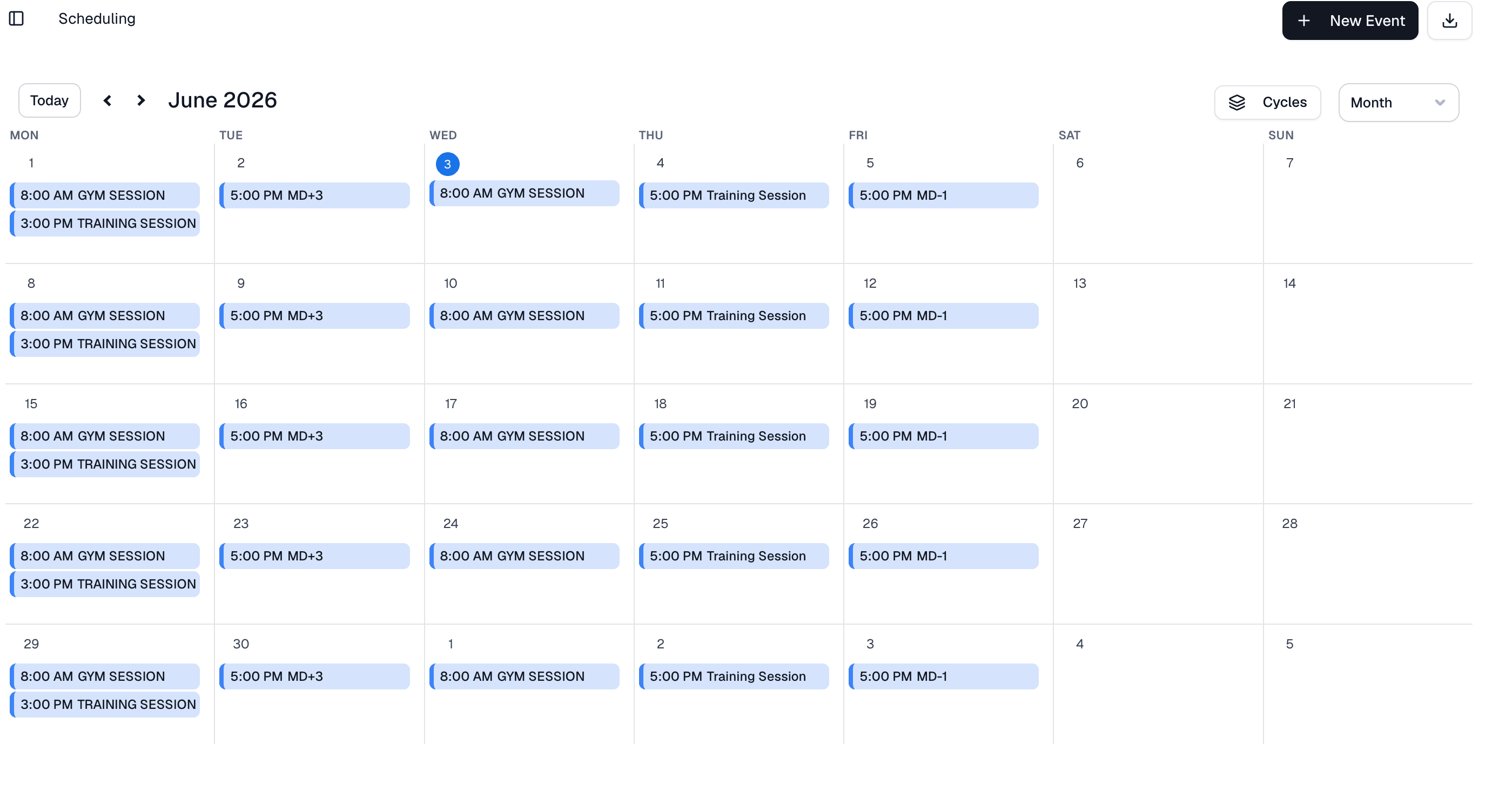
Plan training sessions, match days and clinical activities on the season calendar. Assign the full squad or specific athletes, and adjust minutes for anyone who arrives late or leaves early. Every activity shows up in each participant's app and becomes the anchor for the sRPE that follows it.
Training, match day or clinical
Each activity is a training session, a match day or a clinical activity, split into segments such as field and gym training, prep, match and post-match, or physiotherapy and RTP. It shows up in the Activities list of every athlete in it.
Assign to the full team or individuals
Schedule for the entire squad in one click, or select specific athletes for return-to-play protocols, position groups or recovery sessions.
Minutes per athlete
Click an athlete to change their minutes when they arrive late, leave early or do a modified session.
Automatic RPE reminders
Athletes get a reminder on their phone 20 minutes after the session ends, and a follow-up an hour later if they still haven't rated it. You set the timing per team.
Season grid
The whole season as week rows on one grid, with an MD label on every day and micro, meso and macro cycles in their own lanes.
Start your 1-month free trial. Your schedule is live in under 10 minutes.
