

Week 41: ask AI about your team, wellness under GPS, and injury pain
Connect Claude or ChatGPT from the coach sidebar, read Avg Wellness and RPE under the GPS microcycle chart, copy athlete app store links, and record a 1–10 pain level when you log an injury.
Published
What changed this week
The headline is Connect to AI: open Claude or ChatGPT from the coach sidebar and ask about your team in the chat you already pay for. The GPS microcycle chart now shows Avg Wellness and RPE under each day. You can also copy athlete app store links from the workspace menu, and set a pain level when you create or edit an injury.
You can now ask AI about your team from the coach sidebar
Under Product in the coach sidebar, Connect to AI opens a panel titled Ask AI about your team. Pick Claude or ChatGPT. Claude opens with Fractall already filled in so you can confirm and connect. ChatGPT opens the setup guide. Read the how-to guide stays one click away if you want the longer path.
This uses your own AI subscription. Once connected, you can ask about teams, wellness check-ins, RPE load, GPS, injuries, and physical tests in that chat. The Fractall.fit plugin for Codex carries the same coach data path, with example prompts like who has not checked in wellness today.
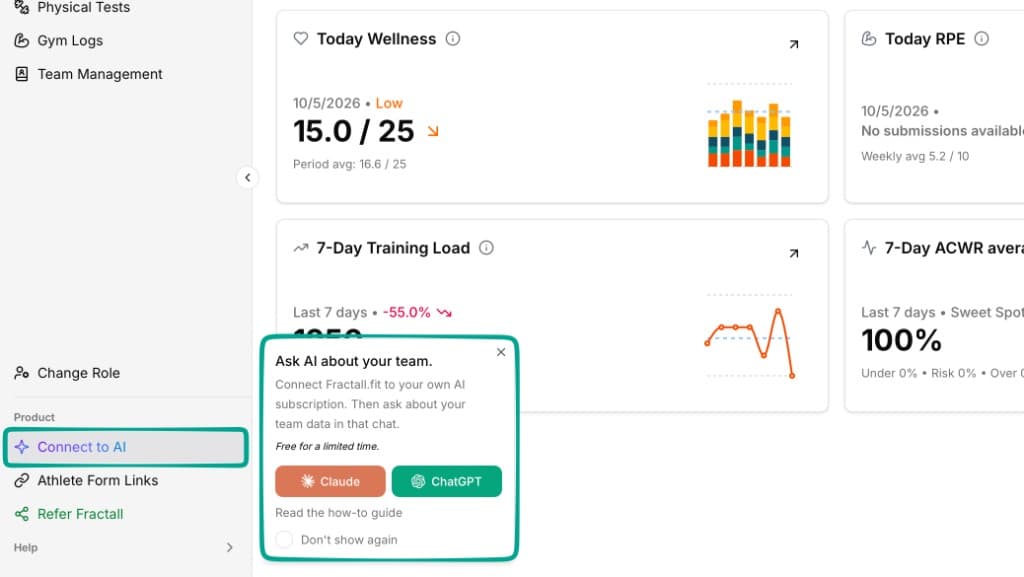
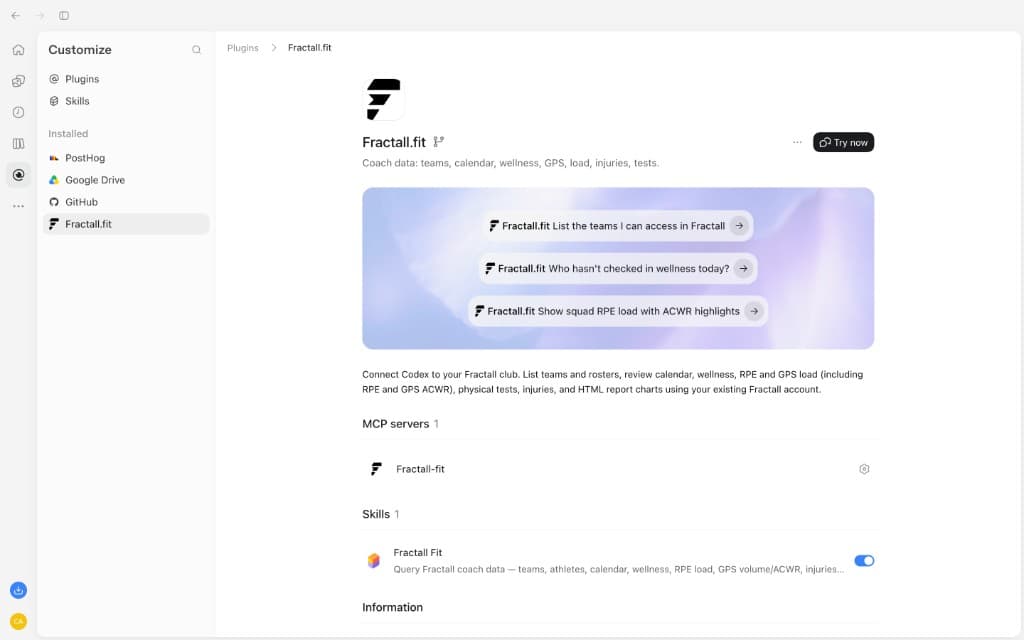
Try next: open Connect to AI, start with Claude if you use it, then ask who has not submitted wellness today.
The GPS microcycle chart now shows wellness and RPE under each day
On the GPS dashboard, open Microcycle volume. Under the chart, expand Wellness & RPE. You get Avg Wellness and RPE Avg for each day in the selected microcycle, lined up with distance, load, and the other GPS metrics above.
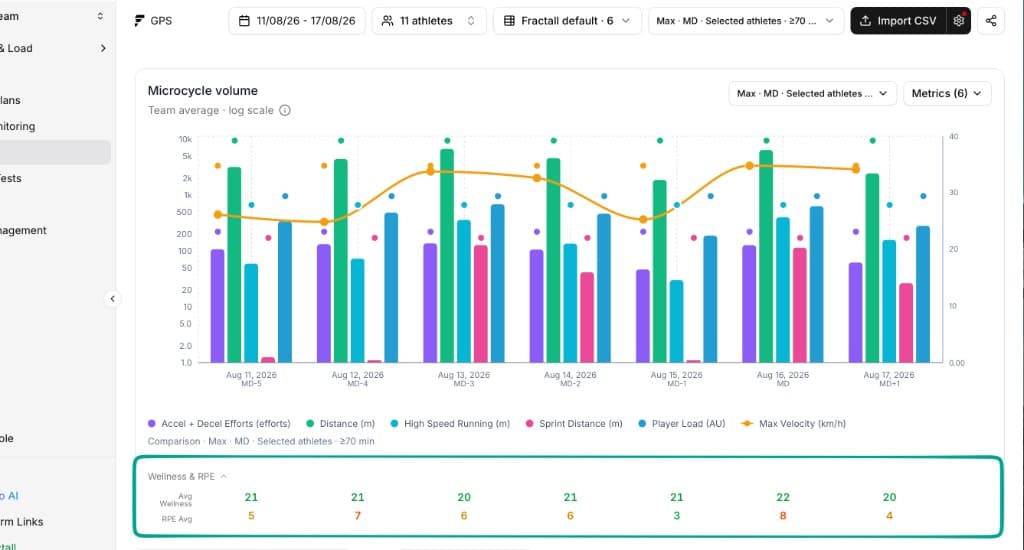
Try next: pick a microcycle with both GPS and check-ins, expand Wellness & RPE, and compare a high RPE day with that day's distance or player load.
You can copy App Store and Google Play links from the workspace menu
Open the workspace menu (team switcher at the top of the sidebar). Under TEAM, after Invite members, open Athlete app. Copy App Store link and Copy Google Play link put the store URL on your clipboard so you can paste it to an athlete or open it yourself.
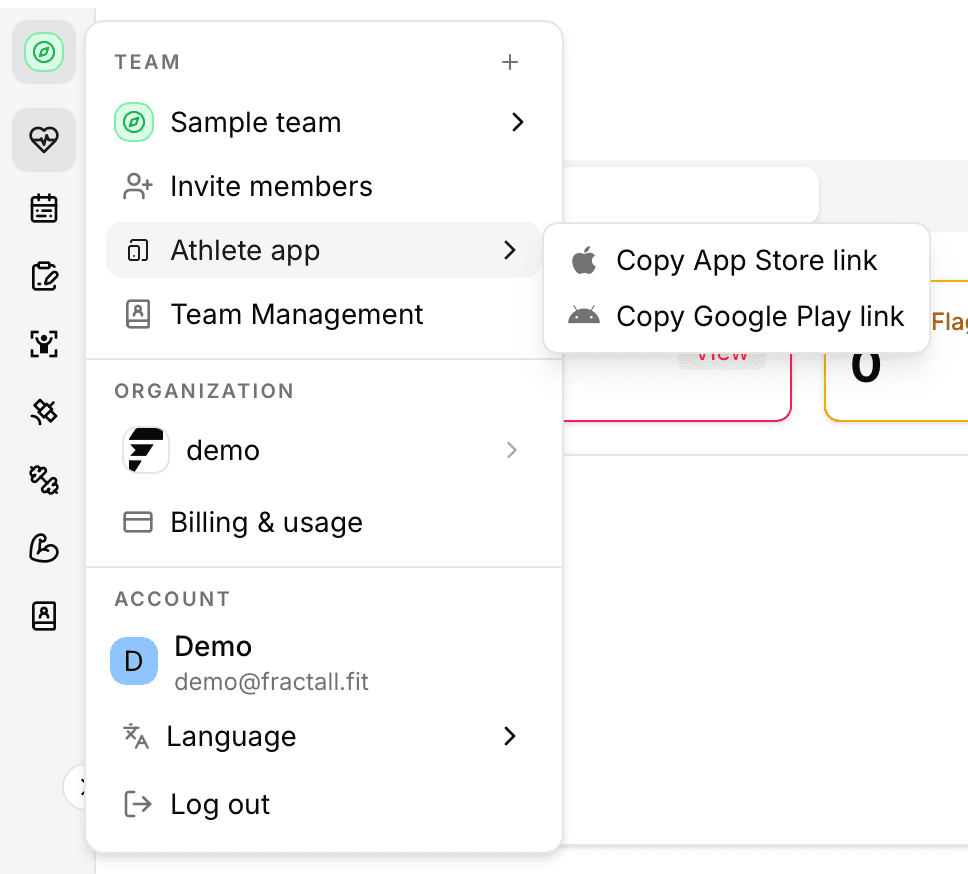
Try next: copy the link your athletes need and paste it into the channel you already use to onboard them.
You can record a 1–10 pain level on each injury
When you create or edit an injury, each body part now has a Pain Level slider from 1 to 10. The header shows the score (for example Pain 4/10) so you can scan severity without opening every field. Existing injuries without a score stay valid.
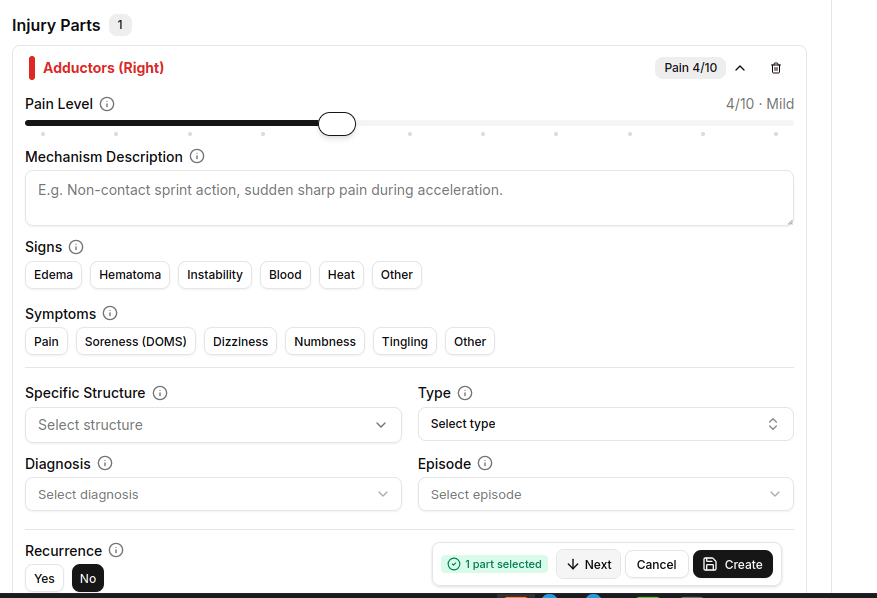
Try next: open an active injury, set pain on the affected part, and save. Check that the score shows on the injury detail.