

Week 44: compare Physical Tests sessions, Surveys, and what is next
Compare two Physical Tests sessions on one radar, add 505 and RAST in Speed, map strong vs fast on Power, and preview Wellness forms under Surveys. Physical Testing on the athlete phone and a new before-training Overview are on the way.
Published
What changed this week
Physical Tests is the headline: you can compare two sessions on the same radar, log 505 and RAST in Speed, and place athletes on a strong/fast RSImod map in Power. Surveys under Wellness & Load lets you toggle Wellness modules and preview the athlete form before anyone submits. Two more pieces are still in progress: Physical Testing on the athlete phone, and a new before-training Overview.
You can now compare two Physical Tests sessions
On Physical Tests → Team Overview, pick a session, then use Compare next to the session selector to choose a second day. The current session stays the filled radar shape. The compared session is a dashed outline. Category scores and tooltips show both, so you can see how the squad moved without switching screenshots.
Speed now includes the 505 change-of-direction test and RAST repeated sprint. On Physical Tests → Power, the new RSImod chart plots each athlete as strong or fast so the training priority is obvious.
Try next: open a recent test day, compare it with an earlier session, and check which categories moved.
You can preview Wellness forms before athletes see them
Under Wellness & Load → Surveys, pick a team and turn Wellness modules on or off for that team. The phone preview shows the athlete form as they will see it, including Body Pain, without submitting anything. RPE has its own preview too.
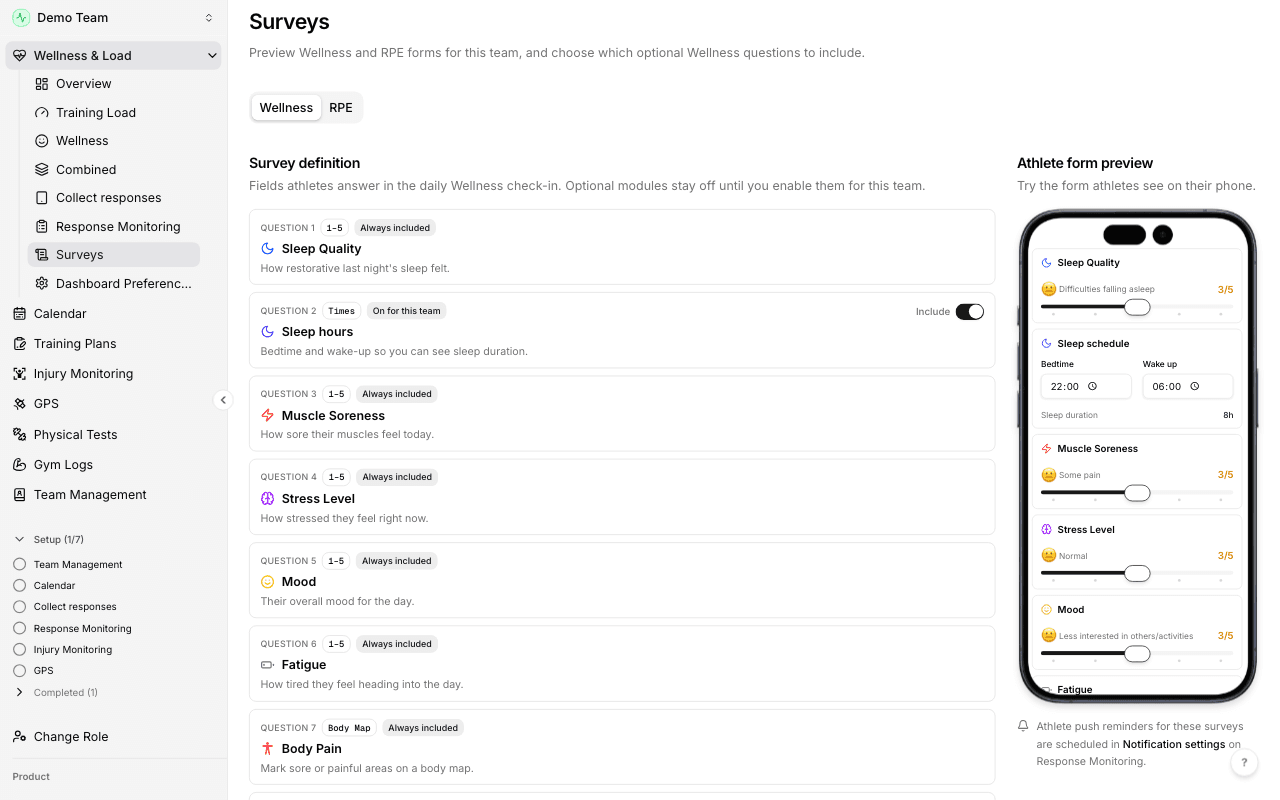
Try next: open Surveys for one team, toggle Sleep hours, and confirm the phone preview matches what you want athletes to answer.
Coming next: Physical Testing on the phone, and a new Overview
Two builds are not live for everyone yet. We will say when they are.
Physical Testing on the athlete phone. Athletes will open Browse → Physical Testing to see their own scores, tiers, and history. No team roster data. This is not in the athlete app release yet.
Before-training Overview. A new coach home that puts who needs a decision, who has not checked in, today's plan, and yesterday's load vs wellness in one place. Still being finished before it becomes the default home.