Getting started with Fractall.fit
Sign in, set up your organization and first team, invite staff, and get ready for athlete monitoring.
Watch the walkthrough
Prefer to follow along? Watch this short video tutorial that walks you through setting up Fractall.fit from start to finish.
Setup order
- Set up your organizationOpen the workspace menu and complete your organization name, city, and country before inviting people.
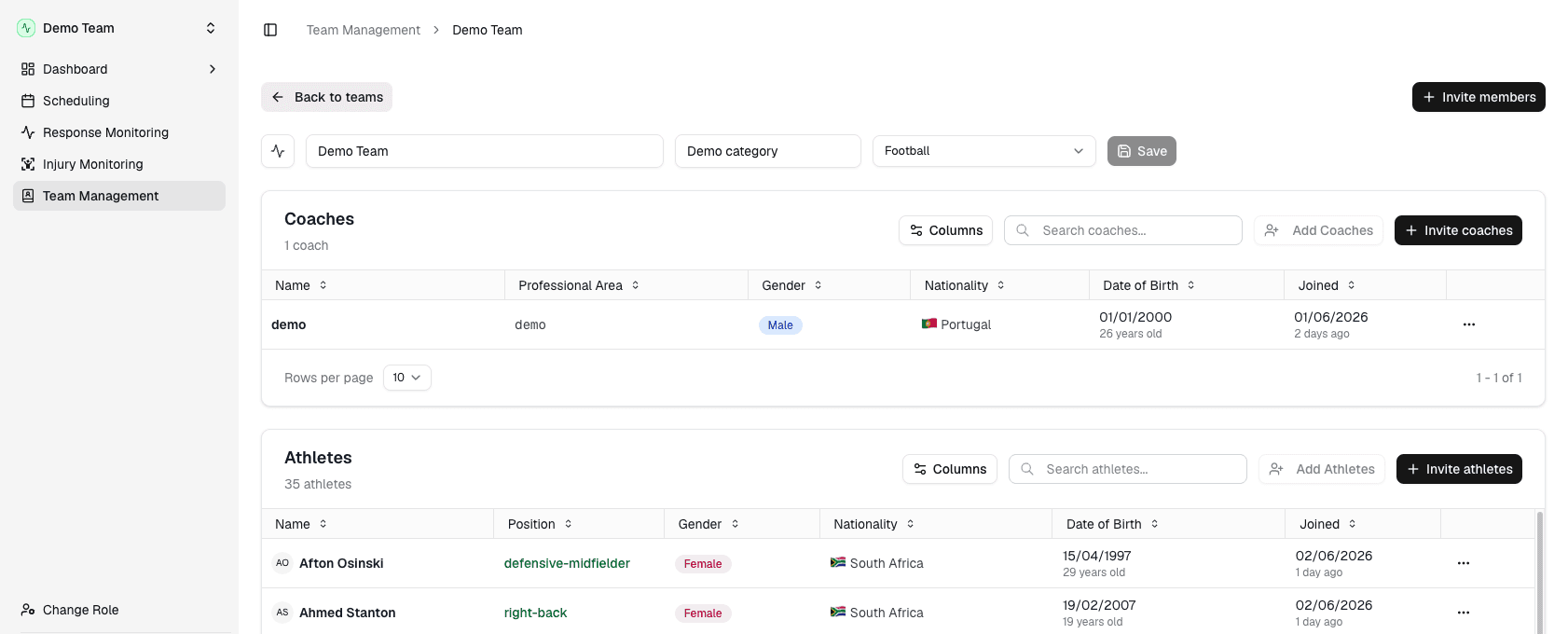
- Edit your teamOpen Team Management in the sidebar and edit the team name, category, and sport to match the squad you are rolling out first.
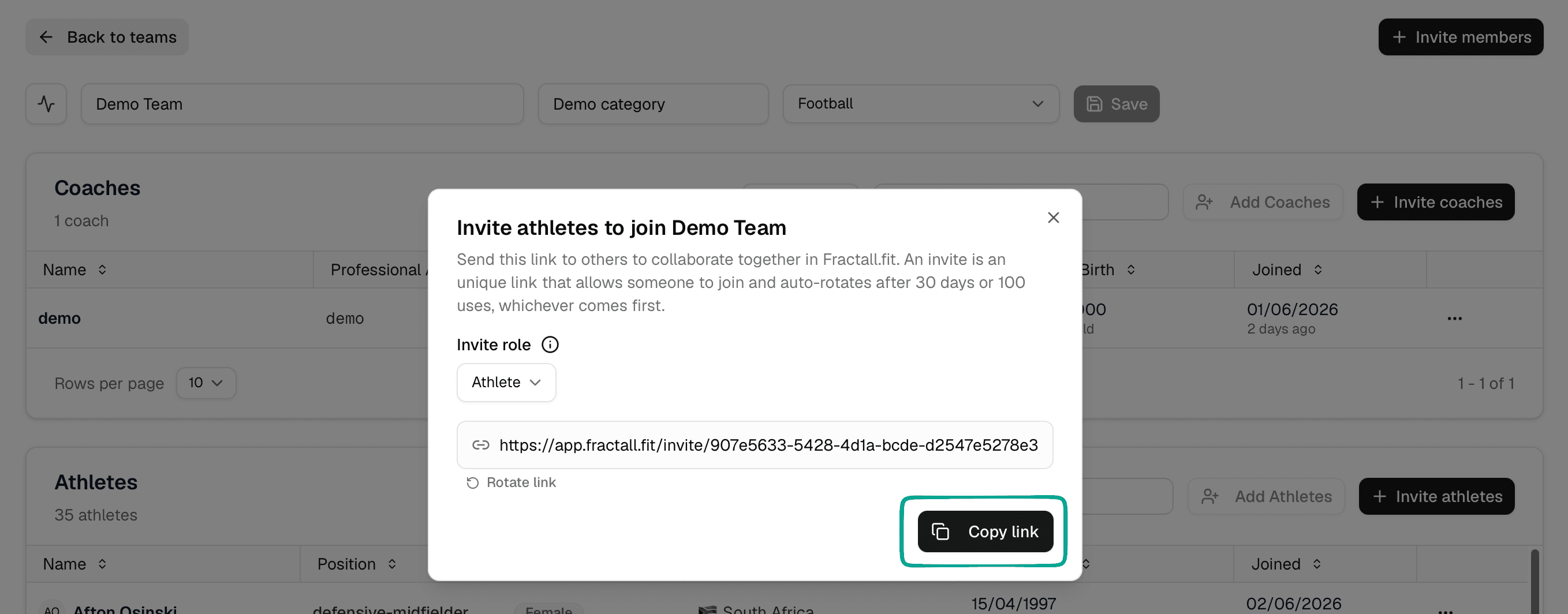
- Invite staffFrom Team Management, click Invite members, set Invite role to Coach, then copy and share the link.
- Invite athletesClick Invite members again, set Invite role to Athlete, then copy and share the link.
Sign in
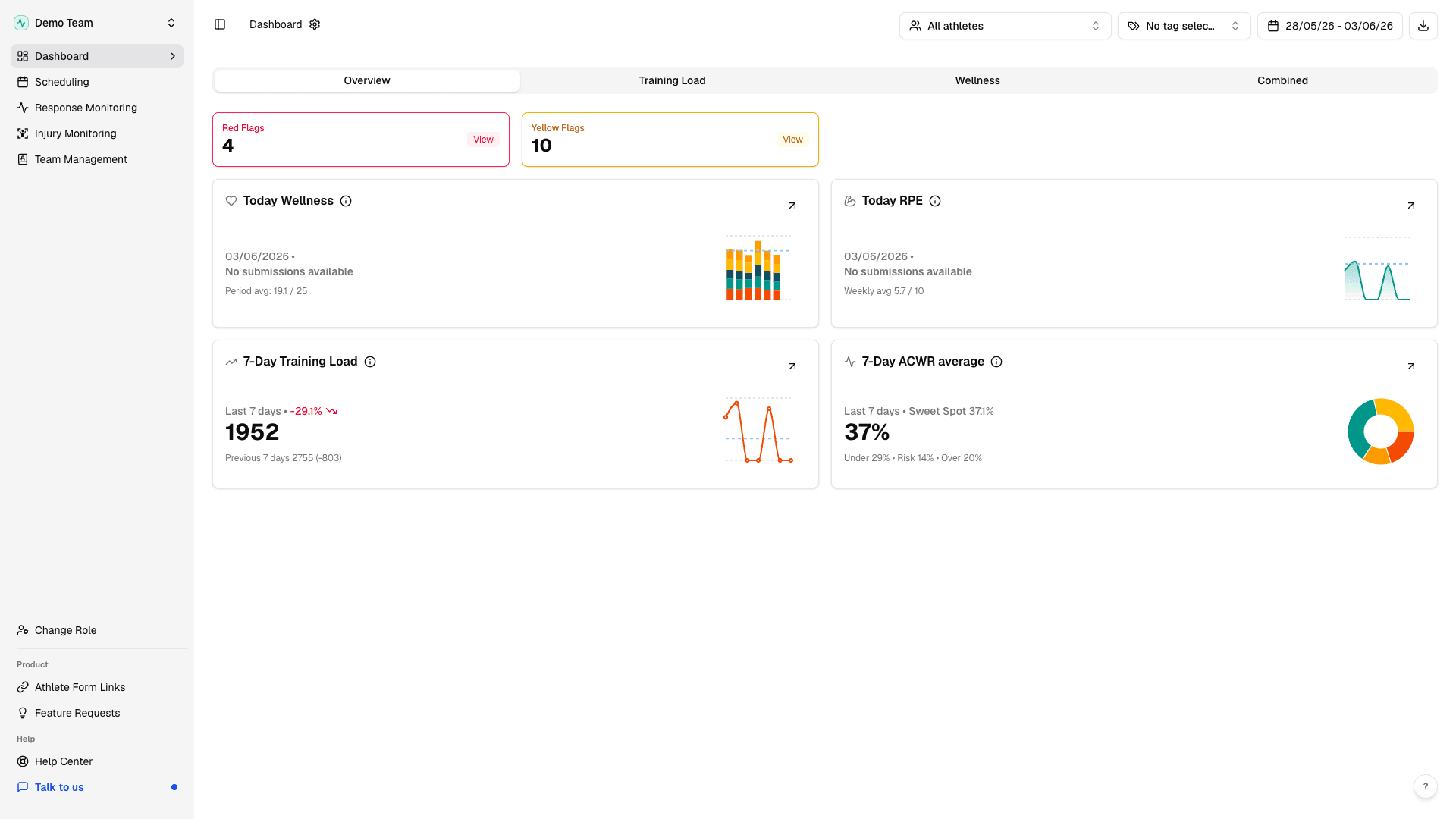
Start at app.fractall.fit/login. After you sign in, you will land on the Dashboard page.
Set up your organization
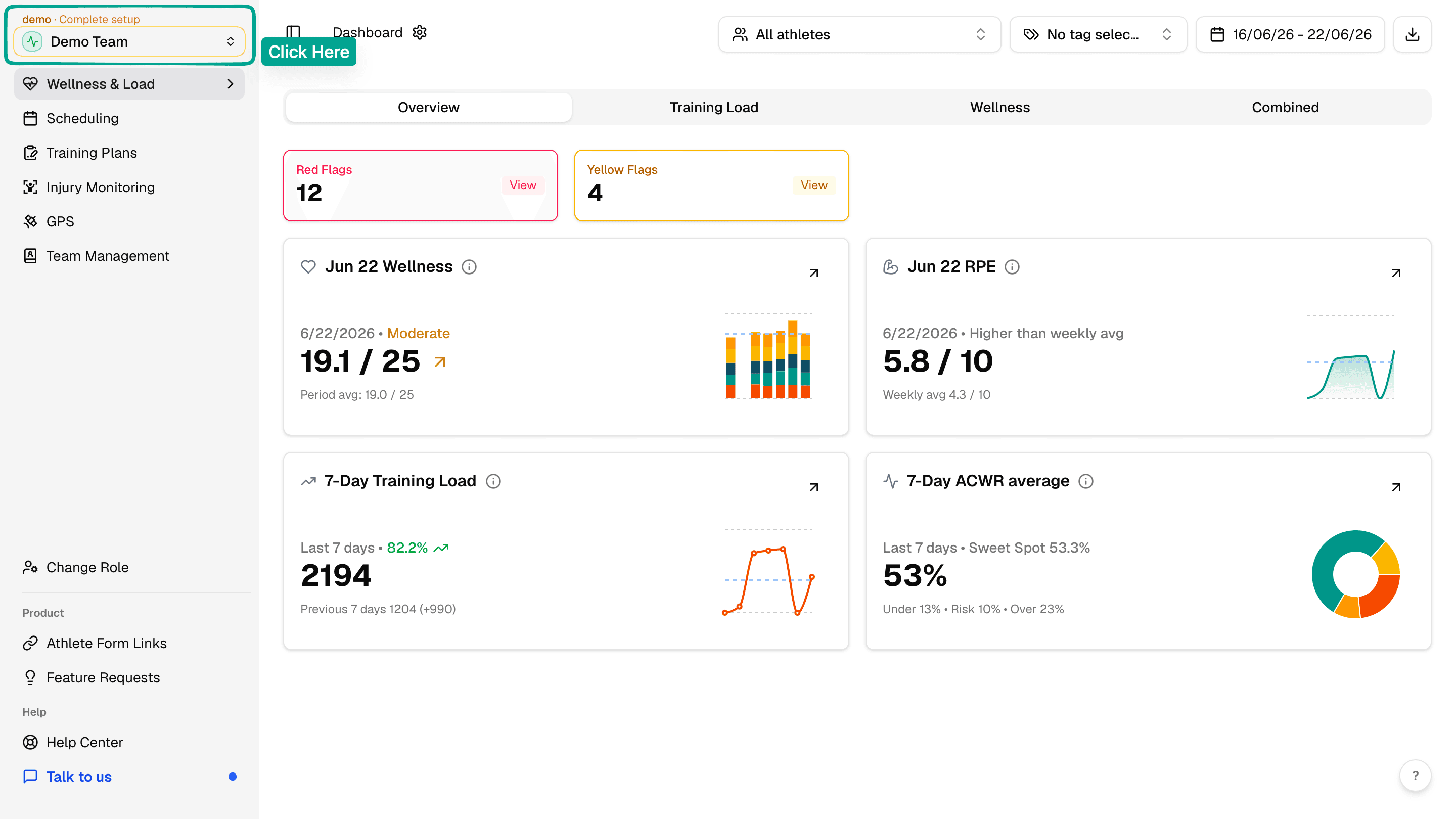
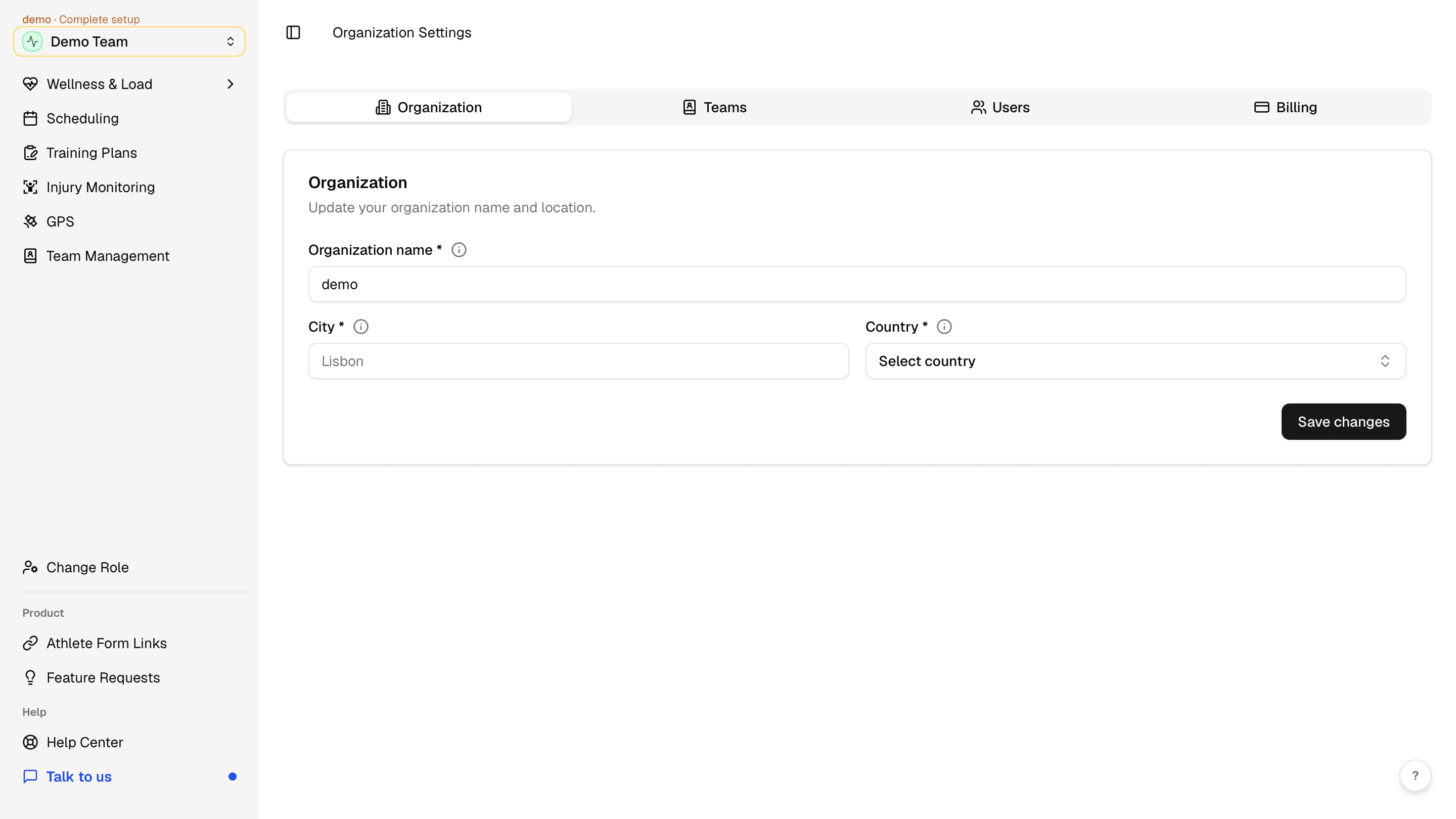
Next, confirm your organization details before you invite staff or athletes. Click the workspace menu at the top of the sidebar to open the workspace menu.
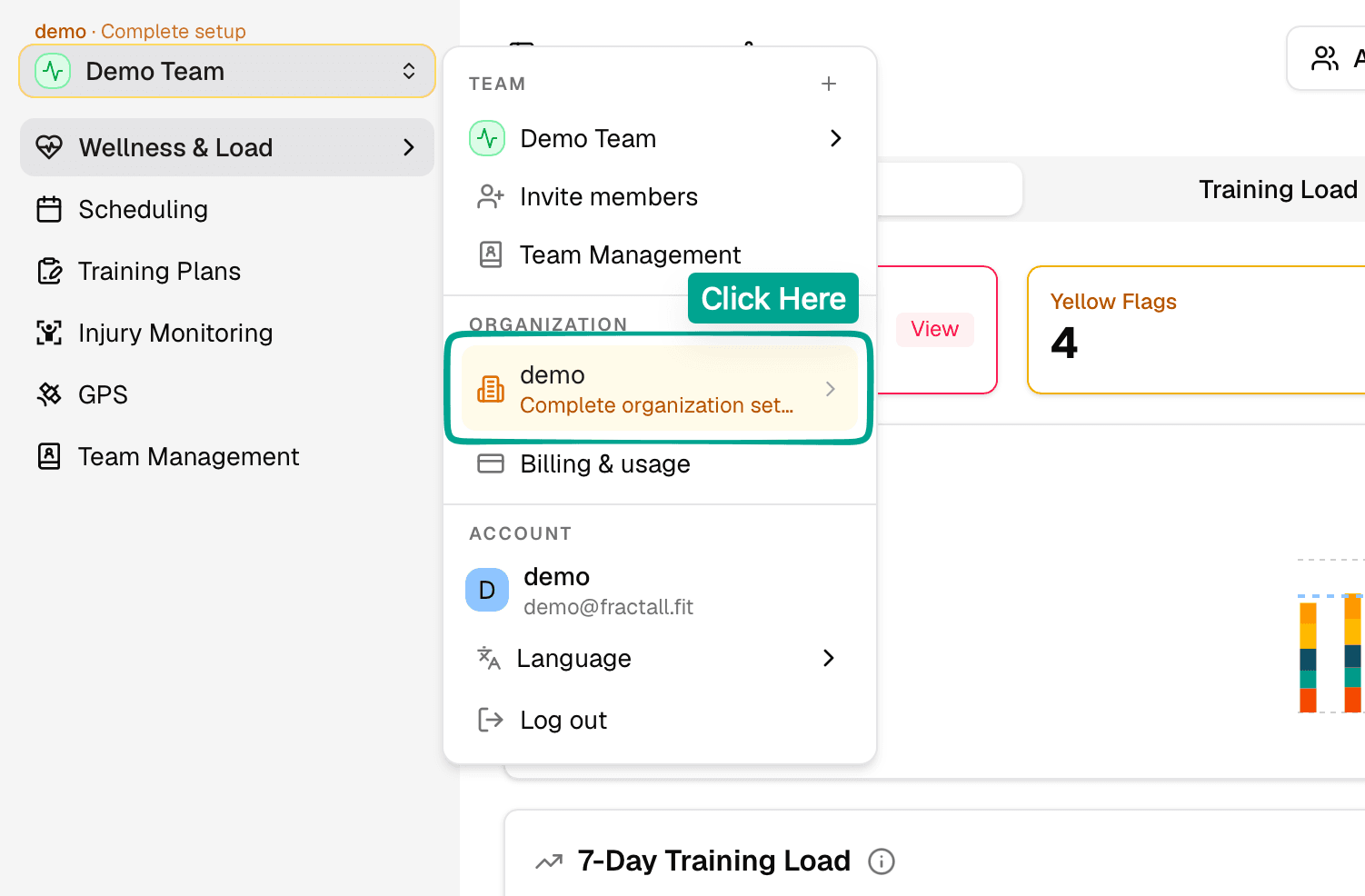
In the ORGANIZATION section, click your organization. If setup is incomplete, you will see a Complete organization set... prompt.
On the Organization Settings page, update Organization name, City, and Country, then click Save changes.
Edit your team
In the sidebar, open Team Management. You will land on your active team. On a new account, that first team is created for you. Edit the team name, category, and sport to match the squad you are rolling out first.
Invite more people to your team
Fractall uses invite links — copy and share them with staff or athletes. From Team Management, click Invite members in the top right.
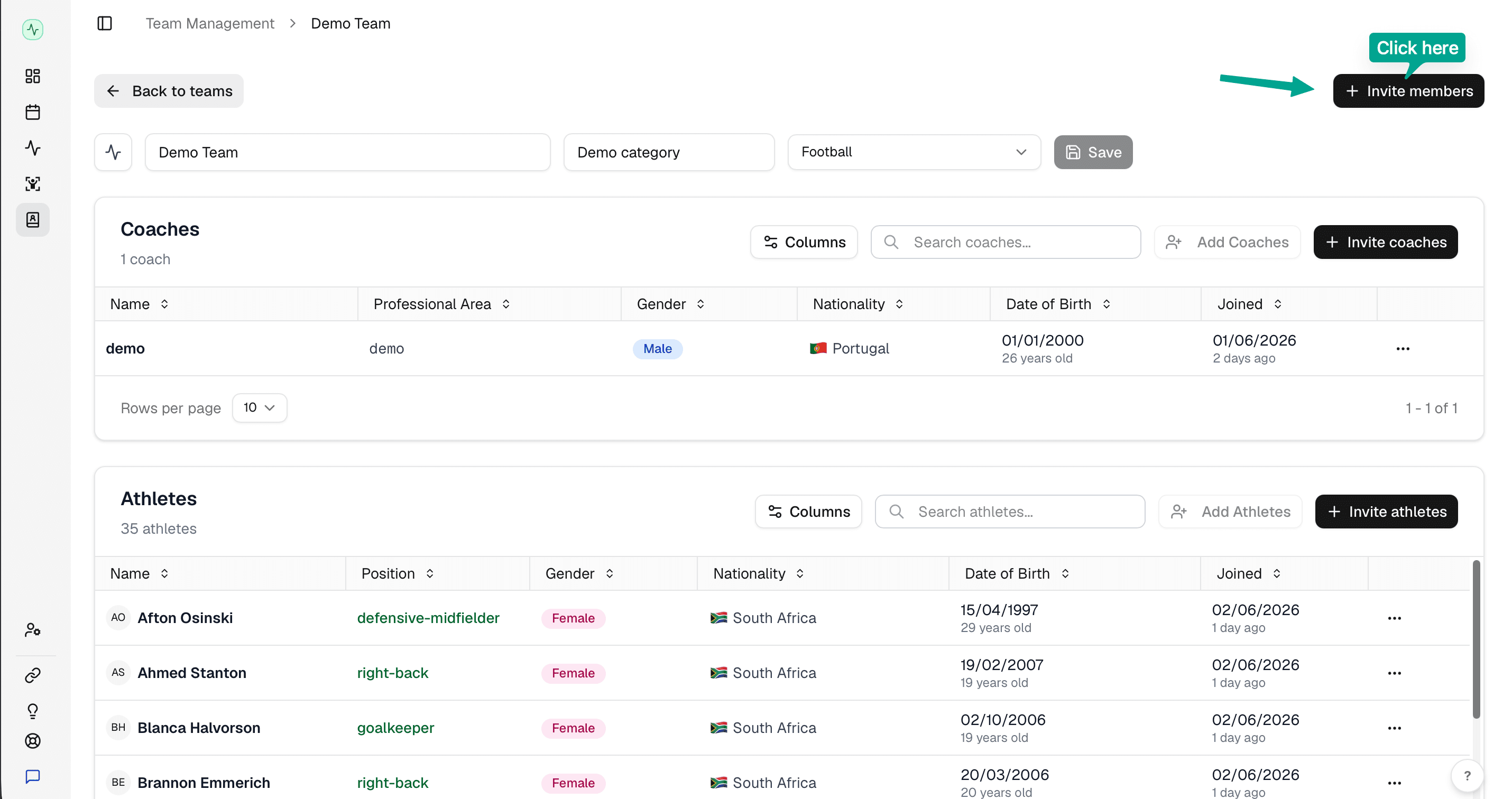
Choose an Invite role — Coach or Athlete, then use Copy link and share it via whatsapp, email, or any other app.