

Run your first monitoring week
Build a simple daily and weekly rhythm for reviewing wellness, sRPE, and training load with your staff.
What you'll do
Once athletes are submitting from the app, monitoring becomes a short daily habit — not a one-off setup task. This guide gives you a repeatable rhythm you can run with your staff after inviting athletes.
Morning wellness check
Open Wellness & Load and start on the Overview tab. Check Today Wellness and any Red Flags or Yellow Flags cards — these surface athletes who may need a conversation before the session.
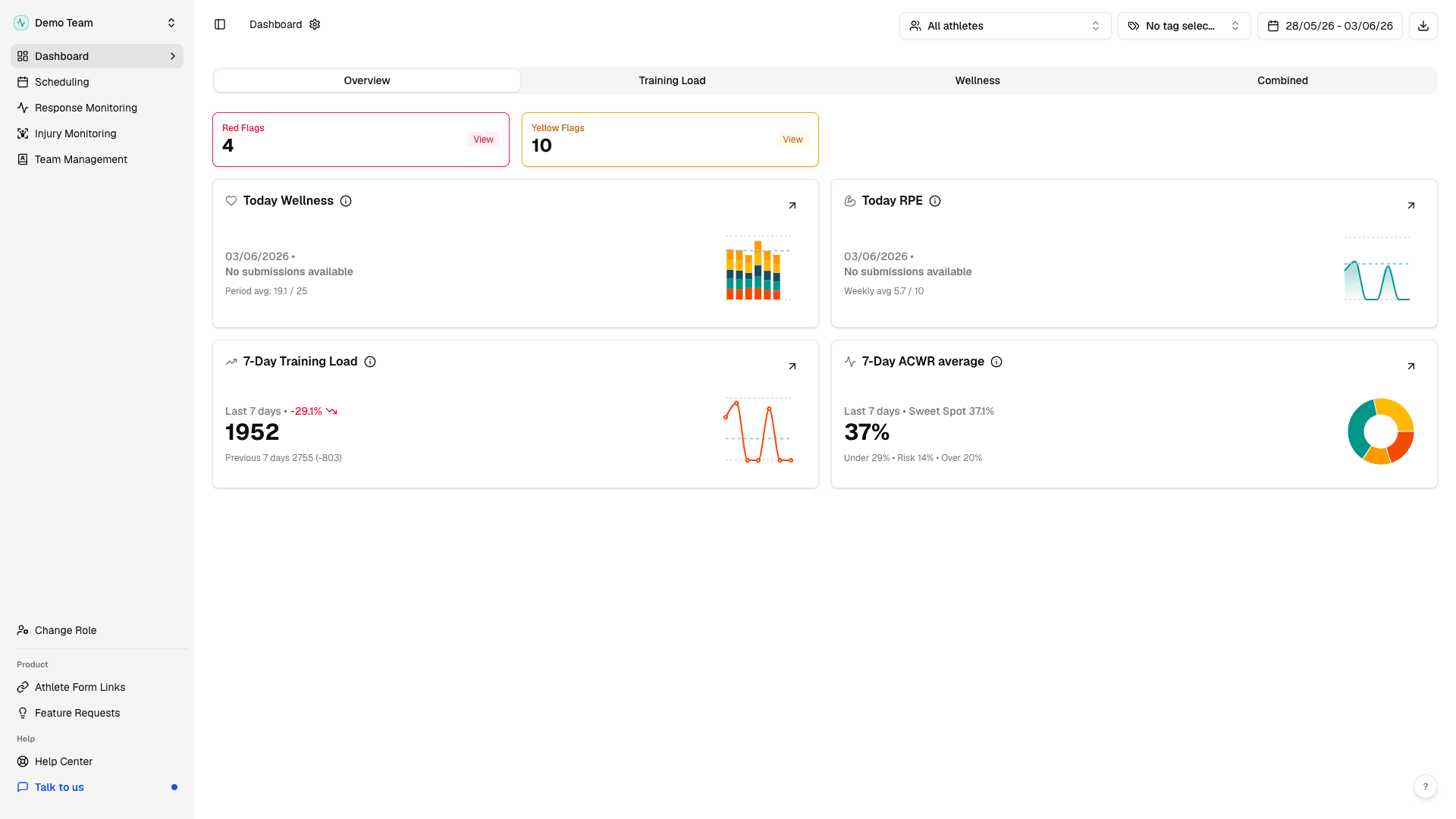
Agree with staff who owns this morning scan and who follows up with athletes flagged for low readiness.
After-sRPE check
After training, open Response Monitoring under Wellness & Load. Summary cards show sRPE Responses and Wellness Responses for today and a 7-day average.
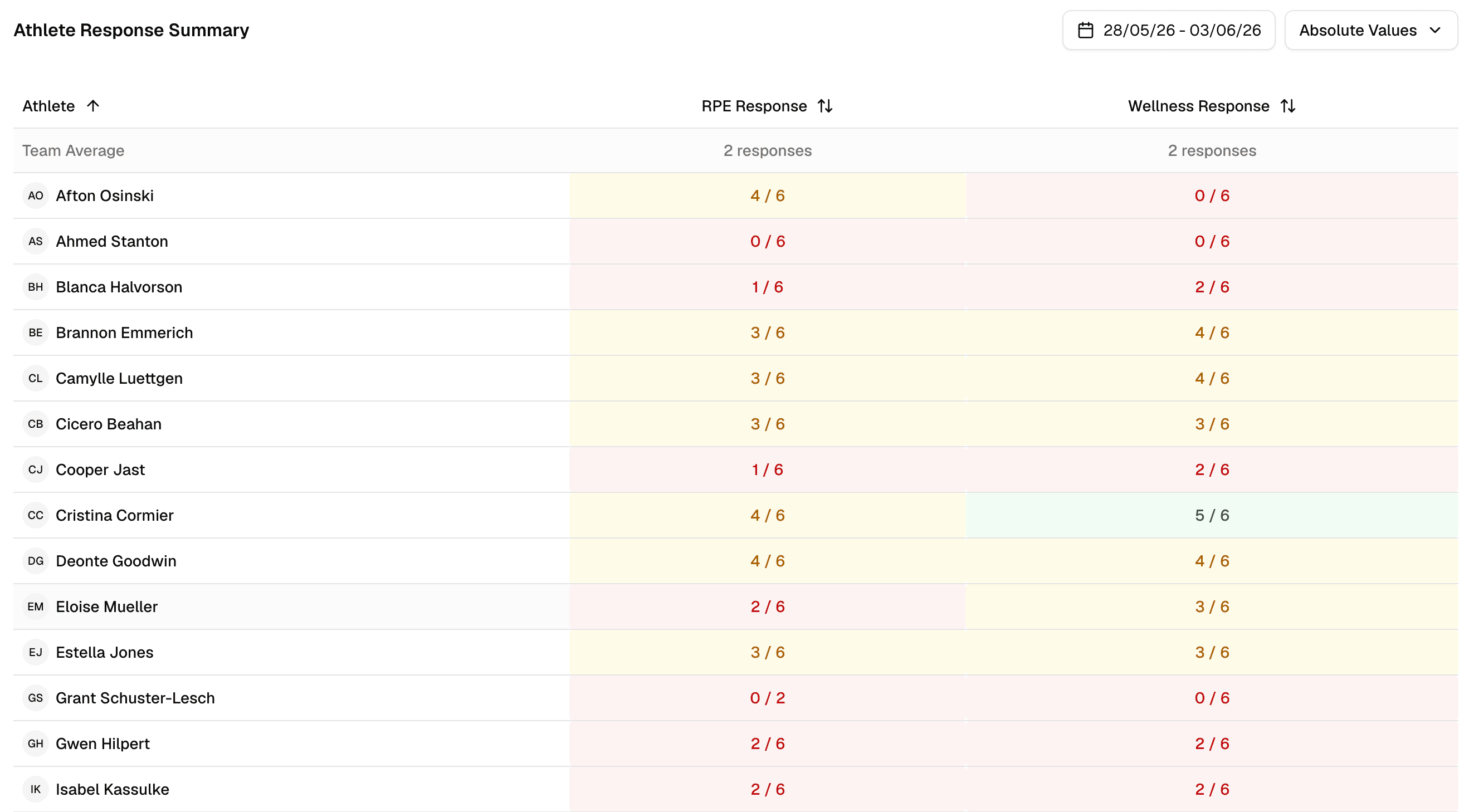
Scroll the athlete list to see missing submissions. Athletes on the mobile app get push reminders — follow up personally when compliance drops for key players.
Weekly load review
Once per week, open the Training Load and Wellness tabs in Wellness & Load. Look for load spikes, ACWR zone shifts, and wellness trends across your date range.
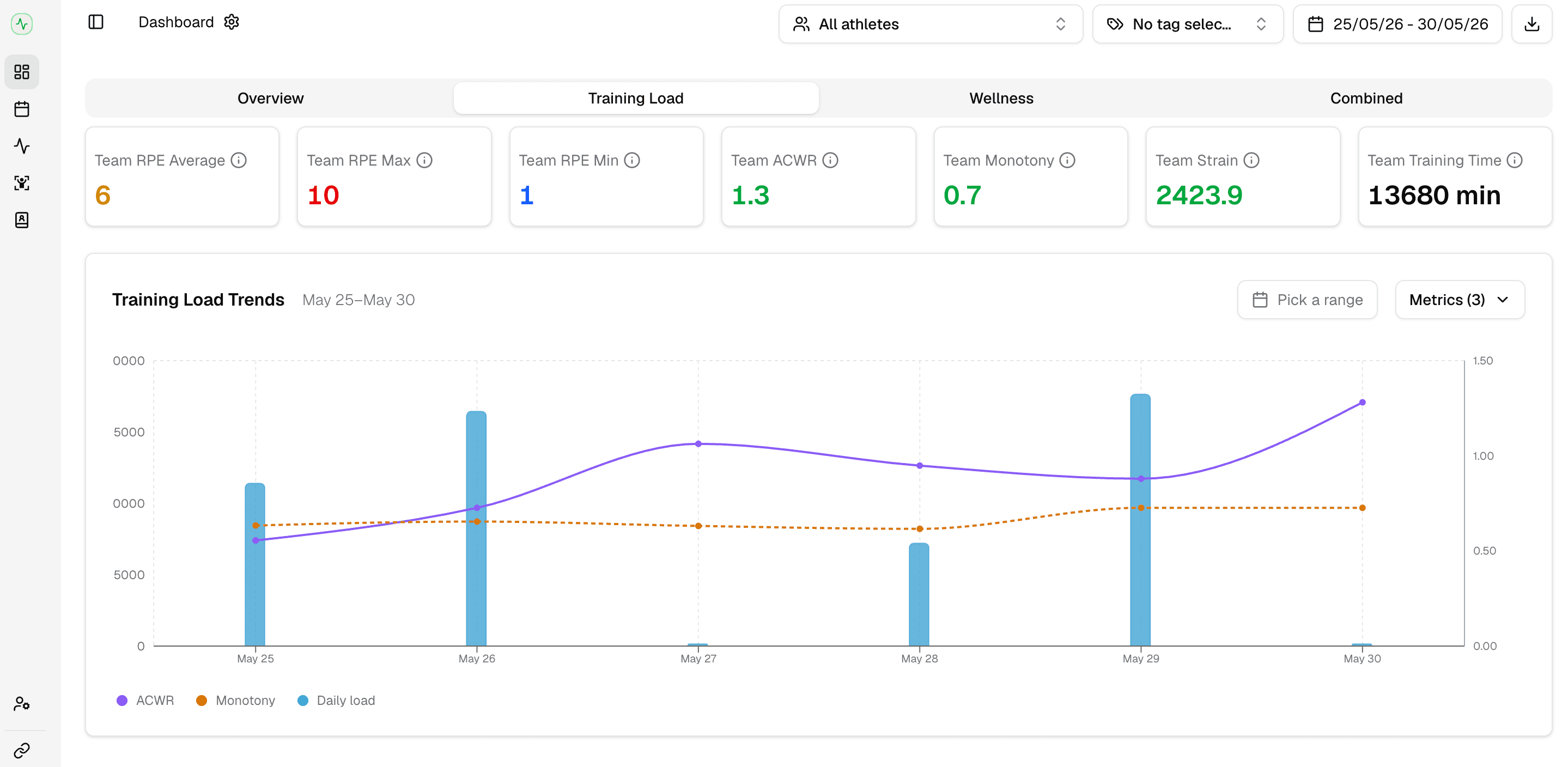
Filter by tags or athlete groups to focus on a position line or match-day squad. For a deeper walkthrough of each tab, see Training Load tab and Wellness tab.