

Wellness and Load dashboard
Use this overview to understand how Wellness & Load connects athlete submissions, flags, tab guides, filters, PDF reports, and dashboard settings.
How the guides fit together
Wellness & Load is the monitoring dashboard for wellness check-ins, sRPE, training load, ACWR, response compliance, filters, and PDF reports. This page is the map. Use the linked guides when you need step-by-step detail.
Scan Overview
Overview is the daily briefing. Start here to see who is flagged, and how training load and wellness is evolving across the week.
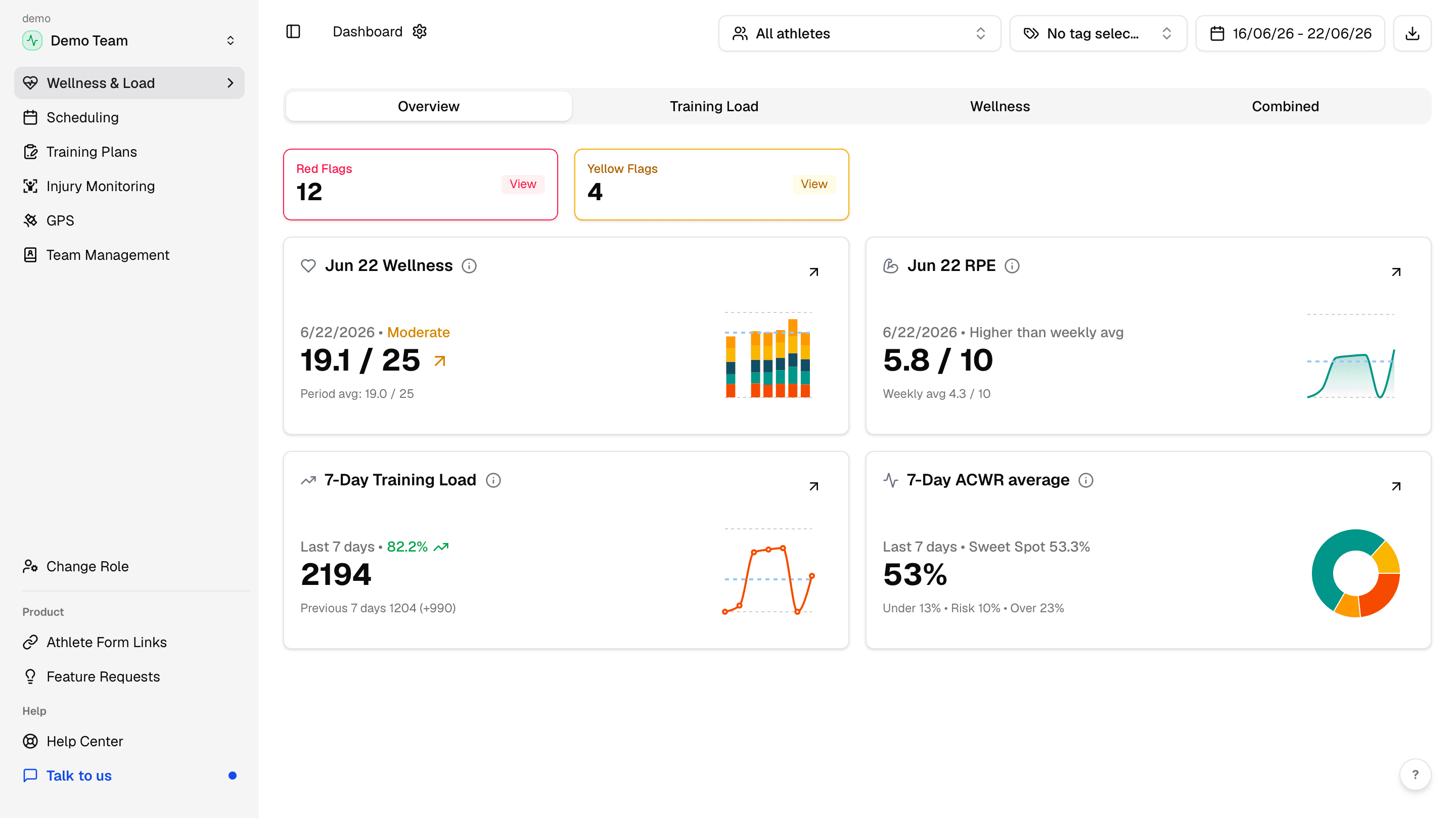
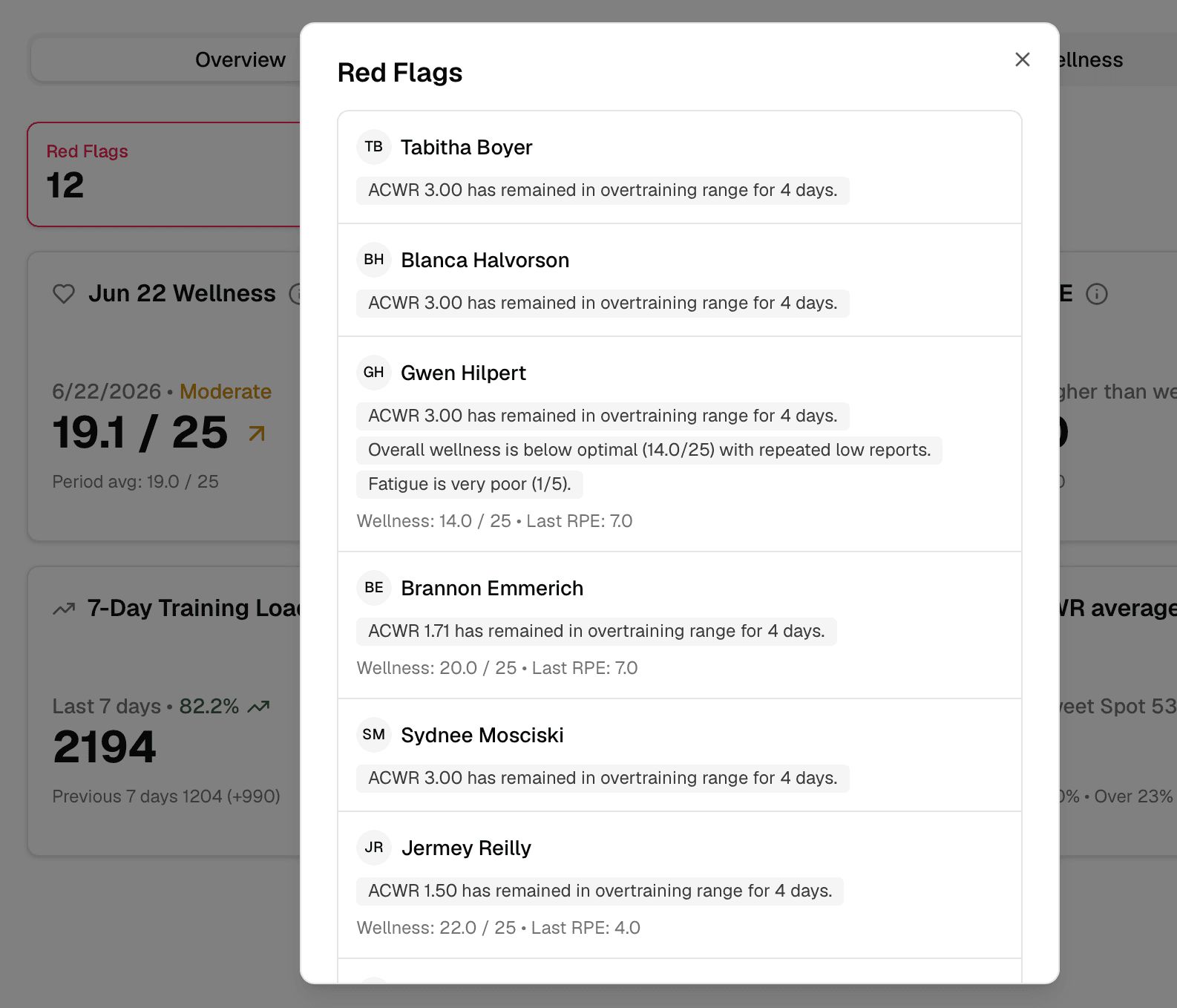
Open Red Flags and Yellow Flags to see why an athlete was surfaced. Flags can come from wellness answers, load thresholds, or ACWR zones.
Use the tab guides for deeper review
Overview tells you what needs attention. The tab guides explain how to review the details of wellness, load, and combined signals.
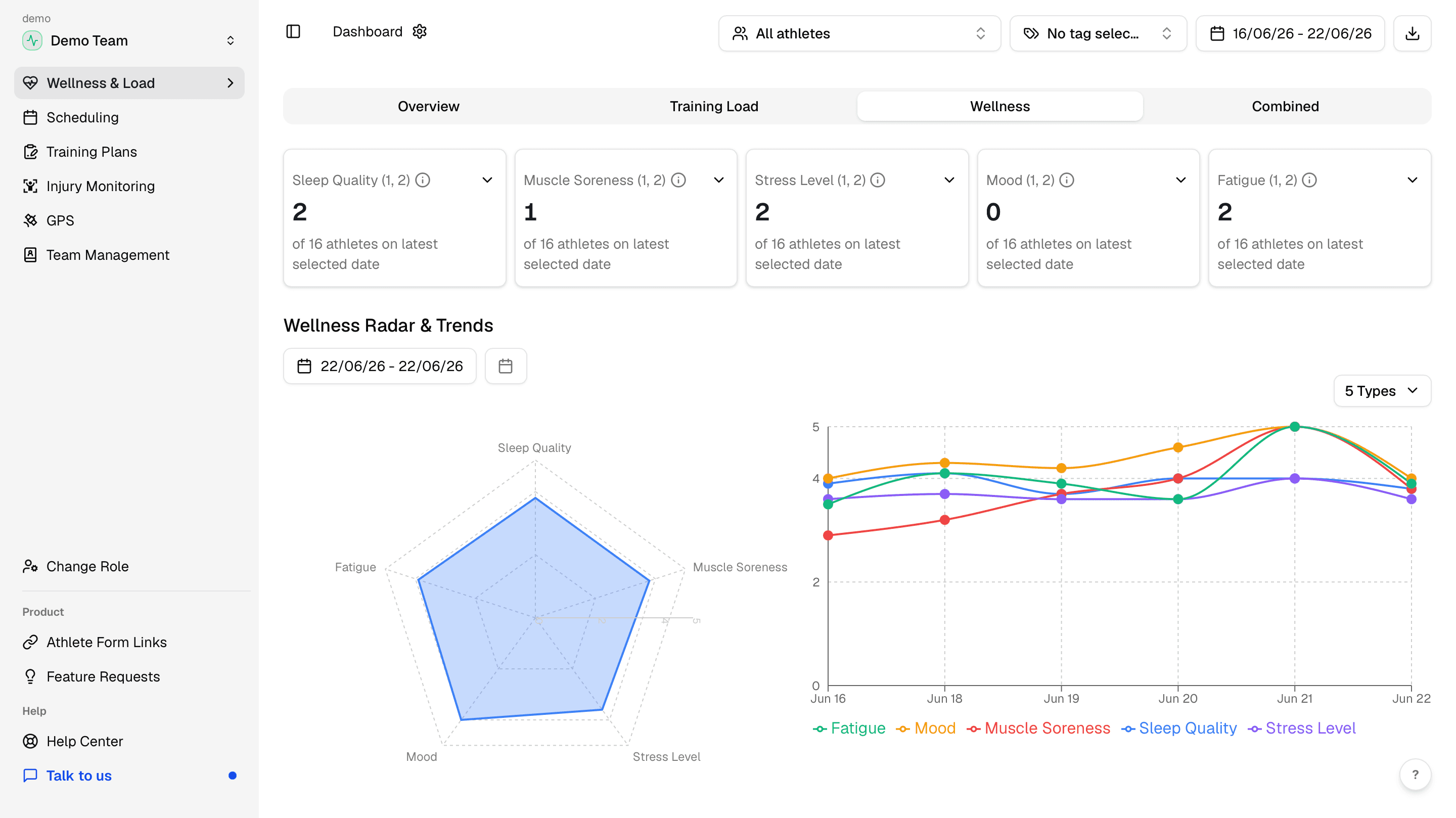
Use the Wellness tab guide for wellness cards, radar and trends, body pain, menstruation cycle, and the individual submissions table.
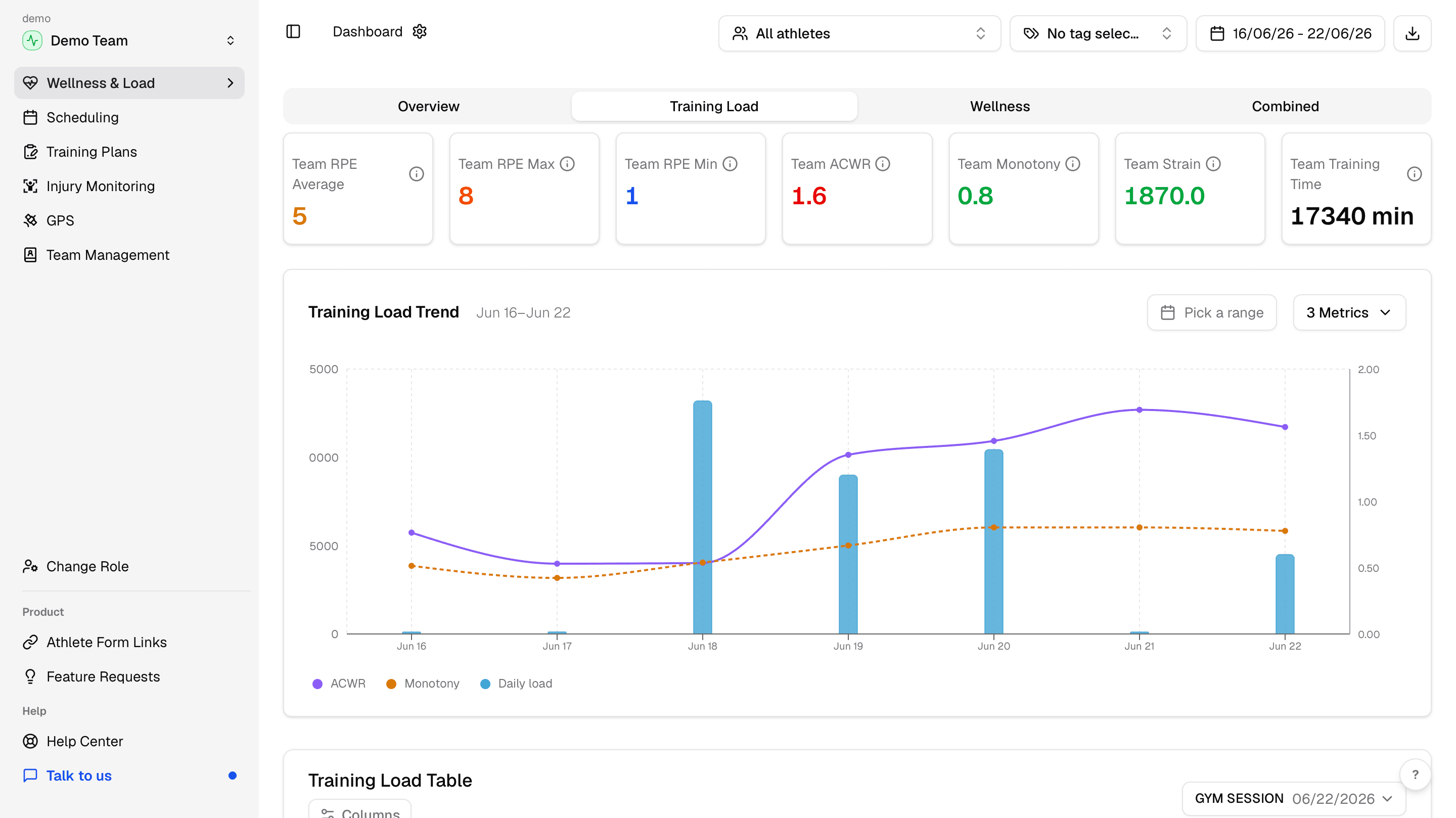
Use the Training Load tab guide for sRPE-based load, ACWR, monotony, strain, trend charts, and athlete-level outliers.
Use ACWR and training load metrics when you need the meaning behind training load, acute:chronic ratio, sweet spot, risk, and overtraining zones.
The Combined tab is the quick pattern check: sRPE against wellness. Use it when you want to see how the squad is recovering from a training session.
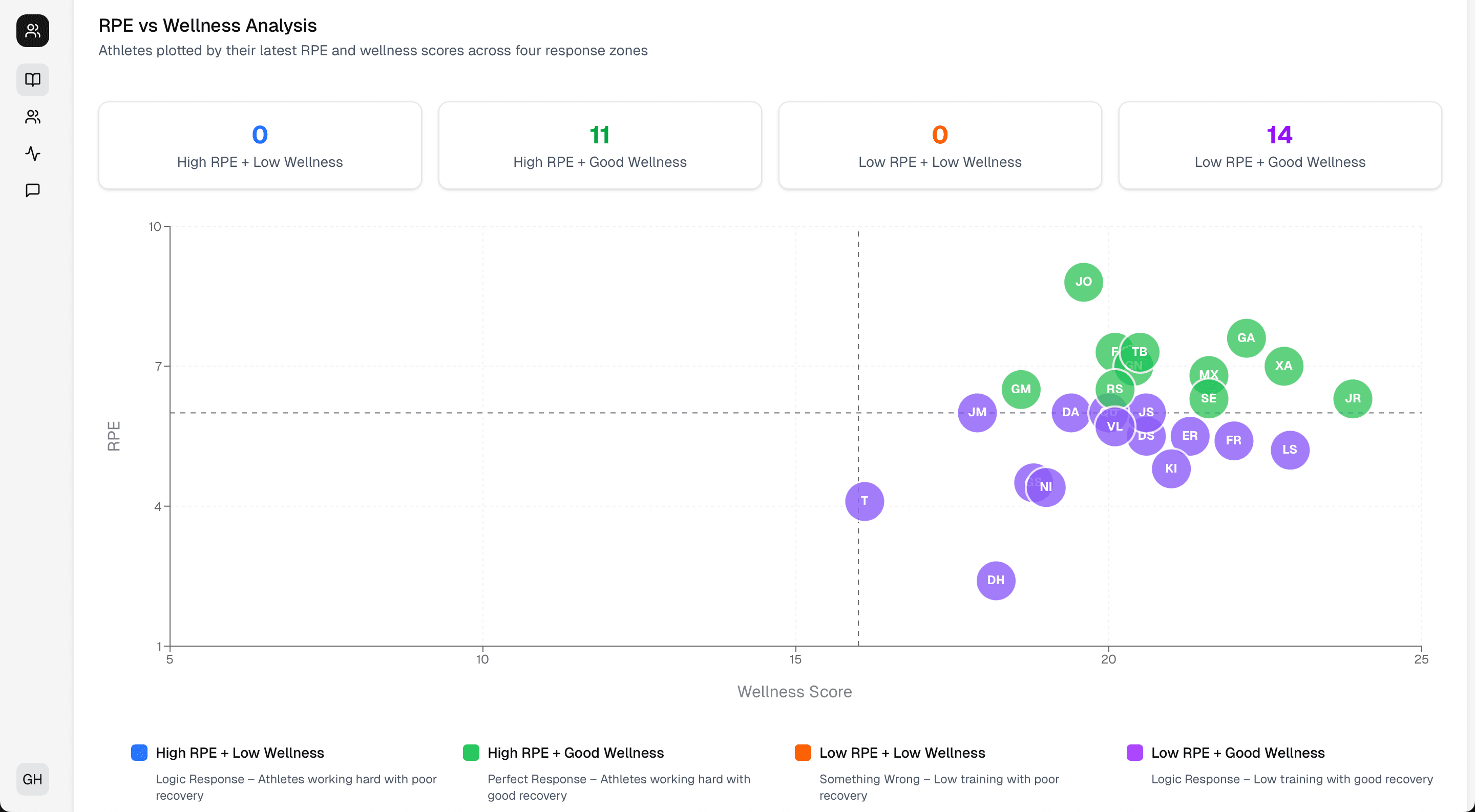
Check compliance and correct data
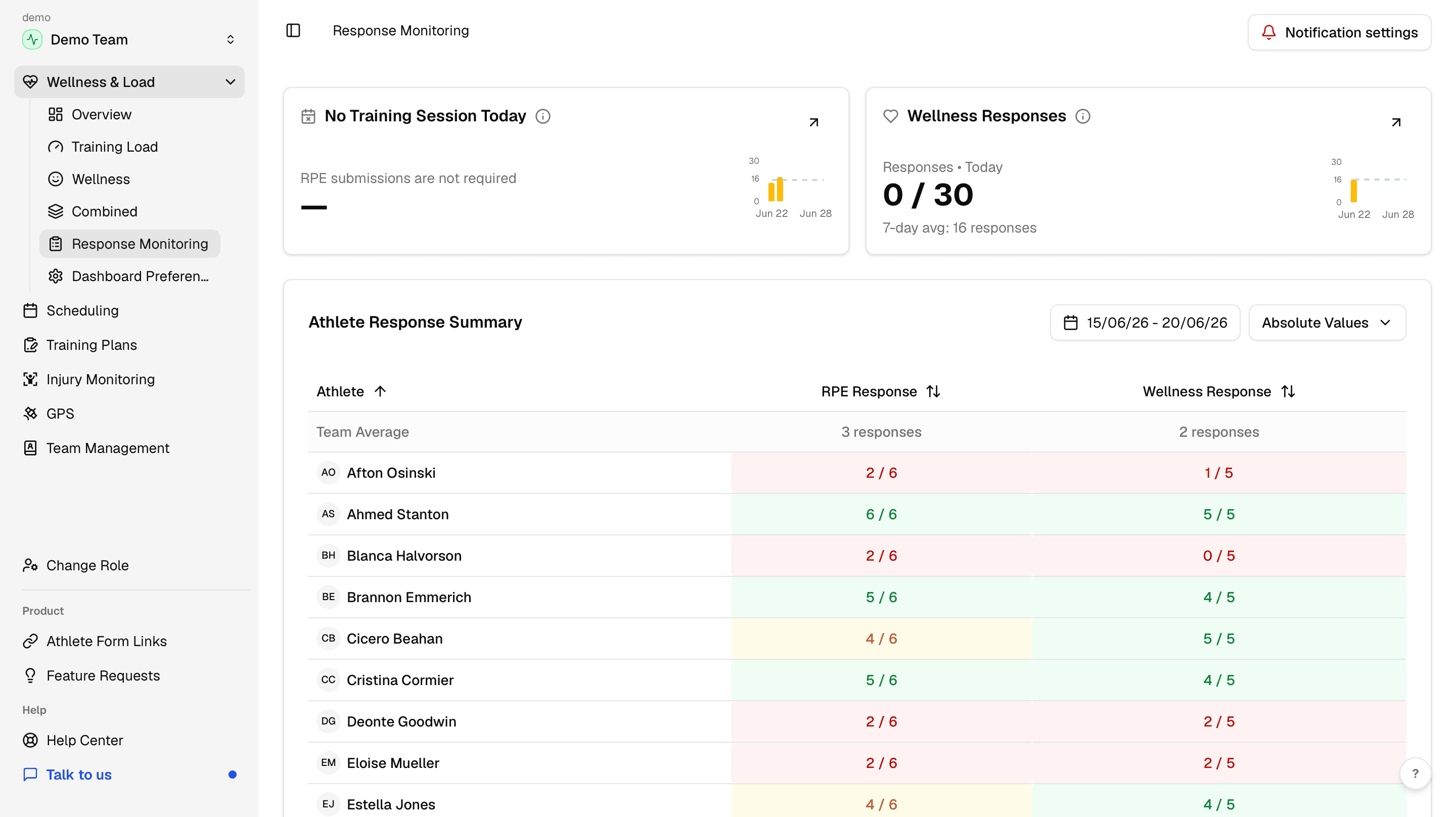
Use response monitoring and compliance when you need to see who submitted, who is missing, and where staff can manage missing or incorrect wellness and sRPE entries.
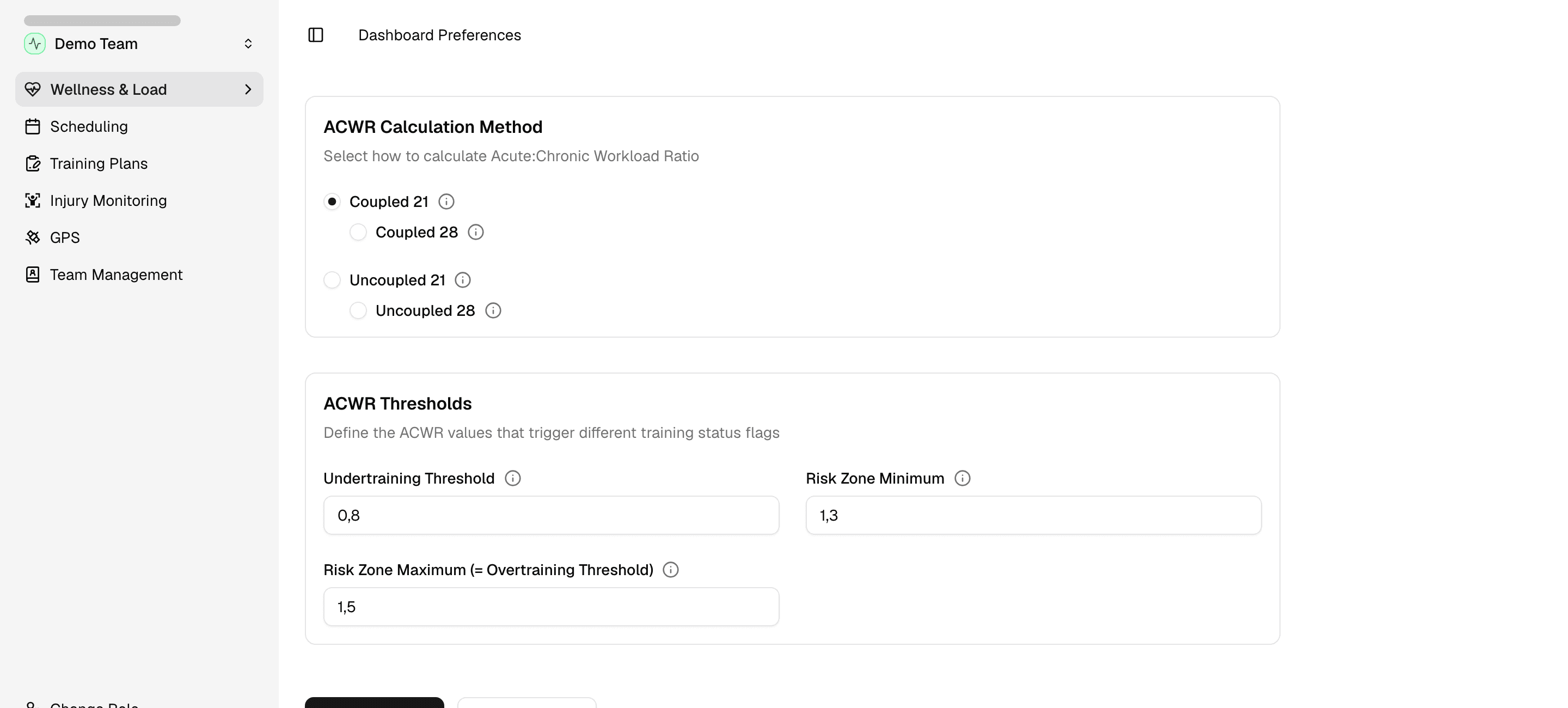
Use dashboard preferences when you need to change the ACWR method or threshold values.
Filter the view and export PDFs
Filters change the Wellness & Load context. Use athlete and position filters, tag filters, and the date range for the period you need.
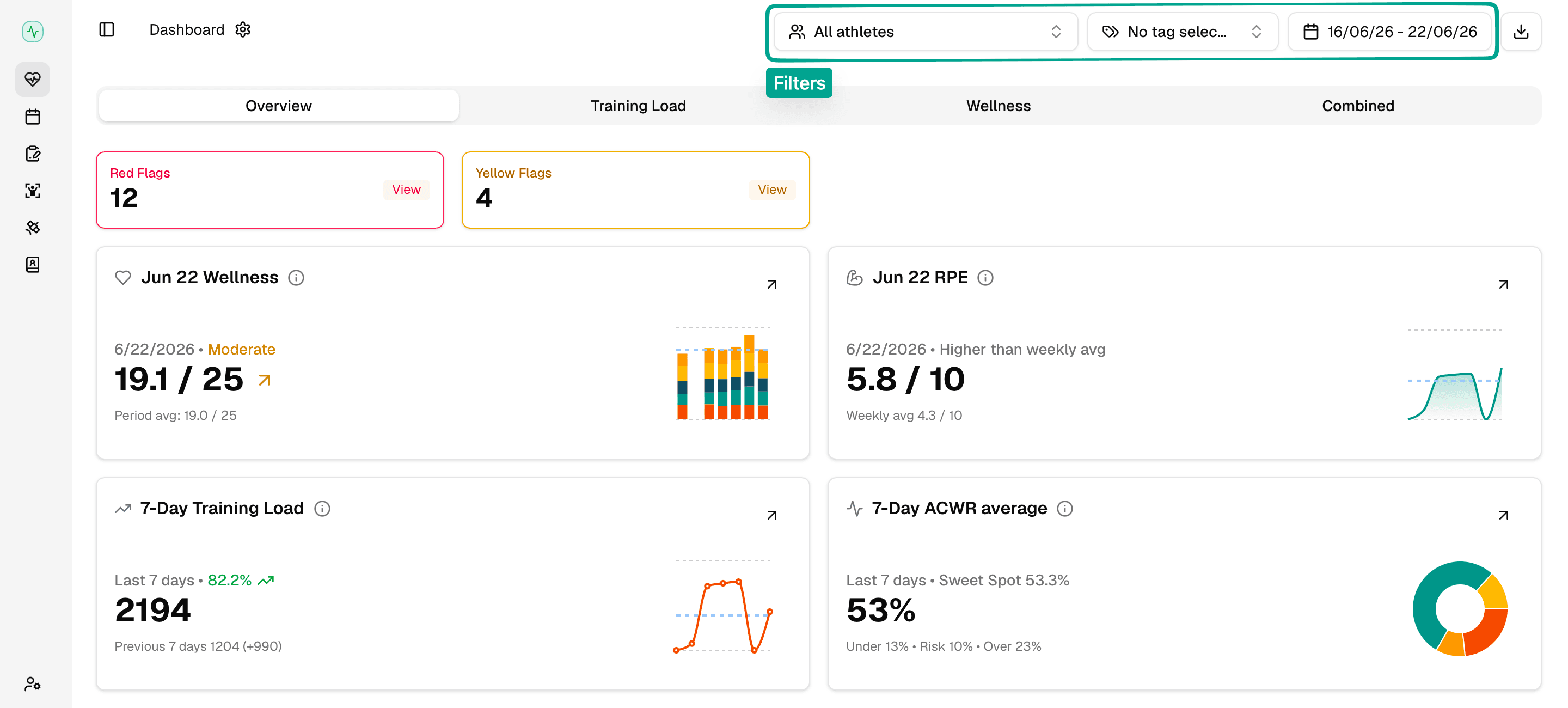
You can also use the Export Report button to export a PDF report. See export reports for the PDF workflow.