

sRPE
How athletes rate session effort on the mobile app and how coaches review training load in Wellness & Load.
What sRPE does
After each training session, athletes rate how hard it felt on a 0–10 scale. Fractall turns those ratings into internal training load and ACWR. Coaches scan same-day submissions on Overview, then open the Training Load tab for squad trends.
The mobile app
Athletes open Submit sRPE from the Fractall mobile app. They pick the session, move the exertion slider, add optional notes, then tap Submit sRPE.
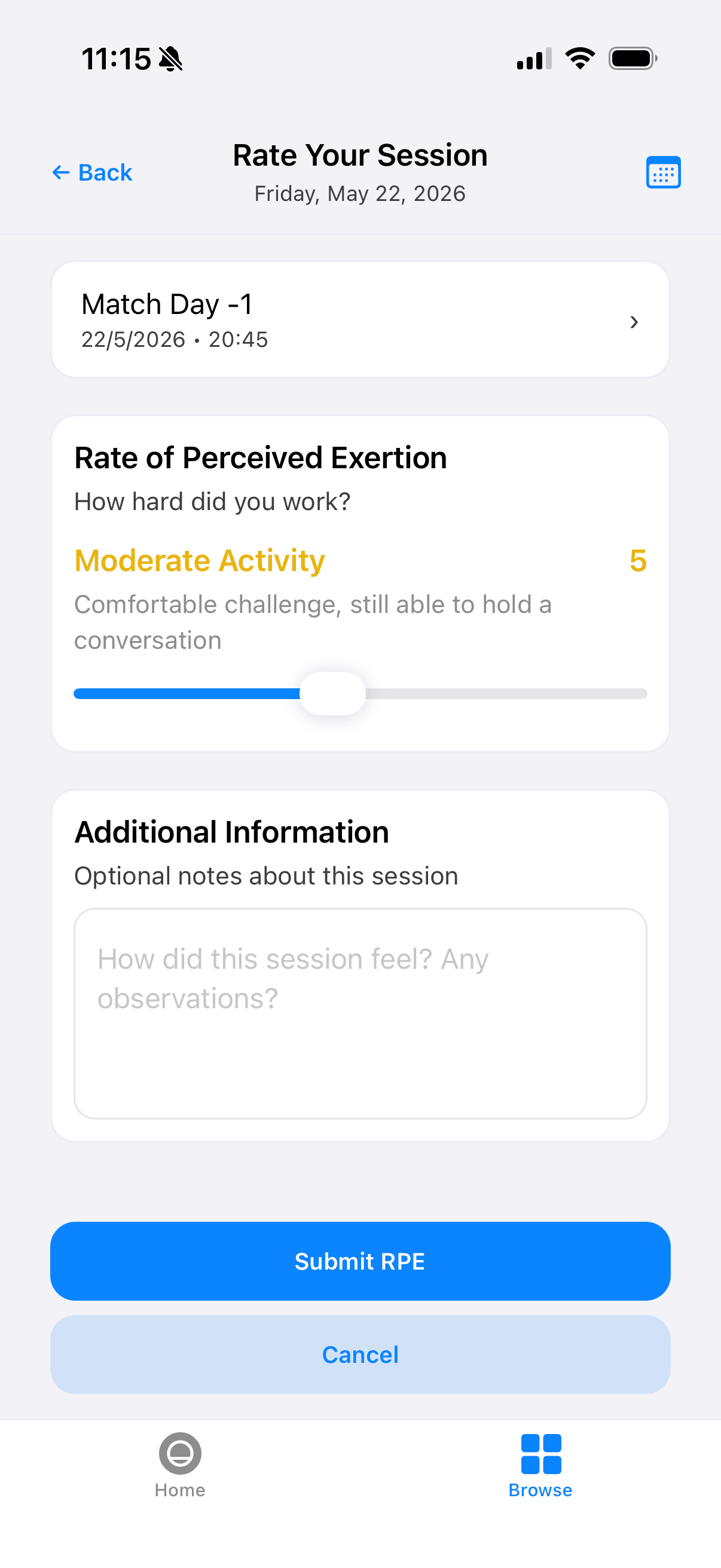
When a day has more than one session — for example a morning gym block and an evening pitch session — athletes choose which session they are before rating it. Activities you add in the Calendar appear in that list with the name and time of the session.
Review in Wellness & Load
Open Wellness & Load. On Overview, check Today sRPE after training and any load-related flags.
On the Training Load tab, review team load charts and the per-athlete table — sRPE submissions feed 7-day load and ACWR widgets on Overview. See Training Load tab for the full review workflow.
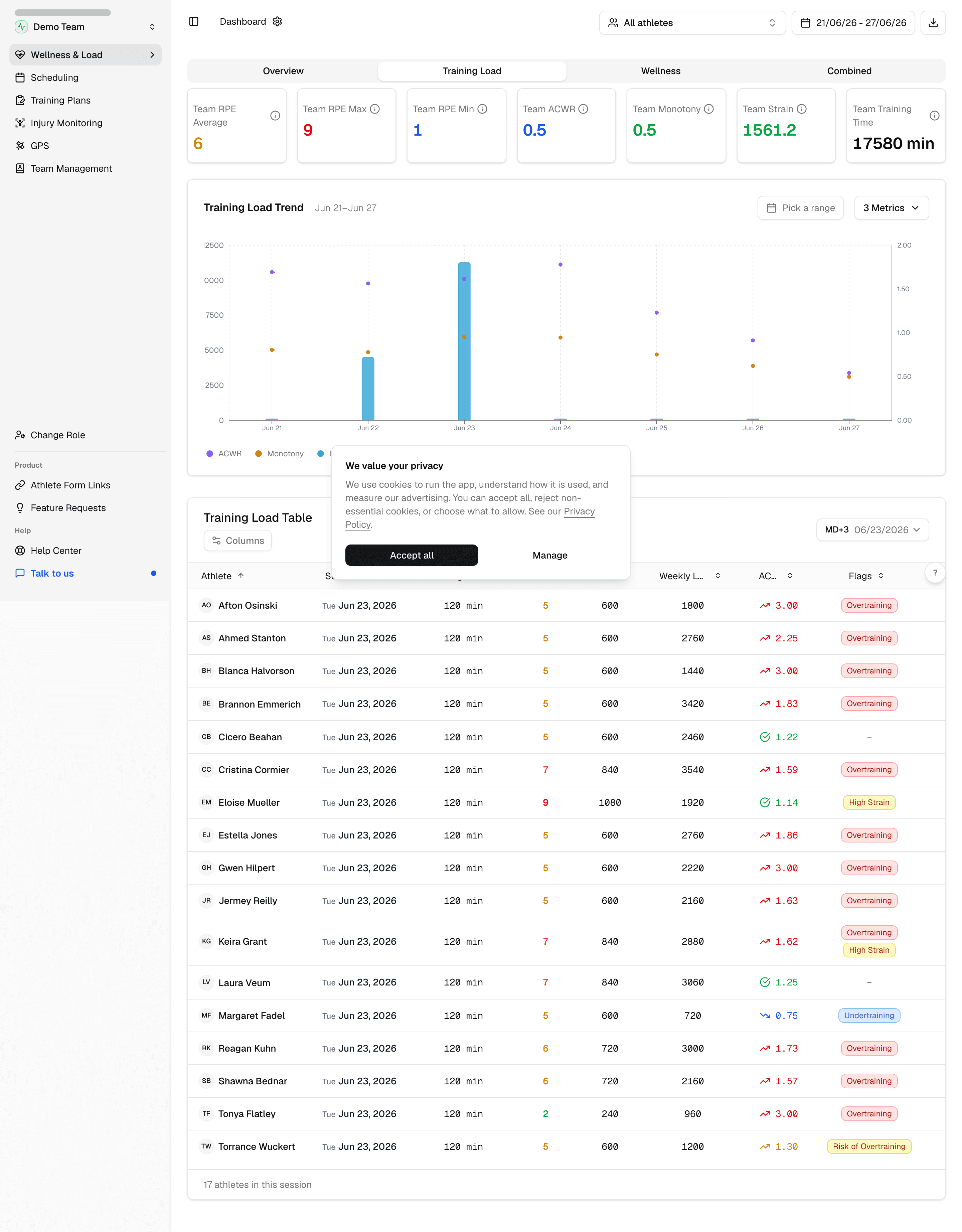
Click an athlete name in the table to open their individual profile.
Go deeper when needed
Athlete Digital Twin shows one player's load trend, wellness context, and submission history — useful before rotation or return-to-play calls.
See ACWR and training load metrics for how to read load zones, sweet-spot breakdown, and week-over-week change. Adjust ACWR method and thresholds in dashboard preferences.
Daily and range reports both include a training load section. See export reports when you need a shareable snapshot for staff.