

Plan your season in the Calendar
Create a season, add training sessions and match days, and set match-day labels, breaks and micro cycles.
Plan the season on one grid
The Calendar is where you plan your team's season. It shows one season at a time, laid out as rows of 7-day weeks, and you put each training session, match day and clinical activity on the day it happens.
Fractall works out session load as sRPE multiplied by the minutes you plan here, so a 60-minute session at RPE 6 carries less load than a 90-minute one at RPE 6.
- Open the CalendarClick Calendar in the sidebar.
- Pick a seasonCreate one, or open a season you already have.
- Add an activityRight-click a day and choose Add activity.
- Choose the kind and segmentsTraining session, Match day or Clinical.
- Set target RPE and minutesPlan the effort and adjust each athlete's time.
- Check match-day labelsMD labels follow your match days.
- Add breaks and micro cyclesMark time off and group weeks into cycles.
- Review load latersRPE submissions turn minutes into load.
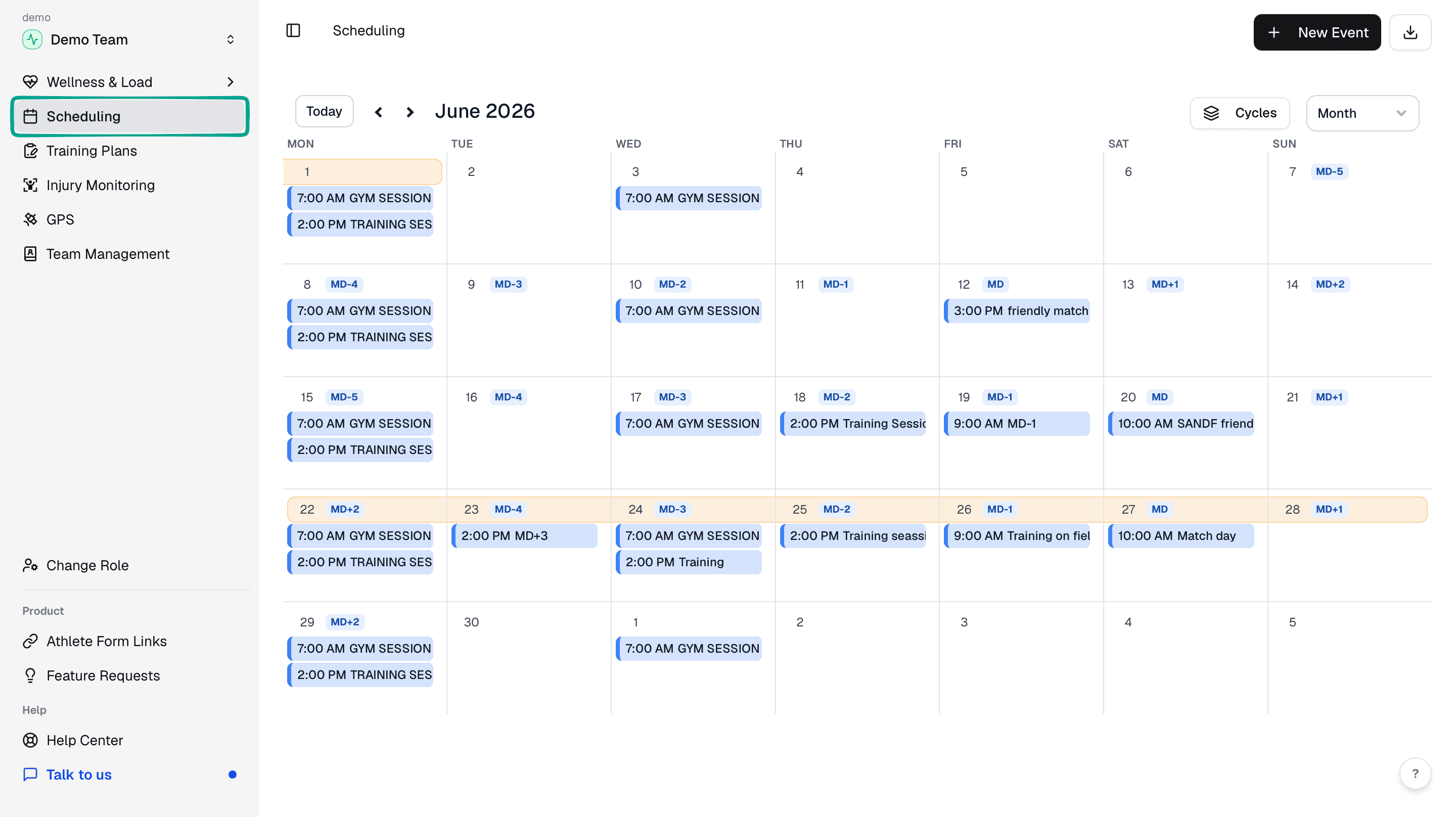
Open the Calendar
Click Calendar in the sidebar. If you had the old Scheduling page bookmarked, that link now opens the Calendar too.
Create or open a season
The Calendar shows one season at a time. If your team doesn't have one yet, click Create season and give it a Name, a Start date and an End date.
Every season you've made is listed on the Seasons page. New season adds another, and Open in calendar takes you to that season's grid. If the season runs longer than you planned, Add week puts another week on the end.
Add an activity
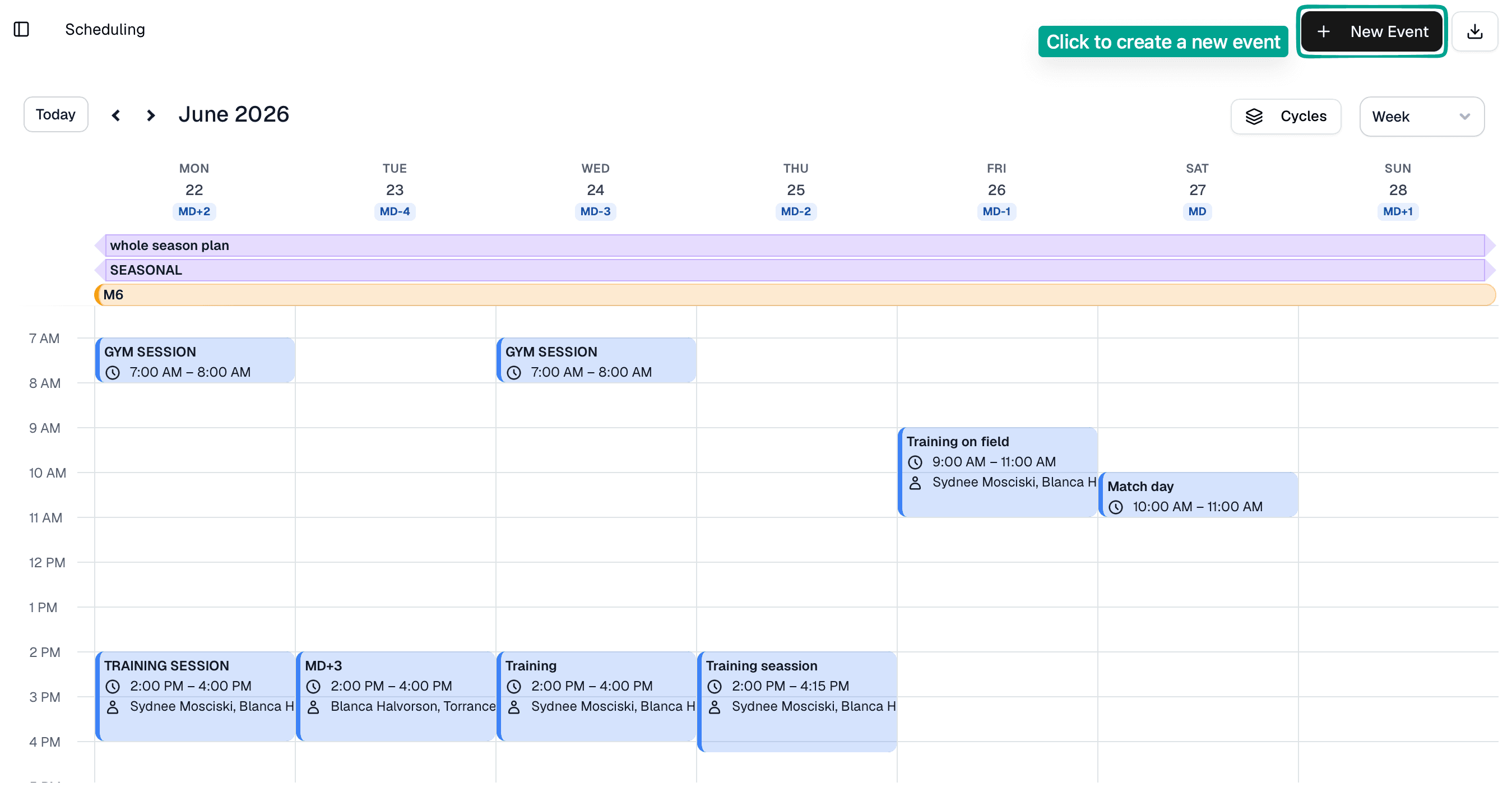
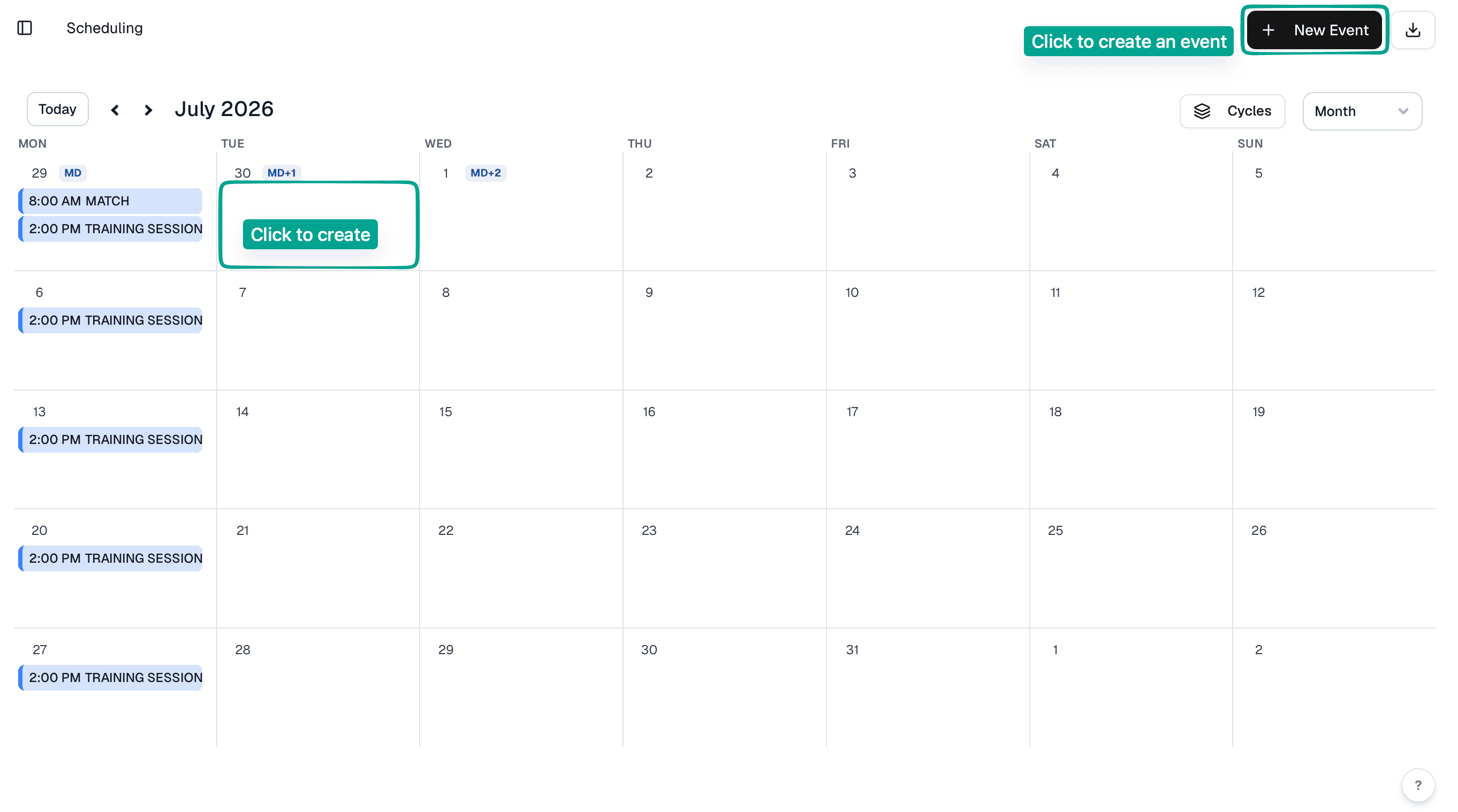
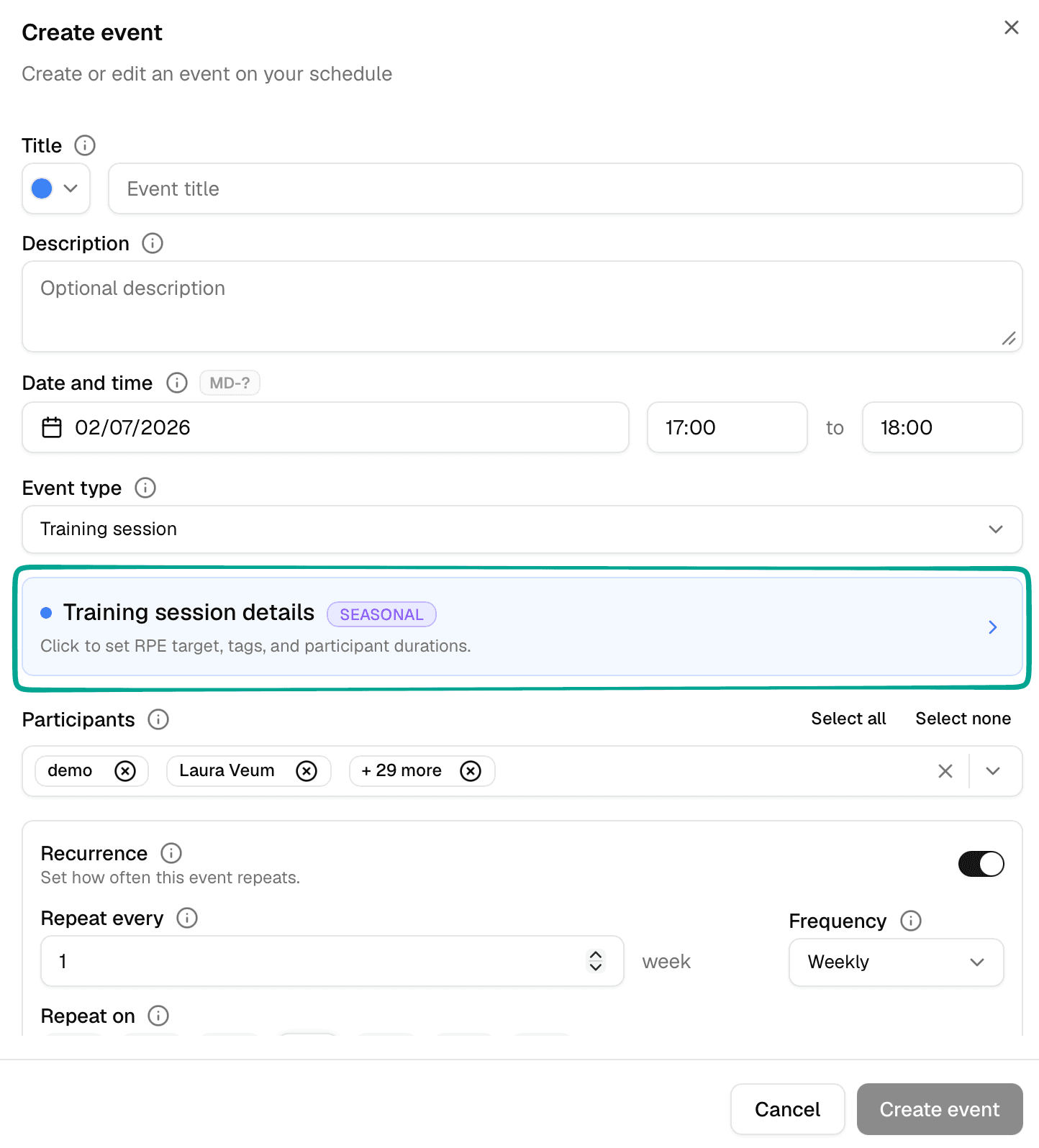
Right-click the day the activity happens on and choose Add activity. Pick one of three kinds: Training session, Match day or Clinical.
There's no repeat setting, so copy the sessions you run every week. Right-click an activity and choose Copy, then right-click another day and choose Paste here. Duplicate puts a second copy on the same day. You can also drag an activity to another day to move it, or hold Alt while you drag to copy it. To work on several at once, drag a box around them.
Right-click an activity for Edit activity or Delete.
Choose the kind and segments
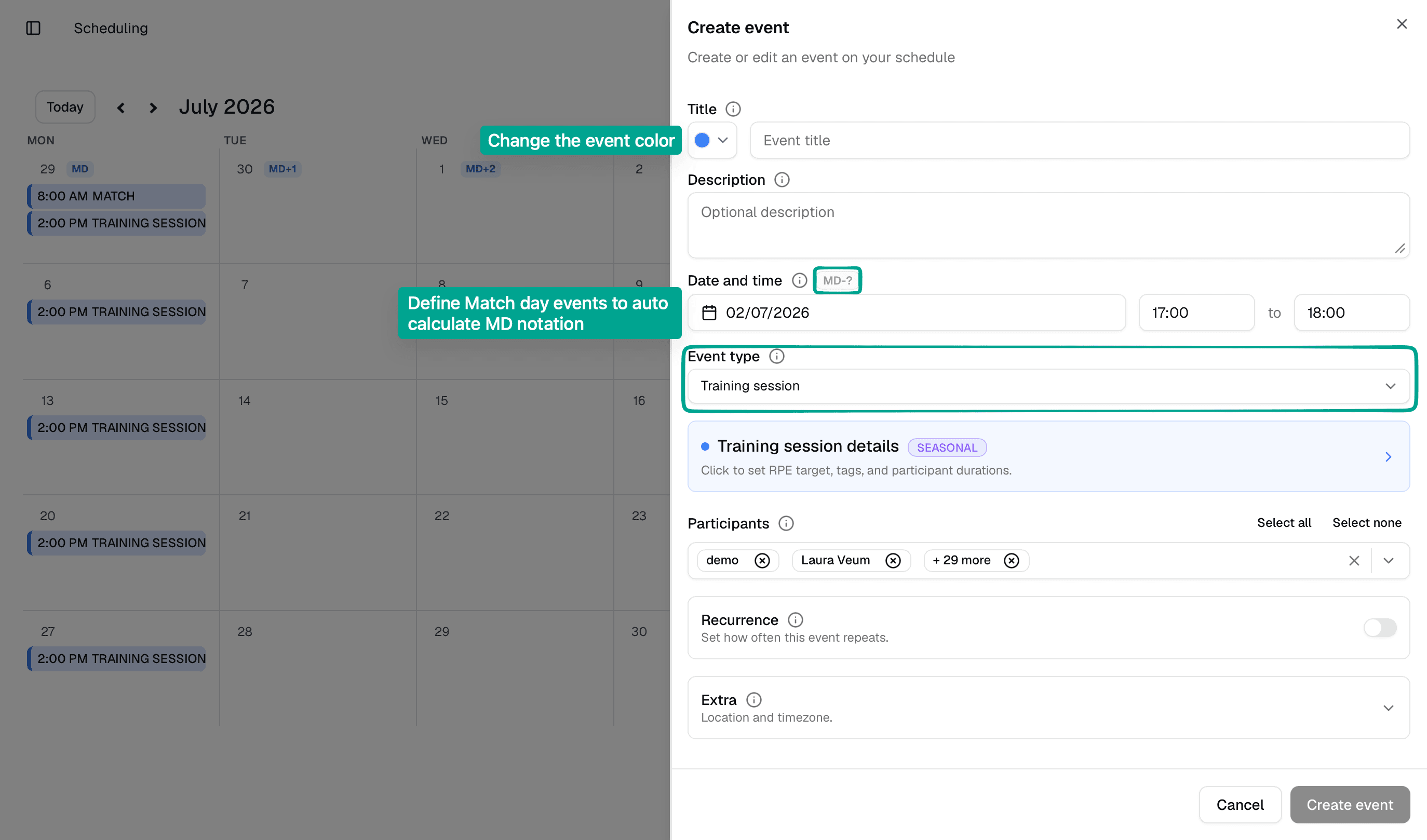
Each kind is split into segments. A Training session has Field training and Gym training, plus an optional Physical testing segment. A Match day has Prep, Match and Post-match. A Clinical activity has Physiotherapy, with RTP as an option.
Field training holds your session goals. Physical testing lets you plan tests from your team's catalogue. Match-day and clinical segments get a Goals and notes field. Gym training doesn't do much yet: the app says it's still being built and is there to help you organise the day.
Set target RPE and minutes
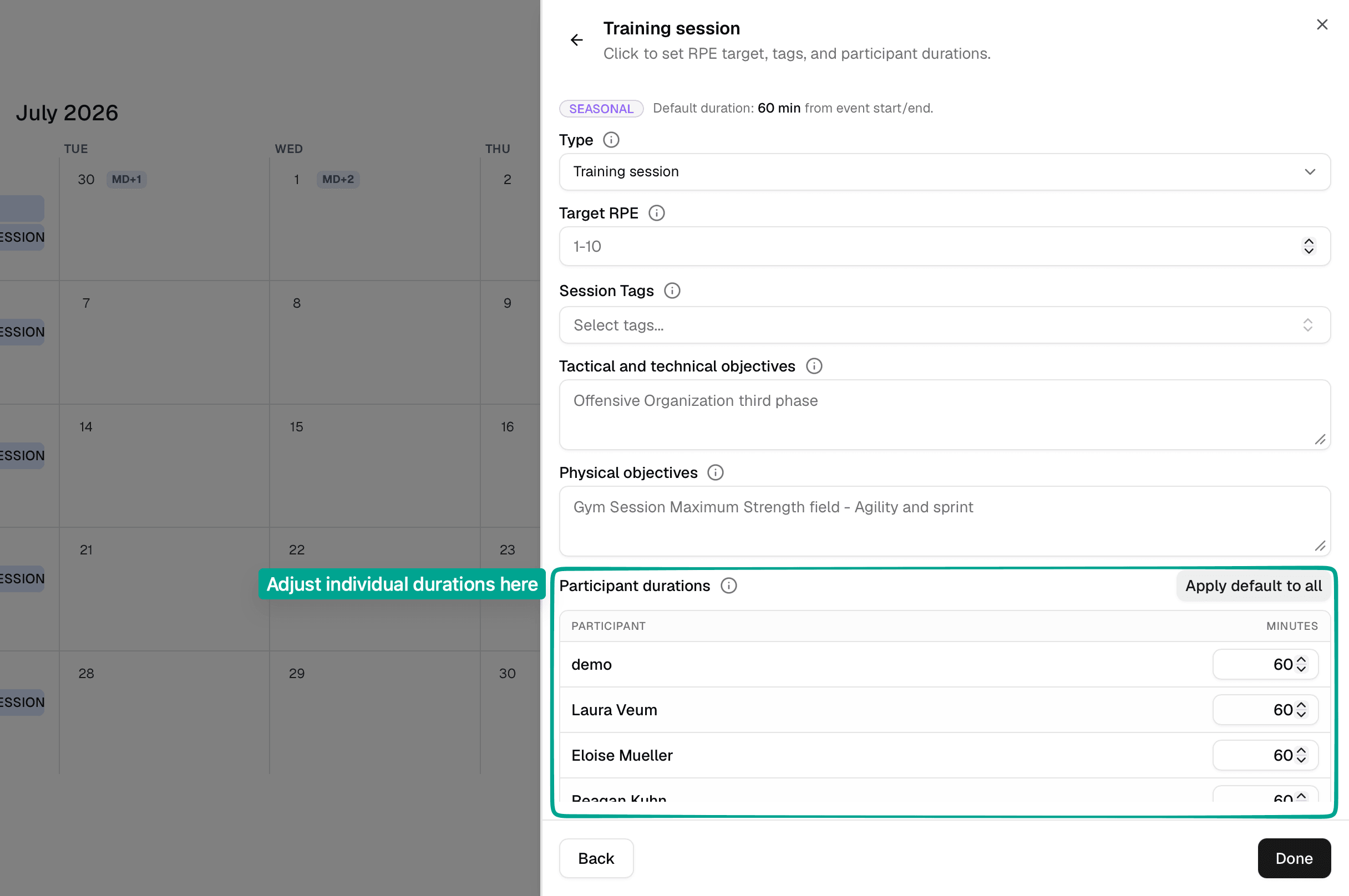
Target RPE is an optional slider from 1 to 10 for the effort you want from the session. It's a target for RPE, not a planned load, and clinical activities don't have it.
Training sessions and match days list every athlete taking part, each with their minutes. Clinical activities only list them when RTP is on. If someone arrives late, leaves early or does a modified session, tap their name and change their minutes.
Once athletes submit sRPE, Fractall multiplies it by the duration in minutes to get session load.Session load = RPE × duration (minutes)
Check match-day labels
Fractall labels the days around each match from MD-5 to MD+2, working them out from the match days on your calendar. If a day should carry a different label, you can override it on that day. Use inferred puts back the label Fractall worked out.
Add your match days early. Every label on the days before and after a match depends on them.
Add breaks and micro cycles
For time off, right-click a day and choose Add break. Use Edit break to change it later. Removing a break asks you to confirm first.
To group a block of days into a micro cycle, use the empty cell in the micro cycle lane of that week and choose Add micro cycle to this row. Give it a Name, a Color, a Description and its Dates. You can edit or delete it later.
Meso and macro cycles have their own lanes, which appear when you turn on Show macro & meso cycles. You can edit or delete the ones already on your season.
Review training load after sRPE
After the session, athletes submit sRPE from the mobile app. Use sRPE for the athlete submission flow, and review the load it produces in the Training Load tab. To draw the session, add drills or map out the pitch, use Training Plans.