

Wellness tab
Use the Wellness tab to review team wellness trends, body pain, menstruation cycle, and individual wellness scores.
What the Wellness tab is for
The Wellness tab is where you move past today’s summary cards and look for patterns in how the squad is feeling. Use it after athletes have submitted daily wellness, especially before training, return-to-play conversations, or staff meetings.
Read team wellness patterns
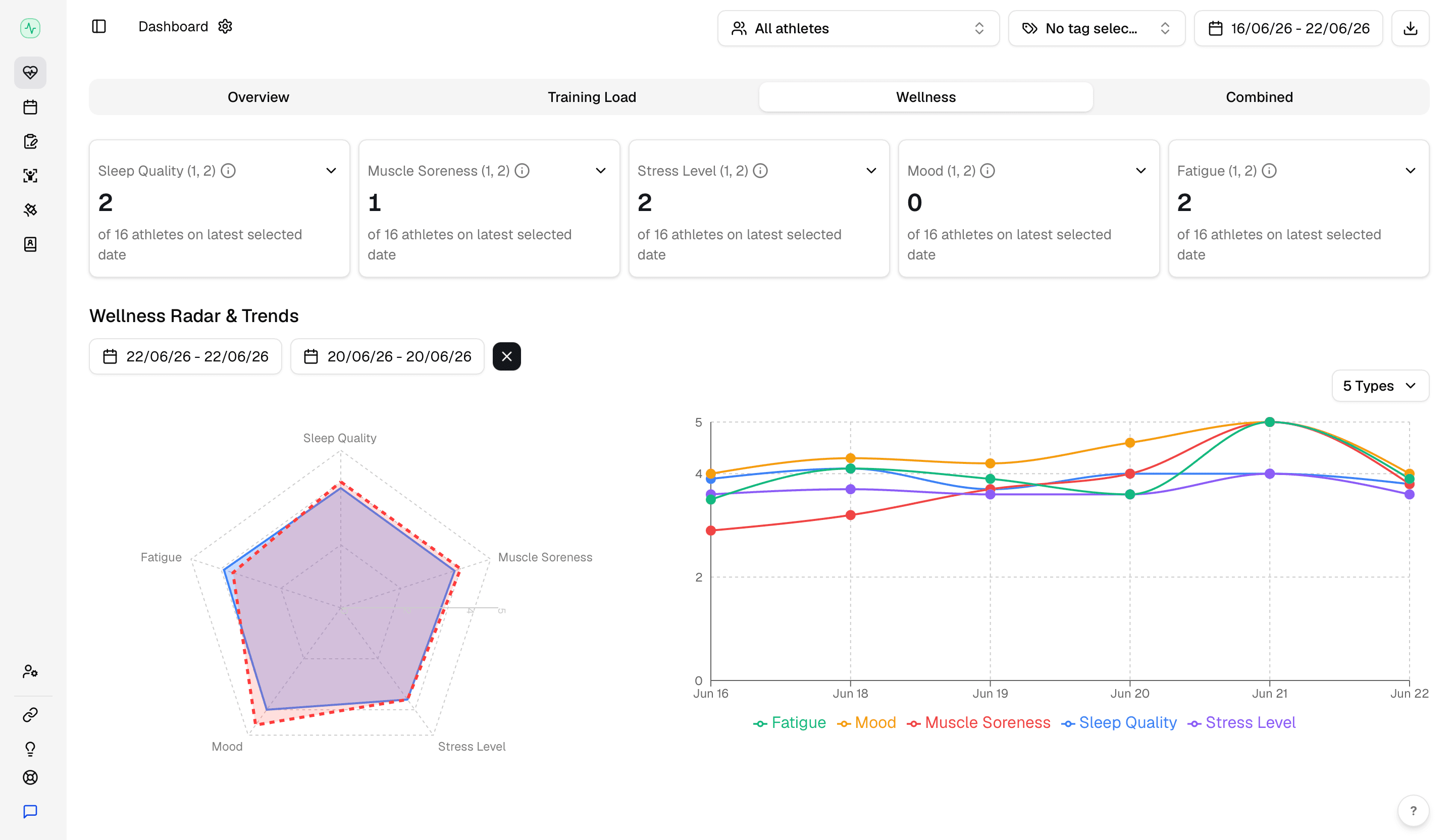
The metric cards for sleep quality, muscle soreness, stress, mood, and fatigue give you a quick team read of the athletes that are reporting low scores.
Use Wellness Radar & Trends to compare the five wellness metrics across the selected date range. The radar helps you see imbalance today; the trend lines show whether that imbalance is new or building over several days.
Review body pain and menstruation cycle
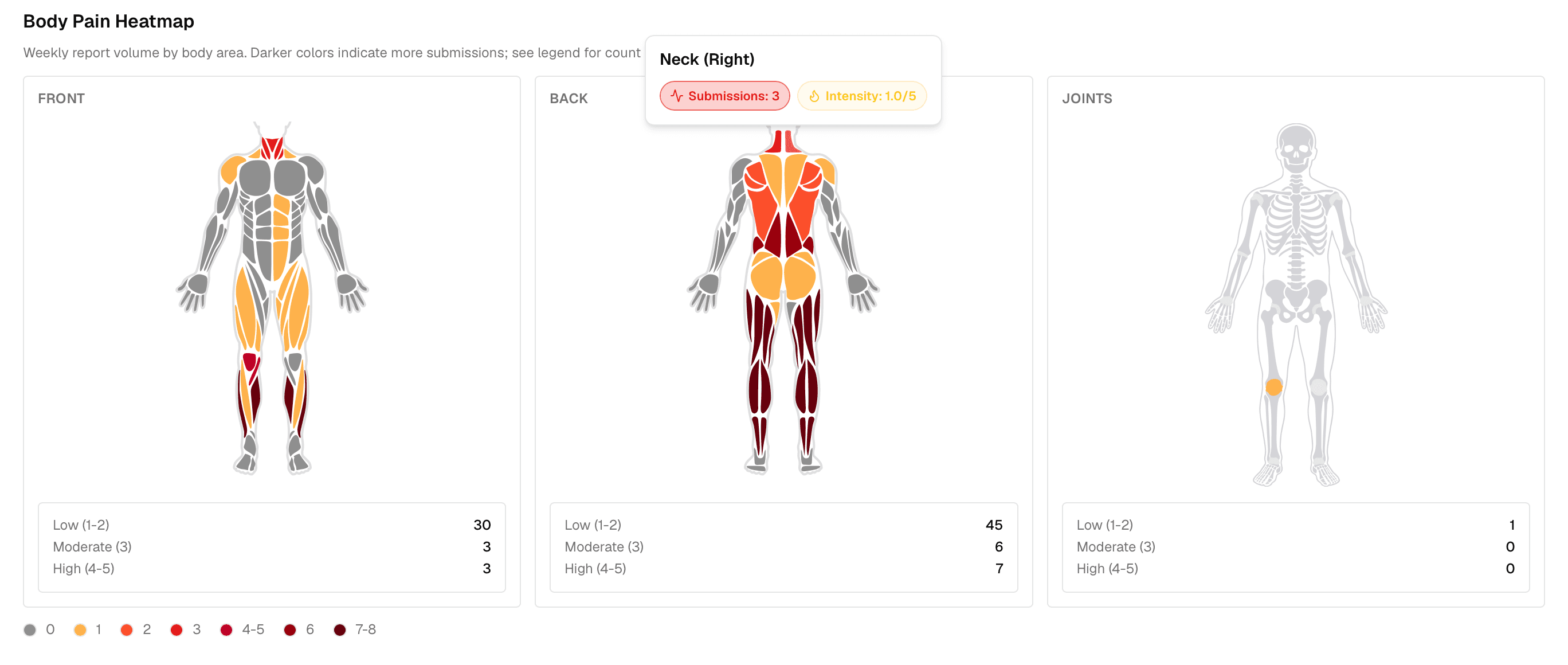
Use the body pain section to check if soreness scores are high or several athletes mention the same area. Or there is someone reporting too many pain points.
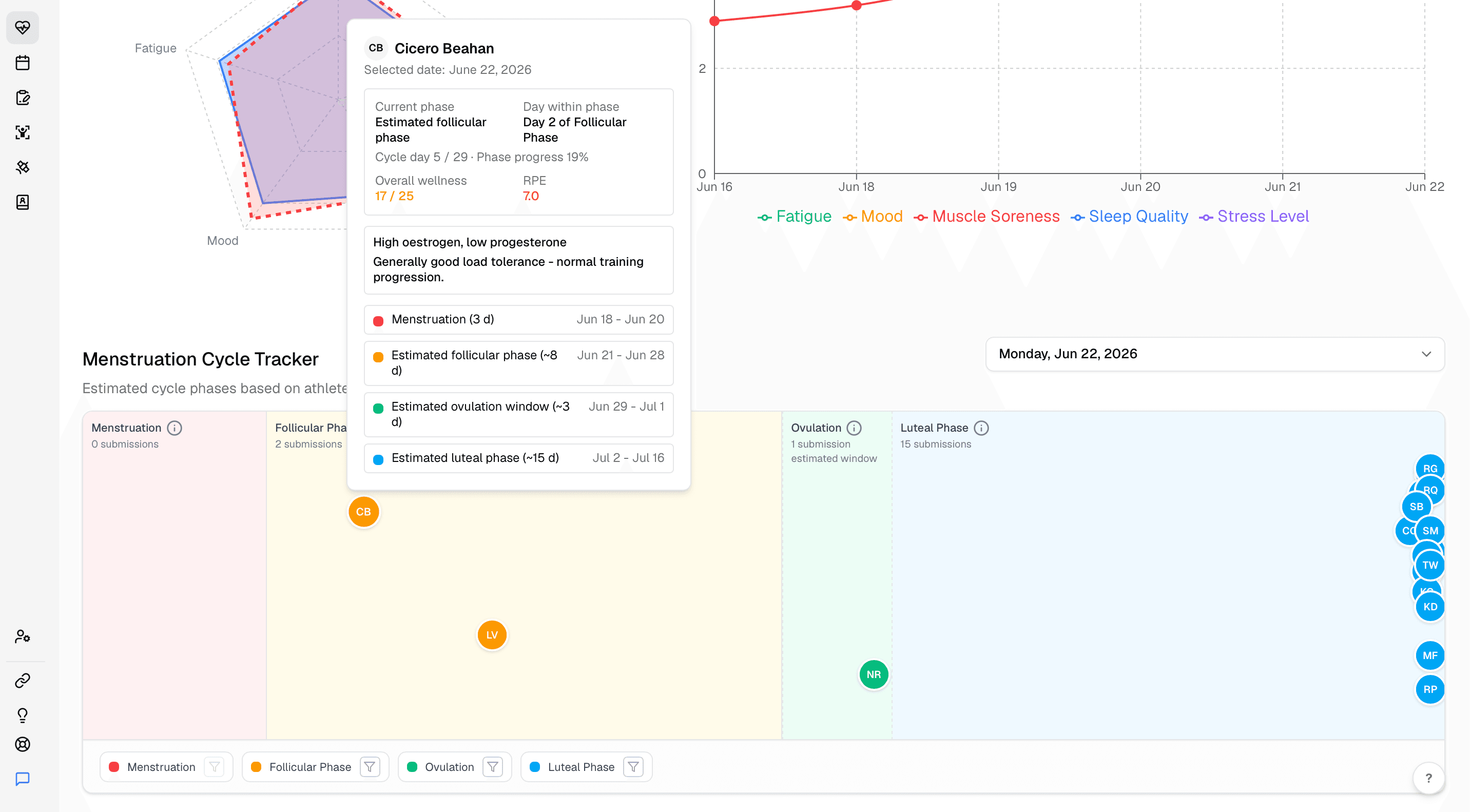
If you have a female squad, use the menstruation cycle panel as context to better understand the athletes' wellness and regulate training accordingly.
Use the submissions table
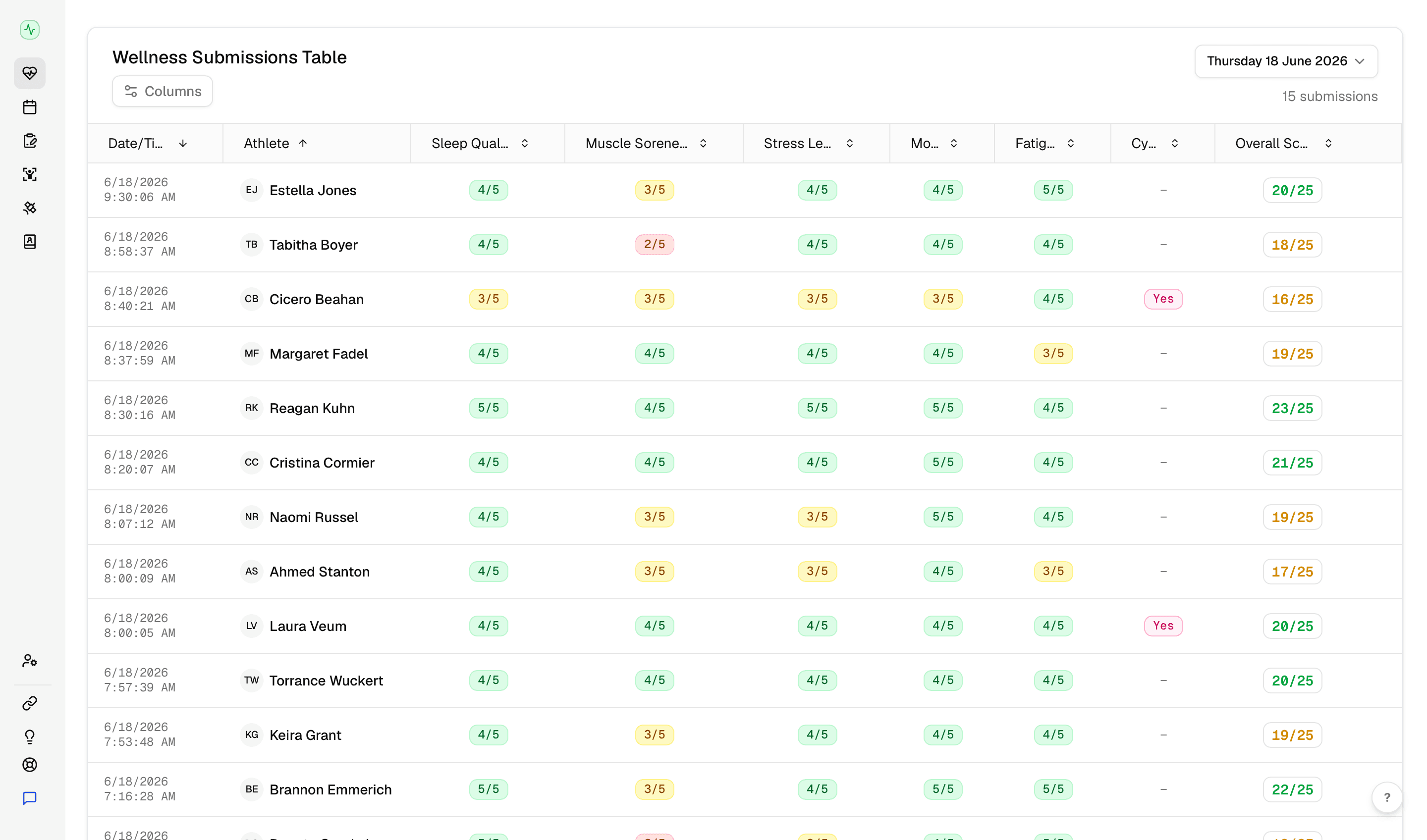
The submissions table is where team trends become individual review. Scan for athletes whose scores sit well below the group, then open the athlete profile when you need more context.
For what athletes submit on the mobile app, see daily wellness check-ins. For a shareable staff snapshot, use export reports.