

Daily wellness check-ins
How athletes submit daily wellness from the mobile app and where coaches review team scores, flags, and trends.
What wellness covers
Athletes complete a short daily wellness form before training — sleep, soreness, stress, mood, and fatigue. Coaches scan same-day flags on Overview, then open the Wellness tab for team trends. Most check-ins take under one minute on the Fractall mobile app.
The mobile app
Athletes open Submit Wellness from the Fractall mobile app. They rate sleep, soreness, stress, mood, and fatigue, then tap Submit. The form also supports body pain mapping and menstrual cycle tracking in the same check-in.
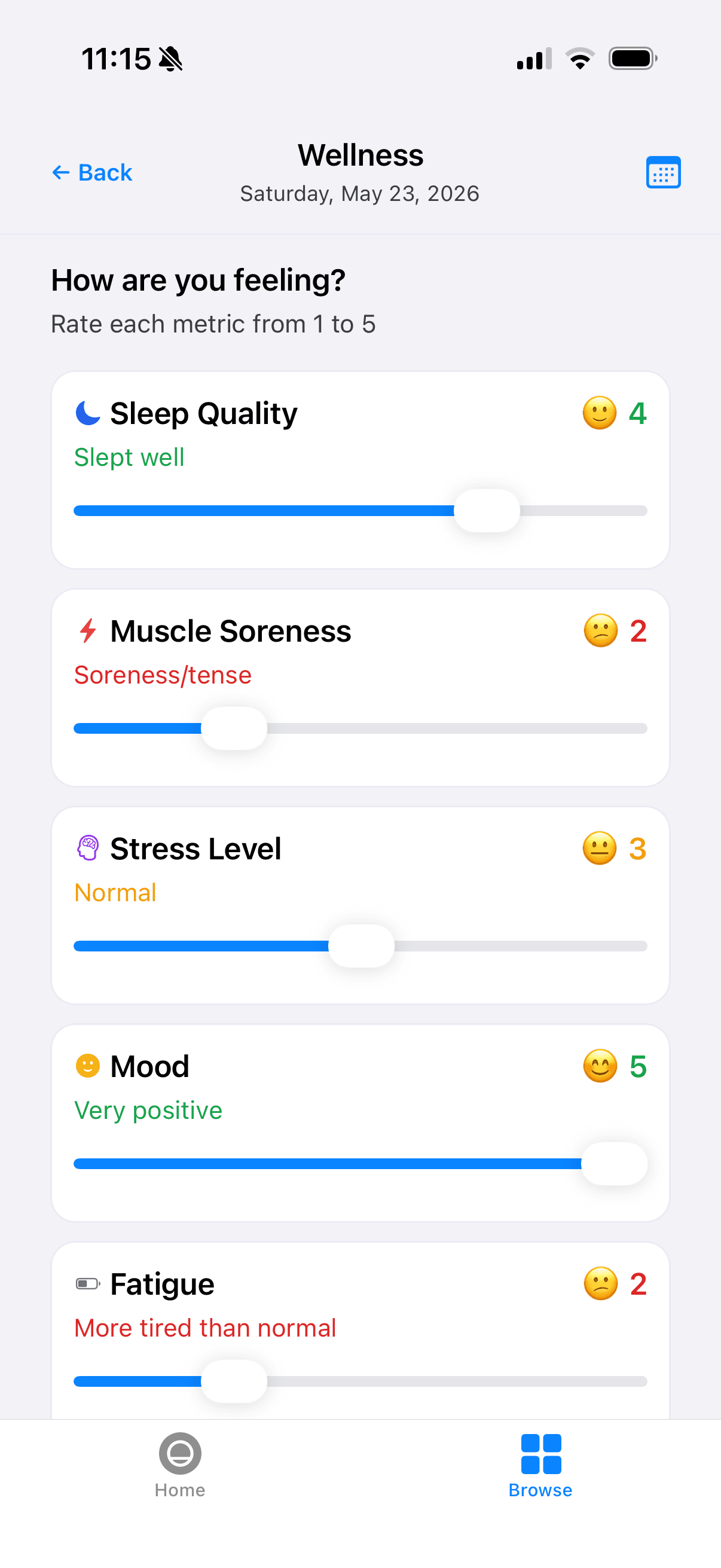
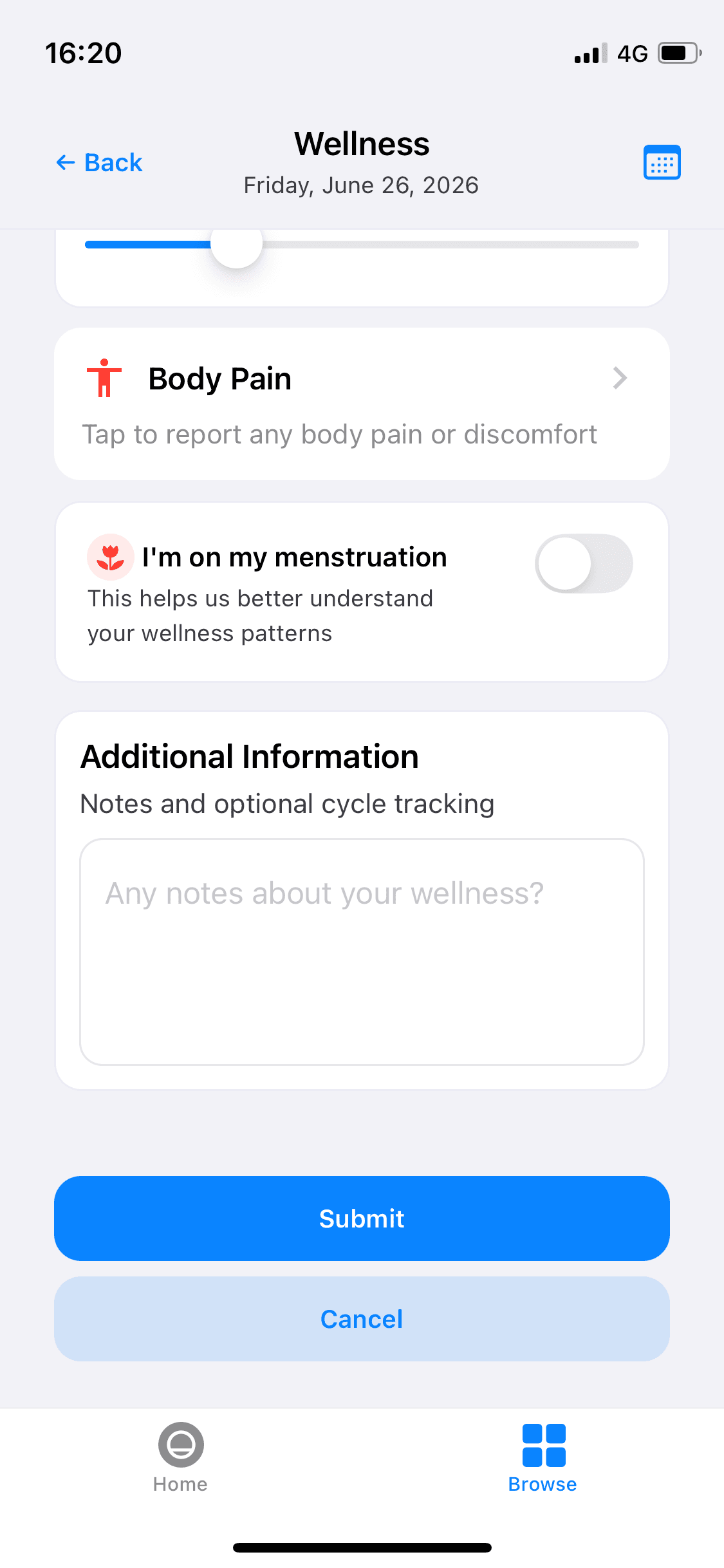
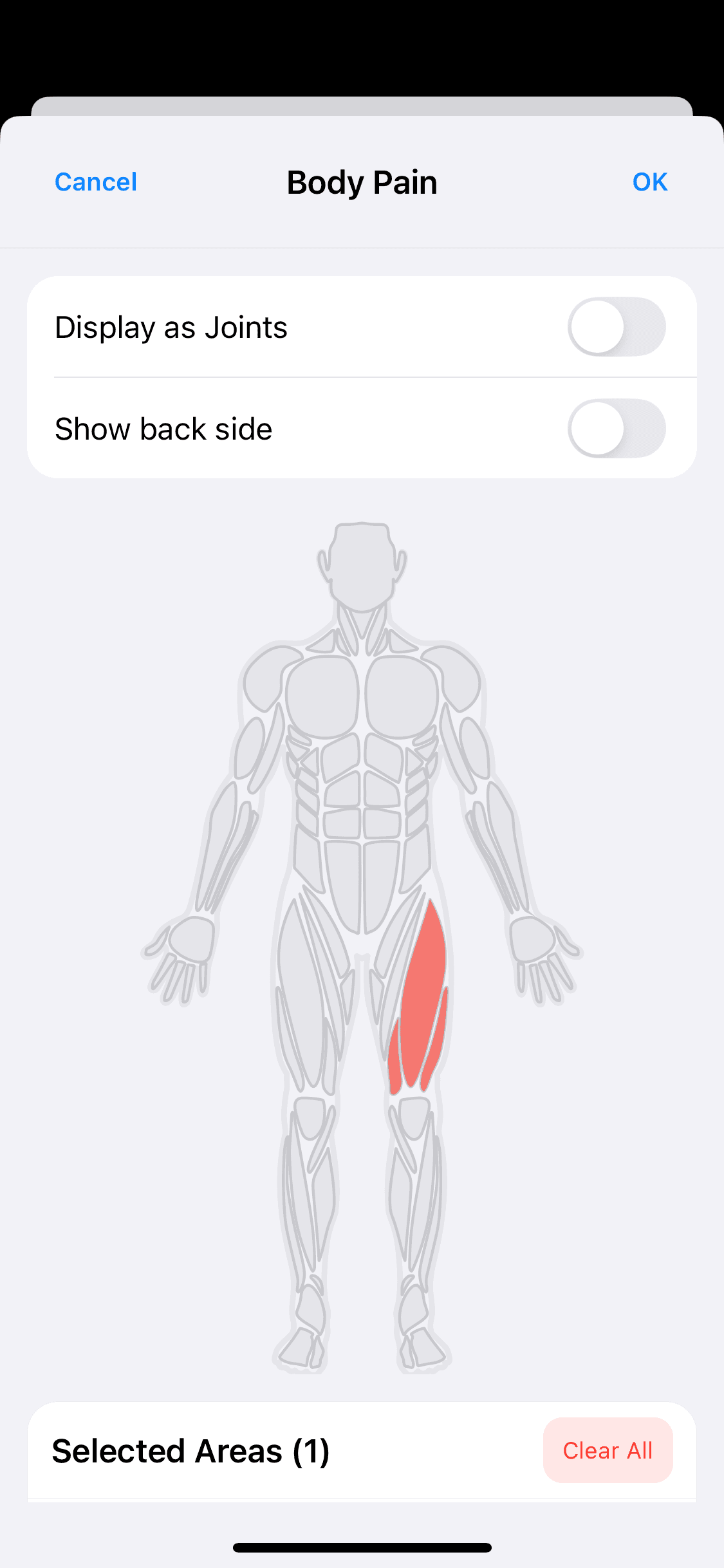
You already walked through the submit flow as a coach in walk through your first check-in. When you want to start collecting data from your athletes, follow invite athletes so their submissions land on your Wellness and Load dashboard.
Review in Wellness & Load
Open Wellness & Load. On Overview, check Today Wellness and any red or yellow flags before training starts.
On the Wellness tab, use Wellness Radar and Trends for squad patterns, the submissions table for individual scores, and the body pain and cycle panels when athletes add that context. See Wellness tab for the full review workflow.
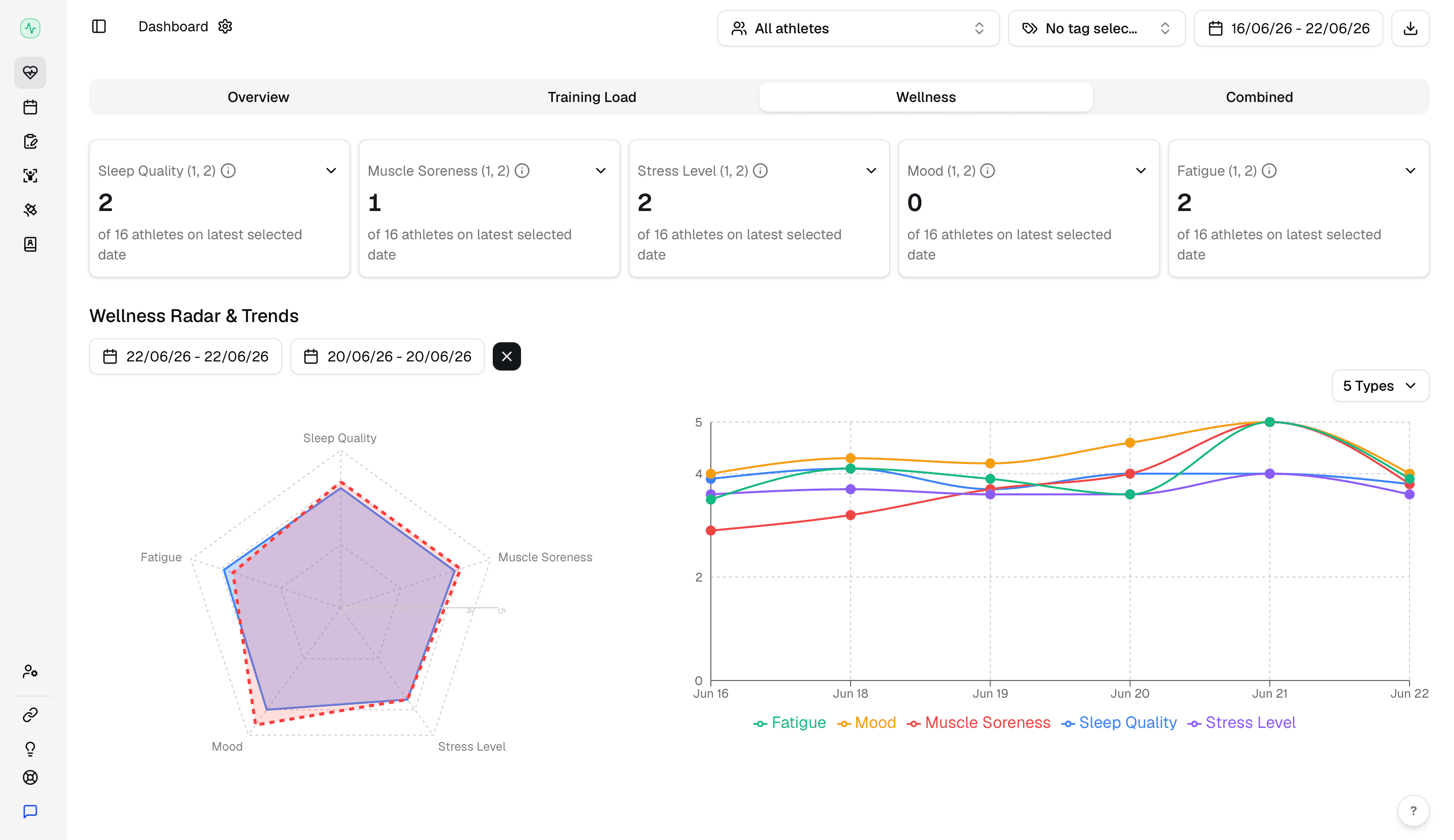
Click an athlete name in the table or on a flag card to open their individual profile.
Go deeper when needed
Athlete Digital Twin opens a focused view for one player — KPI snapshot, personal wellness, trends, body pain history, and submission history. Use it before individual conversations or return-to-play decisions.
When you need a shareable snapshot for other staff, click Export Report in the Wellness & Load toolbar (the right most icon in the top toolbar). The daily PDF includes wellness, body pain, and cycle data from your current filters. See export reports for the daily and range report options.
For structured injury logging alongside wellness context, see injury monitoring.