

Review load before match day
Use ACWR, the Calendar and GPS data to check readiness in the days before a fixture.
Match-week checklist
In the days before a fixture, combine calendar context, internal load, and wellness flags to decide who is ready to play. This workflow builds on your daily monitoring rhythm.
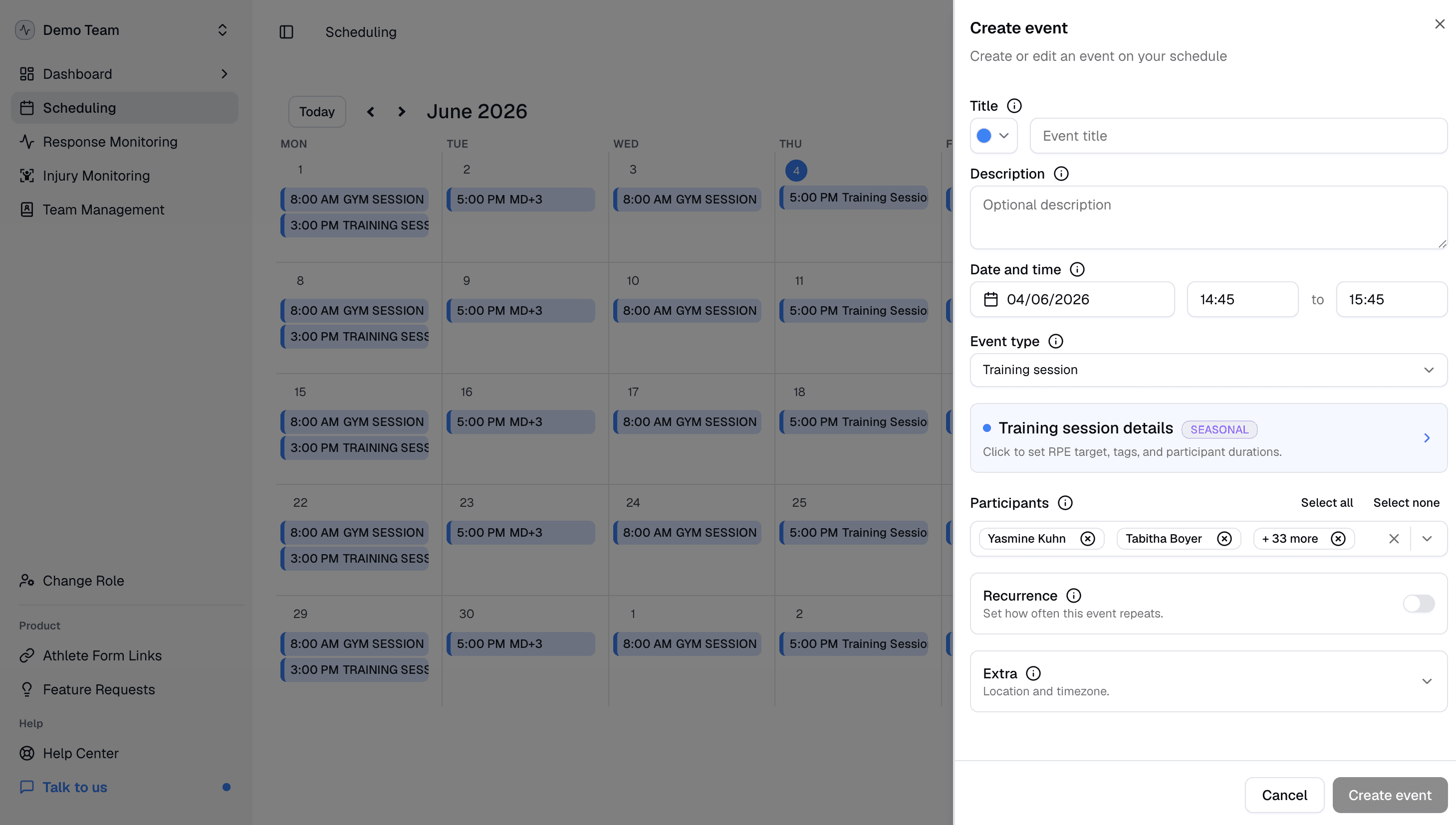
Check the Calendar
Open Calendar and check that the MD labels, for example MD-1, MD and MD+1, match how your staff plans the microcycle. Mislabeled days make load spikes harder to read in Wellness & Load. If a label is wrong, check the match day is on the calendar, or override that day's label.
Review load and ACWR
On the Dashboard, review 7-Day Training Load and 7-Day ACWR average on Overview. Open the Training Load tab and filter to match-week athletes or tags.
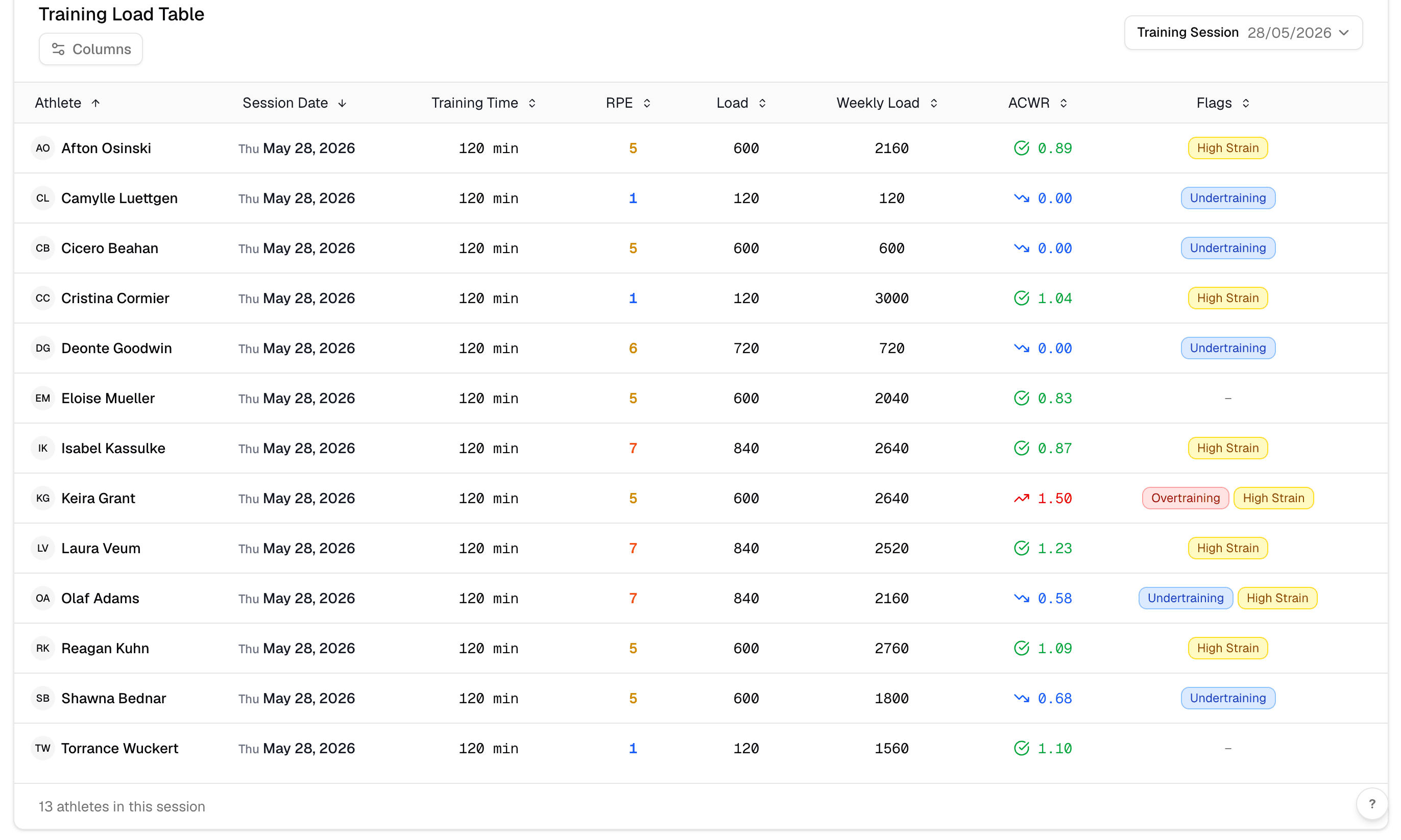
Check wellness flags for athletes with elevated load. If your club imports GPS, cross-check external load in the GPS module for the same date range.