

Import and review GPS data
Import GPS CSV files, link athletes, and review microcycle volume and session metrics.
When to use GPS
Fractall monitoring runs on sRPE — no GPS required. Import GPS when your club already tracks external load and you want distance, player load, and velocity alongside wellness and internal load on the Dashboard.
Open GPS
Click GPS in the sidebar to open the GPS module for your active team.
Import and link data
Click Import CSV to upload GPS export files from your tracking provider. Then use Link athletes to match external athlete names to your Fractall roster so metrics attach to the right players.
Review metrics
The Microcycle volume chart shows team averages across your selected date range. Select a session in Session breakdown to view athlete metrics such as distance, player load, and max velocity.
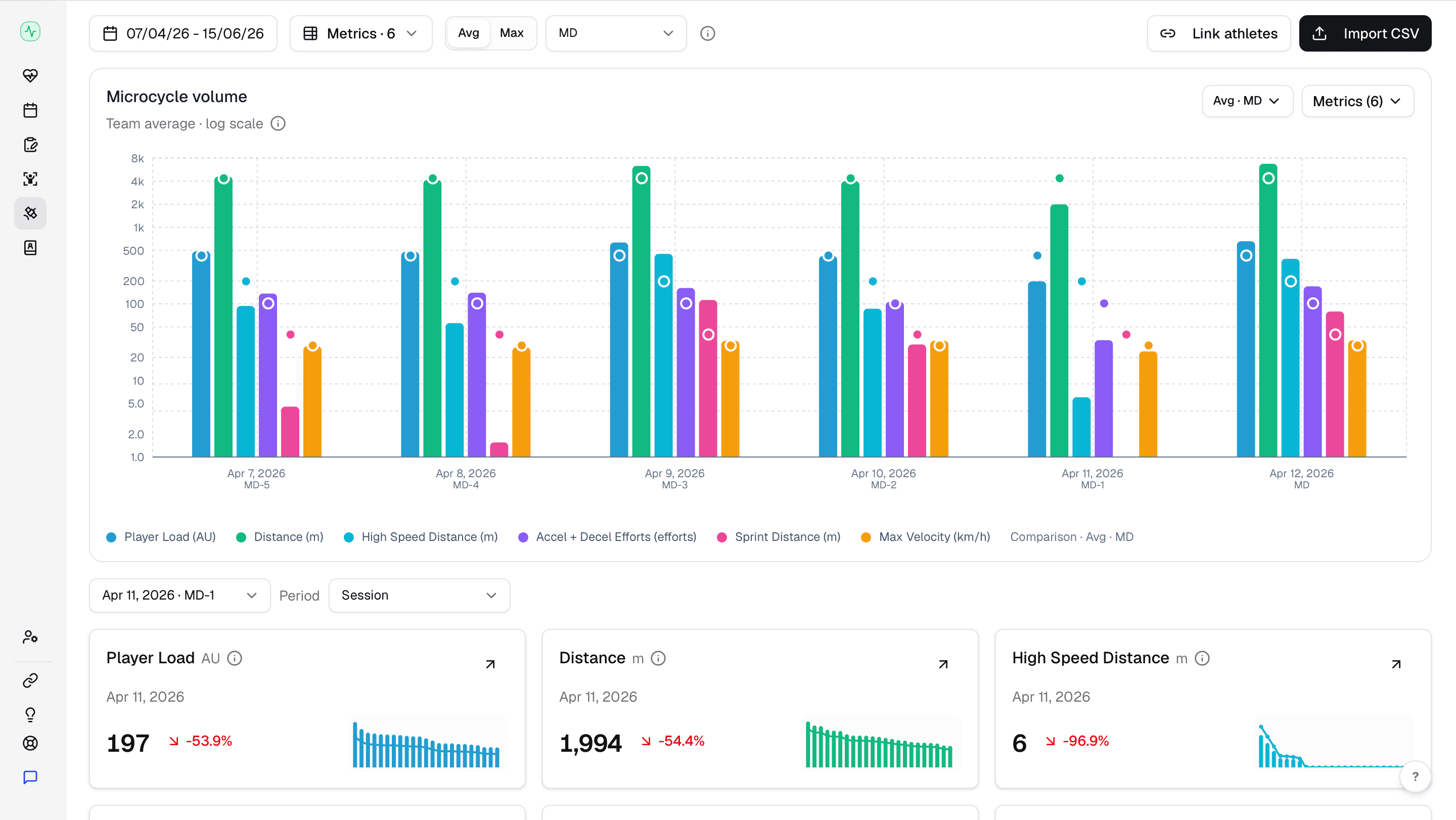
Toggle Avg or Max and use the MD filter for microcycle day context — useful with review load before match day.