

Weekly Athlete Monitoring Report: A Coach's Guide
Learn how a weekly athlete monitoring report helps staff track load, wellness, ACWR, body pain, and athlete flags in one shareable document.
Updated first published
Quick answer
One microcycle, one page, read in five minutes
Quick answer
Weekly report
Turn a full microcycle into a five-minute staff briefing
A weekly athlete monitoring report summarizes squad health, wellness, training load, and individual flags across a seven-day period.
The three questions
Report contents
Include only the sections that drive coaching decisions
The goal is clarity, not completeness. A useful weekly report prioritizes what staff need before the next session.
| Section | What it answers | Who uses it |
|---|---|---|
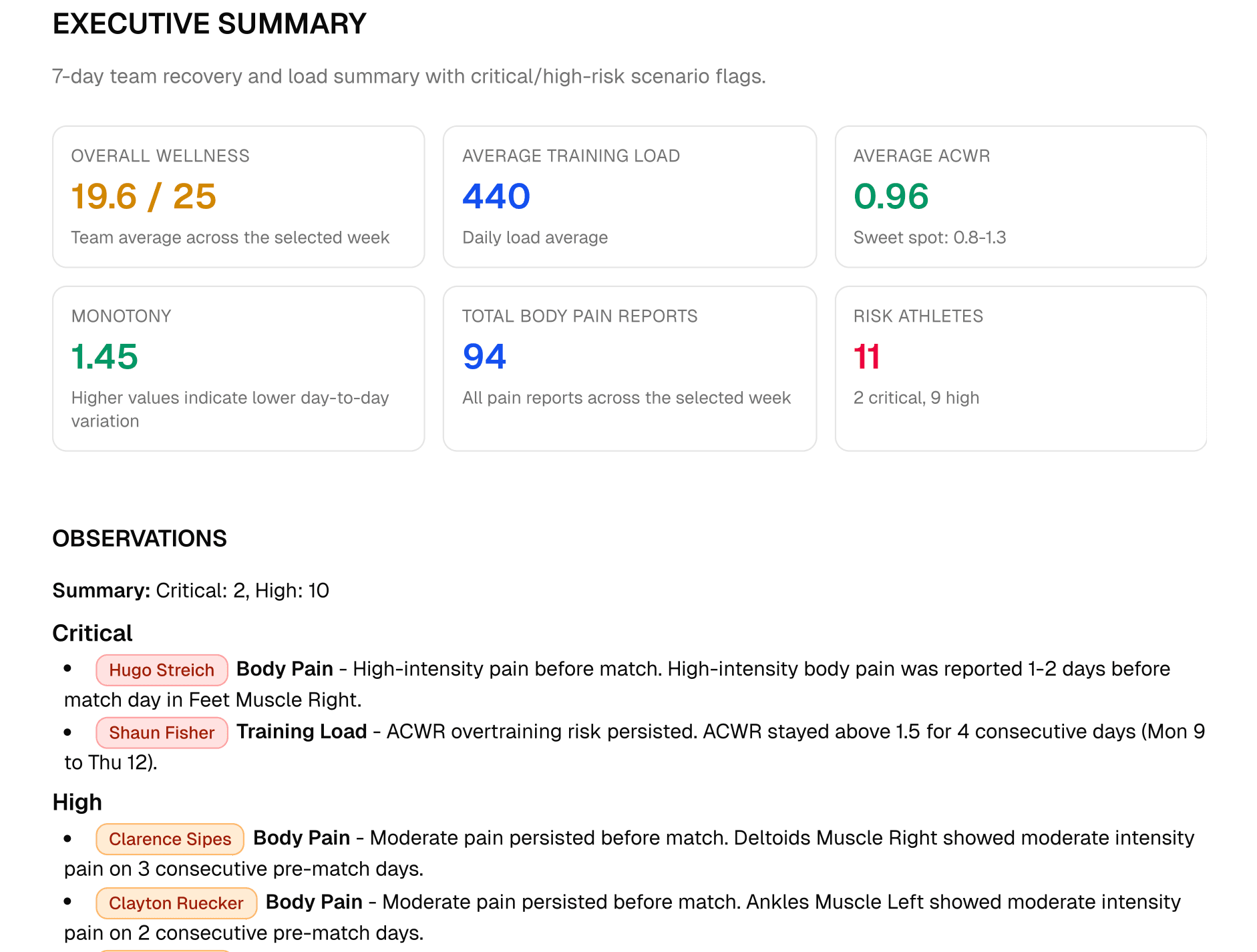
| Executive summary | What is the squad picture? | Head coach, assistants, directors. |
| Daily load trend | Did the week match the planned microcycle? | S&C and performance staff. |
| Wellness evolution | Are fatigue, sleep, soreness, stress, or mood trending down? | All coaching and medical staff. |
| Body pain heatmap | Where are pain reports clustering? | Physio and medical staff. |
| Individual observations | Which athletes need a conversation or adjustment? | Staff responsible for the next action. |
Decision structure
Start broad, then move to athlete-specific action
The report should guide staff from squad context to individual interventions in a predictable order.
- 1
Start with the squad picture
Review overall wellness, load, ACWR, and number of athlete flags first.
- 2
Compare load to the plan
Check whether training matched the intended microcycle or created unexpected spikes.
- 3
Read wellness trends
Use multi-day changes rather than overreacting to one low score.
- 4
Prioritize flagged athletes
Attach each flag to a reason and a next action.
- 5
Share before training decisions
Deliver the report before the first planning conversation of the week.
Implementation checks
- Define the report audience.
- Set a fixed delivery time.
- Confirm sRPE and wellness completeness.
- Compare this week's flags with last week's.
- Use plain language for non-specialist readers.
Common mistakes
A report fails when it arrives late or reads like a data dump
The weekly document should narrow attention, not ask busy staff to interpret every metric from scratch.
Reporting data instead of decisions
Sharing after decisions are made
Using too much jargon
Flagging without context
Fractall workflow
Use reports to move monitoring data across the whole staff
Fractall supports PDF reporting and dashboards covering training load, wellness, ACWR, body pain, and athlete context.
From data to briefing
Athletes submit wellness, sRPE, and pain data through Fractall.
Coaches review load, ACWR, wellness, and body pain trends.
Staff export or share reports so decisions use the same picture.
Make weekly monitoring easier to share
Use Fractall to collect athlete data, review weekly trends, and export coach-ready reports for your staff.
FAQs
Weekly athlete monitoring report questions
Short answers for staff turning weekly load and wellness data into a useful briefing.
What should the report include?
Use an executive summary, daily load trend with ACWR, wellness evolution, body pain overview, and individual observations for flagged athletes.
Key takeaways
- Keep the report readable in under five minutes.
- Include load, wellness, ACWR, body pain, and athlete flags.
- Deliver it before the planning window.
- Write for the head coach, not only the S&C specialist.
- Flag athletes with context and next action.
Related guides
Winter Break Training Plan for Football S&C Coaches
Winter break training plan for football: what two weeks off costs, the minimum to prescribe at home, and how to log it so January ACWR stays honest.
Two Games a Week: What Wellness Data Shows Before Match 2
Fractall data on football teams playing two games a week: on match morning, fatigue sits less than half as far above normal. How to read wellness between games.
ChatGPT and Claude for Strength and Conditioning Coaches
What an S&C coach can ask ChatGPT or Claude about squad load, wellness and injuries, and the privacy settings to change before any athlete data goes in.