

Wellness Tracking Software: Features Coaches Need
A practical guide to the wellness tracking features that matter for coaches: athlete experience, red flags, compliance, load integration, and simple reports.
Updated first published
Quick answer
Four jobs: athlete experience, red flags, compliance, load context
Quick answer
Software selection
The right wellness tool fits the weekly coaching workflow
Wellness tracking software should help athletes submit quickly, help coaches spot who is off, and connect readiness to training decisions.
The four core jobs
- Make daily answers fast and painless for athletes.
- Show coaches who is off in under 30 seconds.
- Link wellness with sRPE, ACWR, monotony, and strain.
- Turn the pattern into a clear adjust, keep, or progress decision.
Must-have features
Prioritize athlete experience and coach visibility
Compliance and clarity matter more than a long settings page. The tool has to work inside real training weeks.
| Feature | Why it matters | Nice-to-have trap |
|---|---|---|
| Mobile-first check-ins | Athletes answer quickly in the routine they already have. | Overdesigned flows that slow down honest answers. |
| Five core questions | Sleep, fatigue, soreness, stress, and mood cover the main readiness signals. | Twenty questions before the habit exists. |
| Squad red flags | Coaches see who needs attention before training. | Dashboards that require digging through several screens. |
| Compliance tracking | Missing responses are data-quality signals. | Manual chasing that burns coach time. |
| Simple exports | Staff can align around the same picture. | Custom report builders that take too long to configure. |
Load integration
Wellness is most useful beside training load
Sleep, soreness, fatigue, stress, and mood become more actionable when coaches can read them next to sRPE, weekly load, ACWR, monotony, and strain.
Read spikes with readiness context
High ACWR plus poor sleep and soreness deserves closer review than high ACWR with stable wellness and no pain.
Context capture
Scores tell you what; notes and pain maps explain why
A good wellness platform should capture short context without turning the check-in into admin.
Free-text notes
Pain mapping
Multi-team views
Role-based access
Shiny features
Do not let AI distract from compliance and clarity
AI summaries can help once the basics work. They should not be the reason to choose a wellness platform before collection quality is solved.
Get these foundations first
- Athletes actually answer.
- Questions are short and meaningful.
- Coaches can see red and yellow flags quickly.
- Wellness sits next to load and pain.
- The staff uses the data every week.
Fractall workflow
A coach-first wellness system should reduce admin
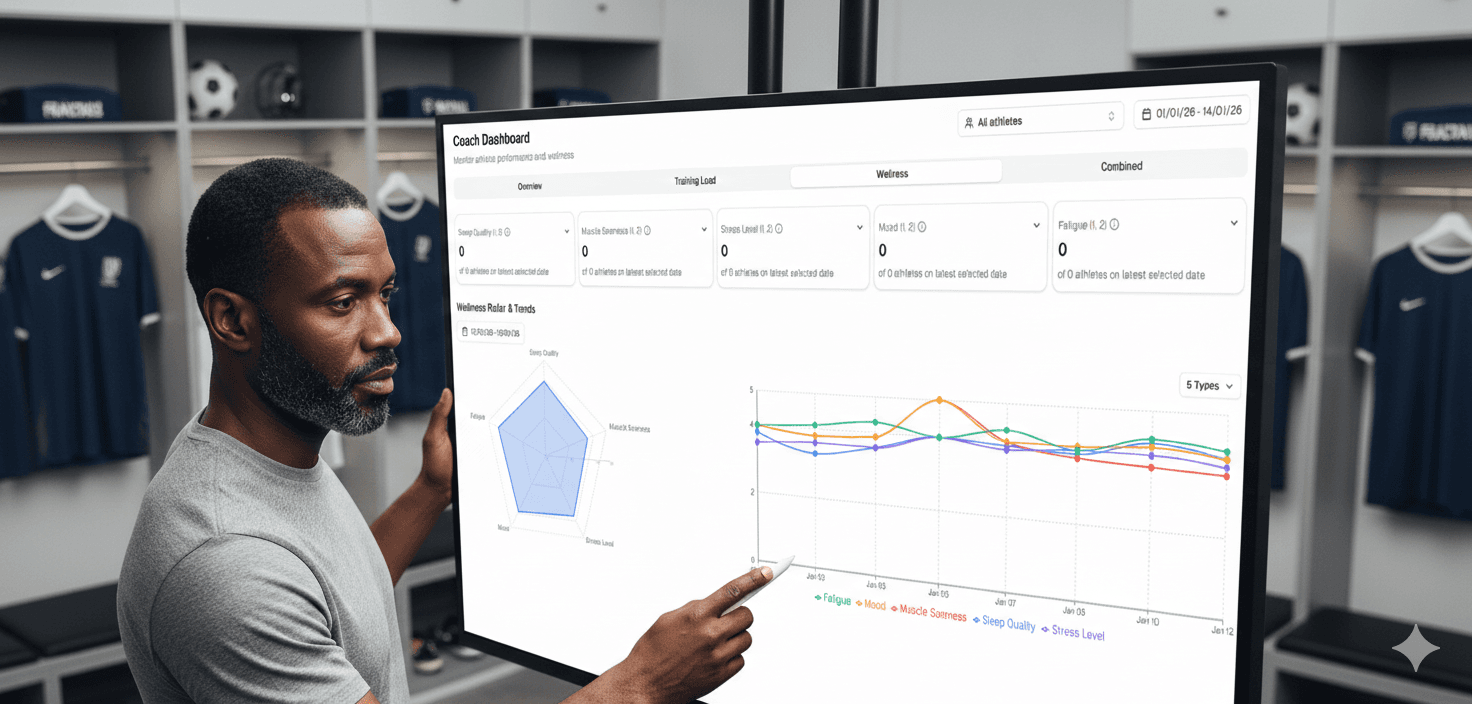
Fractall focuses on athlete check-ins, wellness trends, training-load integration, pain reporting, compliance, and coach-ready dashboards for small and medium clubs.
Fractall wellness workflow
Athletes submit daily wellness and pain context through mobile flows.
Coaches review squad wellness, load, ACWR, monotony, strain, and body pain trends.
Staff use dashboards and reports to decide who to adjust, keep, or progress.
Monitor wellness, load, and readiness in one place
Use Fractall to collect wellness, connect it with training load, and turn daily check-ins into coach-ready decisions.
Selection checklist
- Mobile-first athlete experience.
- Five to six essential questions.
- Clear coach red flags and timelines.
- Compliance tracking and reminders.
- Load integration with sRPE and ACWR.
- Pain and notes for context.
- Simple staff exports.
FAQs
Wellness software questions coaches ask
What is the single most important wellness feature?
How many wellness questions should we ask?
Does wellness data need to sit with training load?
What do free-text notes and pain maps add?
Related guides
Winter Break Training Plan for Football S&C Coaches
Winter break training plan for football: what two weeks off costs, the minimum to prescribe at home, and how to log it so January ACWR stays honest.
Two Games a Week: What Wellness Data Shows Before Match 2
Fractall data on football teams playing two games a week: on match morning, fatigue sits less than half as far above normal. How to read wellness between games.
ChatGPT and Claude for Strength and Conditioning Coaches
What an S&C coach can ask ChatGPT or Claude about squad load, wellness and injuries, and the privacy settings to change before any athlete data goes in.