Account and billingUpdated Jun 25, 2026
Set up your organization
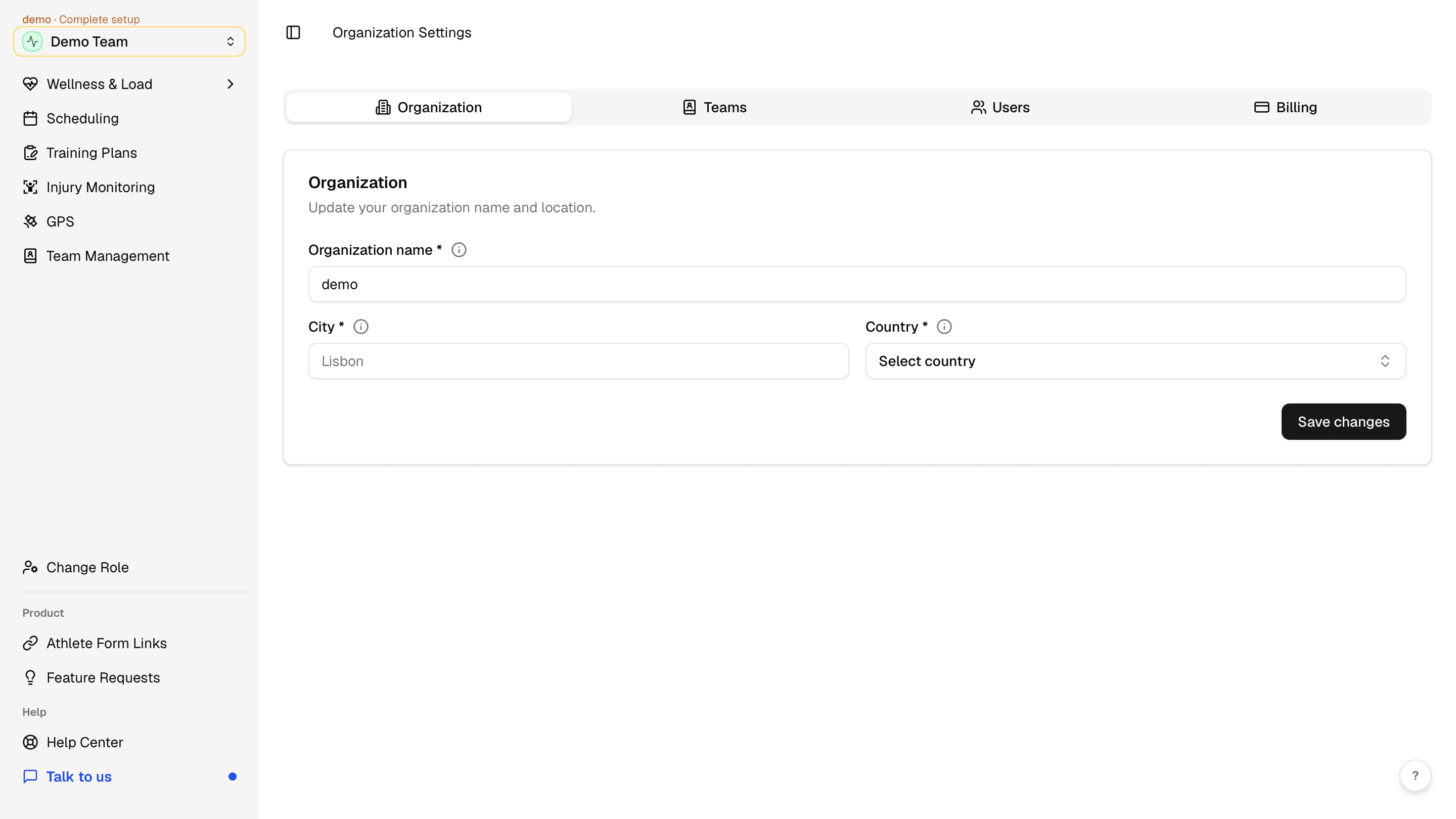
Set your organization name, city, and country in Organization Settings.
Why organization details matter
Complete your organization profile before inviting staff and athletes. This is the same step covered in getting started — use this guide when you need to update details later or manage org-level tabs.
Open Organization Settings
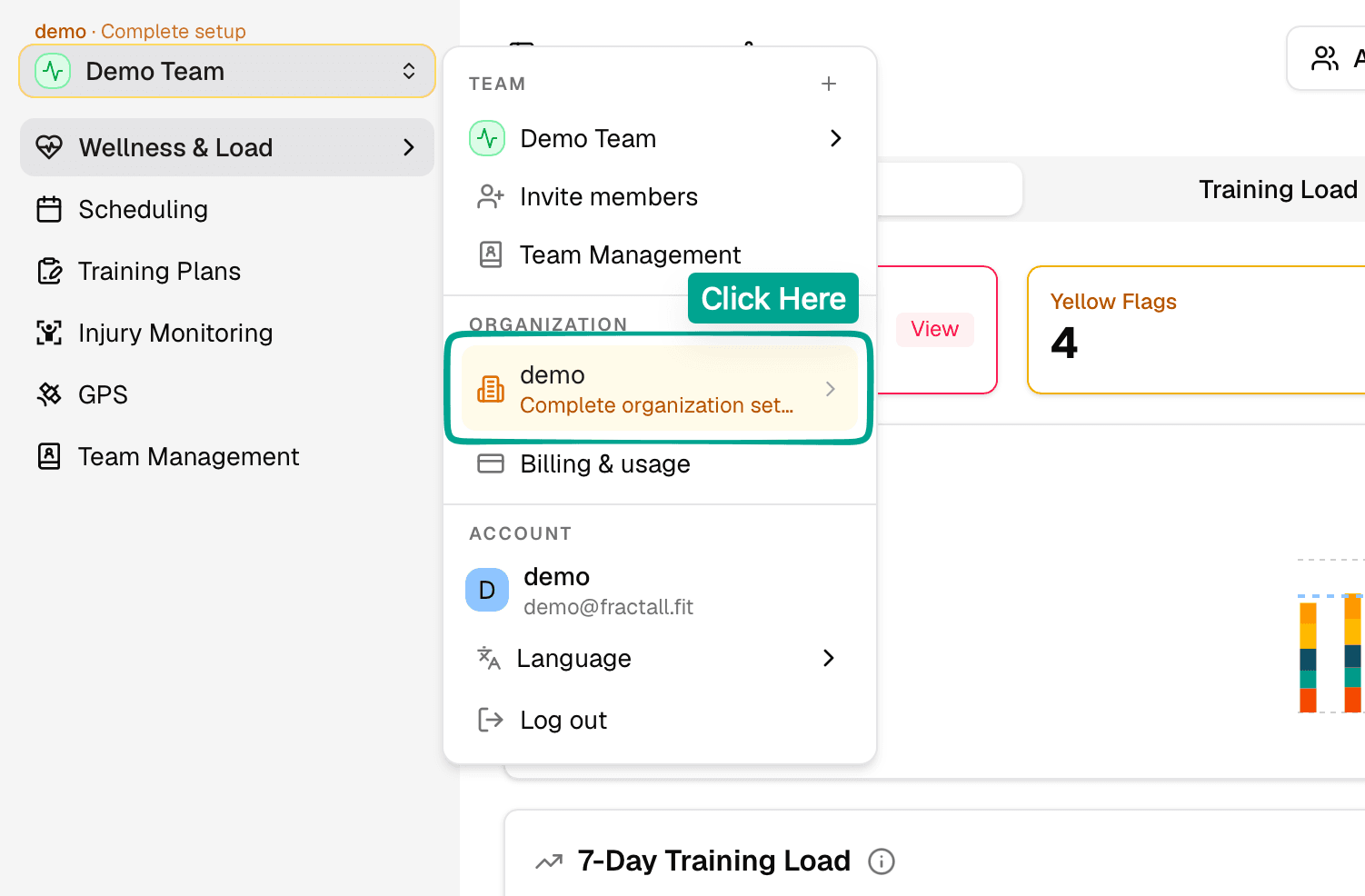
Click the workspace menu at the top of the sidebar and select your organization under ORGANIZATION. If setup is incomplete, you will see a Complete organization set... prompt.
Complete the organization form
On the Organization tab, enter Organization name, City, and Country, then click Save changes.